

Custom Software
Development
Company
in Alwar Khairthal
We build custom software for businesses in Alwar Khairthal to automate processes, connect business data, improve operational efficiency, and support growth with solutions designed around their unique requirements.
Customised
Workflows
Process
Automation
Real-Time
Data & Reports
Secure & Scalable
Solutions
Trusted Custom Software Development Company in Alwar Khairthal
Proudly delivering custom software solutions for local and growing businesses across Alwar Khairthal.






























7+
Years of Experience120+
Software Delivered100%
Client Satisfaction15+
Software Developers24/7
Software SupportReady To Simplify Your Business Operations?
Let's discuss your business processes, automation needs, or custom software requirements.
Custom Software Development Services for Growing Businesses in Alwar Khairthal
From custom business applications and process automation to inventory, HRMS, real time reporting dashboards, and business portals, we build custom software tailored to your business requirements, workflows, and operational goals in Alwar Khairthal
Custom Business
Application Development in Alwar Khairthal
Build custom business applications in Alwar Khairthal around your unique workflows, operational requirements, and day-to-day business processes.
Inventory & Billing
Software Development in Alwar Khairthal
Manage inventory, billing, transactions, and business records with custom software in Alwar Khairthal designed around your operational requirements.
HRMS & Attendance
Software Development in Alwar Khairthal
Simplify employee management and attendance processes in Alwar Khairthal with custom HRMS software designed for your workforce and internal operations.
Workflow & Process
Automation in Alwar Khairthal
Automate repetitive tasks, approvals, and business processes in Alwar Khairthal with custom software designed to improve efficiency and reduce manual work.
MIS & Business Reporting
Software in Alwar Khairthal
Bring business information together with custom MIS and reporting software in Alwar Khairthal for clearer visibility, faster reporting, and informed decisions.
Custom Business Portal
Development in Alwar Khairthal
Build secure business portals in Alwar Khairthal for employees, clients, partners, franchisees, members, and other users based on their specific access and workflow needs.
Common Manual Business Challenges — And How Ainosof Solves Them With Custom Software in Alwar Khairthal
Every business works differently. We first understand your existing processes, identify where manual work is slowing you down, and then build custom software around the way your business actually operates.
Common Manual Business Challenges
Repetitive Manual Work
Hours spent on routine data entry, calculations, follow-ups, and record keeping.
Excel-Based Business Processes
Important business operations depend on spreadsheets, separate files, and manual records.
Manual Approvals & Follow-Ups
Tasks and approvals move between people without a structured workflow or clear status.
Scattered Business Information
Sales, inventory, employees, customers, or operational data remain spread across different records.
How Ainosof Solves It
Understand Your Business Process
We understand your existing workflow, users, information, and areas where manual effort is creating delays.
Convert Manual Work Into Software
We turn suitable manual processes into structured software workflows built around your requirements.
Connect Data & Workflows
We connect relevant business information, users, approvals, and processes within one organised system.
Build Reports Around Your Needs
We create reports and management information around the data your business actually needs.
Need A Professional Website For Your Business?
Why Choose Ainosof for Custom Software Development in Alwar Khairthal
Choosing a custom software partner is about more than development. You need a team that understands your business process, communicates clearly, builds around your requirements, and stays available as your software grows.
Business Process First
We understand how your business works before planning the software, workflows, and modules around your actual requirements.
Built Around Your Requirements
Your custom software is developed around your processes, users, reporting needs, and day-to-day operations—not a fixed software package.
Experienced In-House Team
Our in-house developers, designers, and technical specialists work together to build and support your business software.
Clear Planning & Communication
We document requirements, define project milestones, and keep communication clear throughout the development process.
Built for Future Growth
We consider future users, modules, integrations, and changing business requirements while planning your custom software in Alwar Khairthal
Support Beyond Development
Our relationship continues after deployment with technical support, maintenance, and future software enhancements in Alwar Khairthal
Need A Professional Website For Your Business?
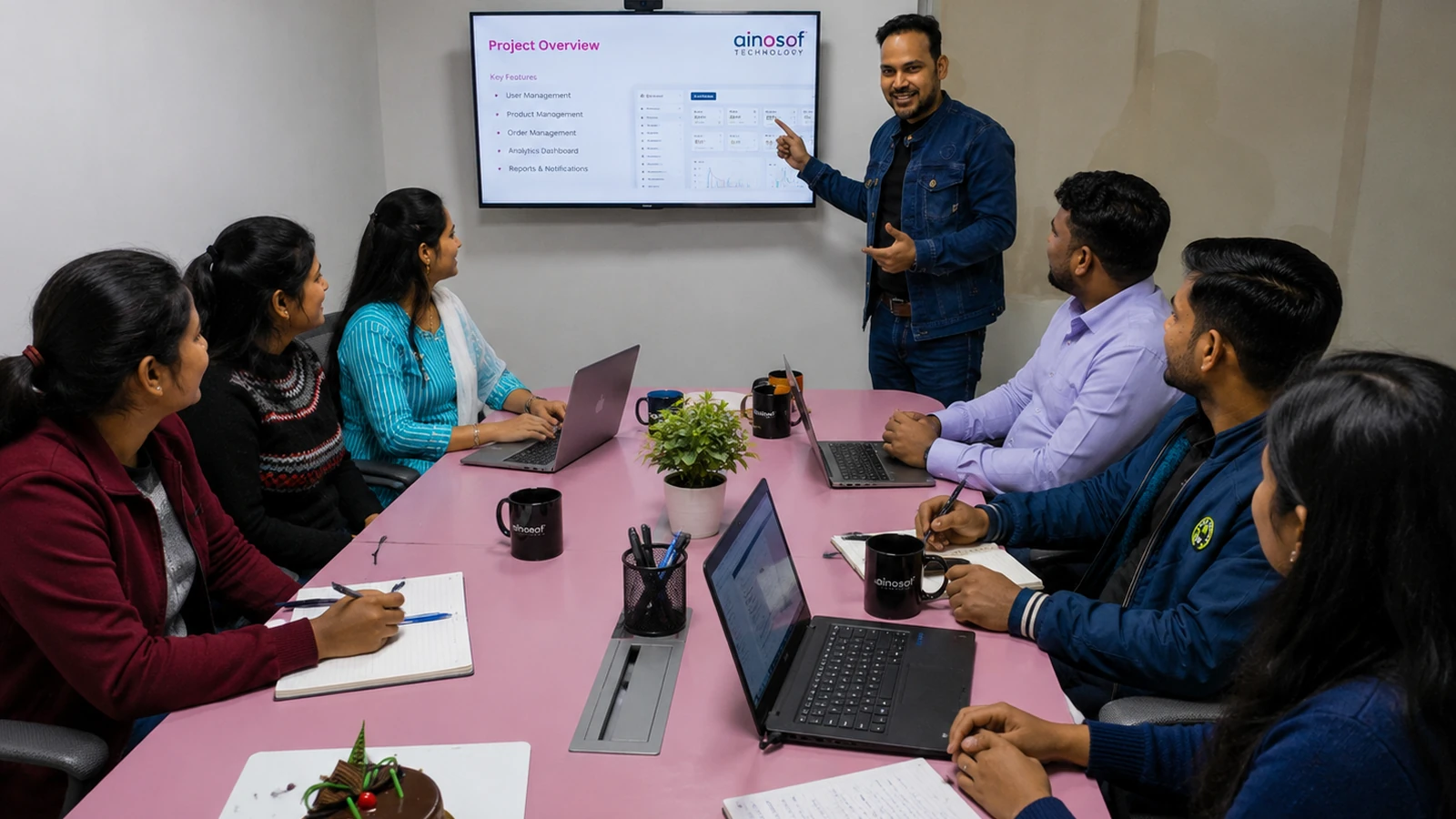
Meet the Software Developer Team Behind Our Custom Software Development
Our software developers in LOCATION, UI/UX specialists, project managers, and technical experts work together to understand business requirements, build practical software, and support projects from planning through deployment.

Custom Software Development for Different Industries in Alwar Khairthal
Every industry works differently. We build custom software around the processes, users, and operational requirements of your business in Alwar Khairthal from manufacturing and inventory management to education, healthcare, logistics, and business operations.
Manufacturing & Industrial Businesses
Custom software for production, inventory, workflow, compliance, and operational management in manufacturing and industrial businesses.
Education & Training
For Alwar Khairthal School, institute, training, and learning management software designed around admissions, fees, attendance, and administration.
Healthcare & Medical Businesses
Custom software for hospitals, clinics, laboratories, pharmacies, appointments, and healthcare inventory management in Alwar Khairthal.
Retail, Wholesale & Distribution
Business software for billing, inventory, distribution, customer management, and day-to-day retail and wholesale operations in Alwar Khairthal.
Professional, Real Estate & Construction
Custom software for practice management, projects, property, financial processes, site operations, and construction businesses in Alwar Khairthal.
Logistics, Hospitality & Growing Businesses
Custom Software for fleet, warehouse, booking, POS, membership, SaaS, and other operational requirements of growing businesses in Alwar Khairthal.
Manufacturing & Industrial Businesses
Custom software for production, inventory, workflow, compliance, and operational management in manufacturing and industrial businesses.
Education & Training
Modern websites for Alwar Khairthal schools, colleges, universities, coaching institutes, and training organizations.
Healthcare & Medical Businesses
Custom software for hospitals, clinics, laboratories, pharmacies, appointments, and healthcare inventory management in Alwar Khairthal.
Retail, Wholesale & Distribution
Business software for billing, inventory, distribution, customer management, and day-to-day retail and wholesale operations in Alwar Khairthal.
Professional, Real Estate & Construction
Custom software for practice management, projects, property, financial processes, site operations, and construction businesses in Alwar Khairthal.
Logistics, Hospitality & Growing Businesses
Custom Software for fleet, warehouse, booking, POS, membership, SaaS, and other operational requirements of growing businesses in Alwar Khairthal.
Explore Our Website Design & Development Portfolio
Discover professionally designed websites we've developed for startups, SMEs, manufacturers, and enterprises, helping businesses in Alwar Khairthal build a stronger digital presence.
Trusted by Businesses Across Alwar Khairthal
Discover how businesses partnered with Ainosof to build professional websites that strengthen their digital presence, improve customer engagement, and support long-term business growth.
The Payment Request Management Software developed by Ainosof has completely transformed the way we manage payment requests across our branches. Earlier, the process involved a lot of paperwork, manual follow-ups and coordination between different locations. Now, the entire system is digital and connected, allowing our branches, accountants and admin team to manage requests from one central platform. It has made approvals, verification and payment tracking much easier and has helped us move to a completely paperless process across our branches. The software has genuinely simplified our day-to-day work and saved our team a great deal of time and effort.
Our asset records involved a lot of manual work, especially when it came to tracking depreciation and knowing the current value of each asset. Ainosof developed a custom Asset Depreciation Management Software around our actual requirements, including QR-based asset tracking and automatic depreciation calculations. The system handles both types of depreciation automatically and gives us the current asset value whenever we need it. We no longer have to depend on separate manual records or prepare reports from scratch. The biggest advantage of having custom software is that the system is built around the way our business manages assets, rather than forcing us to adjust our process to a ready-made solution. It has made asset management much easier and more organised for our team.
Ainosof developed a custom software system that has made our car rental operations much easier to manage. We wanted to move away from paperwork and manual records, so the software was designed around our actual rental workflow. It brings vehicle management, trip management, driver management, customer and vendor records, accounts and reporting into one connected system. We can now track trips, revenue, upcoming bookings and completed trips from a single dashboard instead of maintaining everything manually. The biggest benefit is that our day-to-day operations are now much more organised and paperless. Having the software customised to our business requirements made it far more practical for our team than relying on separate tools or manual processes.
Managing EMI records for e-rickshaw batteries requires keeping track of customers, dealers, payments and upcoming dues without losing accuracy. Ainosof developed a custom finance management ERP around our specific EMI process, making it much easier to maintain and access these records. The system gives us a central view of customers, dealers, completed EMIs, upcoming EMIs and due payments, so our team can manage the process without depending on scattered manual records. It is working very well for our business and has made day-to-day EMI management much more organised. For businesses with a specific finance or EMI workflow, having software customised to their actual requirements can make a significant difference.
We needed more than a standard web portal—we needed a complete management system to run and control our online education business from one place. Ainosof developed a custom web portal around our requirements, bringing student management, courses, test papers, mock tests, counselling, orders, payments, campaigns, content and support functions together in a single dashboard. The portal gives our team a clear view of operations and makes it much easier to manage different activities without depending on multiple systems or manual processes. The biggest advantage for us has been having a solution built specifically around our business workflow. It has made day-to-day management more organised, efficient and easier to scale.”
We required a dedicated system to manage the evaluation of our paper-based test series, and Ainosof developed a custom evaluator portal specifically around our process. The portal makes it easier to manage evaluators, student answer sheets, checked sheets and evaluation status across different examinations and subjects. Our team can quickly see uploaded and checked papers, track pending evaluations and monitor the overall evaluation workflow from one dashboard. Instead of managing large volumes of paper-based evaluation records manually, we now have a structured digital system to coordinate the process. The fact that the portal was customised to our examination and evaluation workflow has made it much more practical for our team.
Managing the content of an entire college website can become difficult when different sections, courses and information need to be updated regularly. Ainosof developed a custom Website CMS for Alpine College that gives our team control over the complete website from one administration panel. We can manage course content, certifications, eligibility criteria, curriculum, skills, career information, FAQs, campus facilities and other website sections without depending on a developer for every small update. The CMS was customised around our actual requirements, which has made website management much faster and more convenient for our team. It has given us the flexibility to keep our website updated while maintaining everything through one organised system.
As a business dealing in steel doors and windows, we wanted a better way to understand how visitors were reaching and using our website. Ainosof developed a custom website visitor tracking system for Modern Steel Doors and Windows that brings important visitor data into one dashboard. We can track total visitors, Indian and international visitors, traffic sources, popular pages, countries and devices, giving us a much clearer picture of our website activity. The system was customised around our reporting requirements instead of relying on a generic setup, making the information easier for our team to monitor and understand. It has given us better visibility into our website performance and helps us make more informed decisions about our online presence.
As a business handling a large volume of Udyam Registration applications, we needed a system that could keep our leads, applications, orders and revenue information organised while giving our team a clear view of ongoing business activity. Ainosof developed a customised management software specifically around our requirements. It brings Udyam Registration, re-registration, update and related application processes into one system, with live reporting and revenue tracking available from the dashboard. Having the data and reporting connected in one place has made it much easier for our team to monitor operations, manage records and understand our business performance without relying on separate manual reports. The customised approach made the software practical for our specific workflow and day-to-day requirements.
Managing accounts in a construction business is not just about recording payments—it involves keeping track of income, expenses, purchases and different financial activities across ongoing operations. We needed a system that could fit the way Datum Constructions Nigeria manages its accounts rather than relying on a generic accounting setup. Ainosof developed a complete accounting management software around our requirements, giving our team a more organised way to maintain financial records and monitor the business. Having everything available through one system has reduced the dependency on manual records and made day-to-day accounting work much easier. I would recommend custom accounting software to businesses with their own financial processes, especially when standard software does not fully match the way the business operates.
We were looking for something simple that could help us manage our e-commerce business without having to maintain everything separately. Ainosof understood what we needed and developed the system around our actual working process. Now we can manage our vendors, products, customers, orders and delivery team from one place. It has made keeping records and checking daily orders much easier for us. We especially liked that the software was customised for Apna E-Bazar instead of giving us a standard system with features we may not need. It has made our day-to-day work much more organised, and I would definitely recommend custom software to businesses that have their own way of working.
The Payment Request Management Software developed by Ainosof has completely transformed the way we manage payment requests across our branches. Earlier, the process involved a lot of paperwork, manual follow-ups and coordination between different locations. Now, the entire system is digital and connected, allowing our branches, accountants and admin team to manage requests from one central platform. It has made approvals, verification and payment tracking much easier and has helped us move to a completely paperless process across our branches. The software has genuinely simplified our day-to-day work and saved our team a great deal of time and effort.
Our asset records involved a lot of manual work, especially when it came to tracking depreciation and knowing the current value of each asset. Ainosof developed a custom Asset Depreciation Management Software around our actual requirements, including QR-based asset tracking and automatic depreciation calculations. The system handles both types of depreciation automatically and gives us the current asset value whenever we need it. We no longer have to depend on separate manual records or prepare reports from scratch. The biggest advantage of having custom software is that the system is built around the way our business manages assets, rather than forcing us to adjust our process to a ready-made solution. It has made asset management much easier and more organised for our team.
Ainosof developed a custom software system that has made our car rental operations much easier to manage. We wanted to move away from paperwork and manual records, so the software was designed around our actual rental workflow. It brings vehicle management, trip management, driver management, customer and vendor records, accounts and reporting into one connected system. We can now track trips, revenue, upcoming bookings and completed trips from a single dashboard instead of maintaining everything manually. The biggest benefit is that our day-to-day operations are now much more organised and paperless. Having the software customised to our business requirements made it far more practical for our team than relying on separate tools or manual processes.
Managing EMI records for e-rickshaw batteries requires keeping track of customers, dealers, payments and upcoming dues without losing accuracy. Ainosof developed a custom finance management ERP around our specific EMI process, making it much easier to maintain and access these records. The system gives us a central view of customers, dealers, completed EMIs, upcoming EMIs and due payments, so our team can manage the process without depending on scattered manual records. It is working very well for our business and has made day-to-day EMI management much more organised. For businesses with a specific finance or EMI workflow, having software customised to their actual requirements can make a significant difference.
We needed more than a standard web portal—we needed a complete management system to run and control our online education business from one place. Ainosof developed a custom web portal around our requirements, bringing student management, courses, test papers, mock tests, counselling, orders, payments, campaigns, content and support functions together in a single dashboard. The portal gives our team a clear view of operations and makes it much easier to manage different activities without depending on multiple systems or manual processes. The biggest advantage for us has been having a solution built specifically around our business workflow. It has made day-to-day management more organised, efficient and easier to scale.”
We required a dedicated system to manage the evaluation of our paper-based test series, and Ainosof developed a custom evaluator portal specifically around our process. The portal makes it easier to manage evaluators, student answer sheets, checked sheets and evaluation status across different examinations and subjects. Our team can quickly see uploaded and checked papers, track pending evaluations and monitor the overall evaluation workflow from one dashboard. Instead of managing large volumes of paper-based evaluation records manually, we now have a structured digital system to coordinate the process. The fact that the portal was customised to our examination and evaluation workflow has made it much more practical for our team.
Managing the content of an entire college website can become difficult when different sections, courses and information need to be updated regularly. Ainosof developed a custom Website CMS for Alpine College that gives our team control over the complete website from one administration panel. We can manage course content, certifications, eligibility criteria, curriculum, skills, career information, FAQs, campus facilities and other website sections without depending on a developer for every small update. The CMS was customised around our actual requirements, which has made website management much faster and more convenient for our team. It has given us the flexibility to keep our website updated while maintaining everything through one organised system.
As a business dealing in steel doors and windows, we wanted a better way to understand how visitors were reaching and using our website. Ainosof developed a custom website visitor tracking system for Modern Steel Doors and Windows that brings important visitor data into one dashboard. We can track total visitors, Indian and international visitors, traffic sources, popular pages, countries and devices, giving us a much clearer picture of our website activity. The system was customised around our reporting requirements instead of relying on a generic setup, making the information easier for our team to monitor and understand. It has given us better visibility into our website performance and helps us make more informed decisions about our online presence.
As a business handling a large volume of Udyam Registration applications, we needed a system that could keep our leads, applications, orders and revenue information organised while giving our team a clear view of ongoing business activity. Ainosof developed a customised management software specifically around our requirements. It brings Udyam Registration, re-registration, update and related application processes into one system, with live reporting and revenue tracking available from the dashboard. Having the data and reporting connected in one place has made it much easier for our team to monitor operations, manage records and understand our business performance without relying on separate manual reports. The customised approach made the software practical for our specific workflow and day-to-day requirements.
Managing accounts in a construction business is not just about recording payments—it involves keeping track of income, expenses, purchases and different financial activities across ongoing operations. We needed a system that could fit the way Datum Constructions Nigeria manages its accounts rather than relying on a generic accounting setup. Ainosof developed a complete accounting management software around our requirements, giving our team a more organised way to maintain financial records and monitor the business. Having everything available through one system has reduced the dependency on manual records and made day-to-day accounting work much easier. I would recommend custom accounting software to businesses with their own financial processes, especially when standard software does not fully match the way the business operates.
We were looking for something simple that could help us manage our e-commerce business without having to maintain everything separately. Ainosof understood what we needed and developed the system around our actual working process. Now we can manage our vendors, products, customers, orders and delivery team from one place. It has made keeping records and checking daily orders much easier for us. We especially liked that the software was customised for Apna E-Bazar instead of giving us a standard system with features we may not need. It has made our day-to-day work much more organised, and I would definitely recommend custom software to businesses that have their own way of working.
Frequently Asked Questions About Custom Software Development in Alwar Khairthal
Find clear answers about custom software development, business process automation, software solutions, project requirements, technical capabilities, support, and choosing the right development partner in Alwar Khairthal.
Custom software development is the process of planning and building software around a business's specific requirements, workflows, users, and operational needs. Unlike ready-made software that provides a fixed set of features, custom software is developed to address the way your business actually works. For businesses in Alwar Khairthal, this can be useful when existing software, spreadsheets, or manual processes are no longer able to support day-to-day operations effectively.
Custom software can help businesses bring important processes into a structured digital system, reduce repetitive manual work, improve access to business information, and give different teams the tools they need to manage their responsibilities more efficiently. Depending on the requirement, this may include:
- Business process automation for repetitive tasks, approvals, and routine operations.
- Inventory and billing management for businesses that need better control over stock, transactions, and records.
- HRMS and attendance management for employee records, attendance, and workforce processes.
- MIS and business reporting for organising operational data and generating useful management reports.
- Custom business portals for employees, clients, partners, franchisees, members, or other users.
- Custom business applications when a business has processes that cannot be handled properly by standard software.
The main advantage is that the software can be planned around the business process rather than forcing the business to change its process to fit a predefined system. This is particularly valuable for growing organisations, businesses with multiple departments, and companies managing important operations through Excel files, separate records, or manual workflows.
At Ainosof, we approach custom software development by first understanding what the business needs to manage and how its existing processes work. This helps us determine which activities can be structured, automated, connected, or reported through software before the development approach is planned.
If your business in Alwar Khairthal is dealing with increasing manual work, disconnected information, repetitive processes, or limitations with existing software, custom software development can provide a system designed around your actual business requirements and future needs.
A business should consider custom software when its important processes, workflows, reporting requirements, or integrations cannot be handled effectively by available ready-made software. If a standard software product already manages your requirements well without forcing your team into unnecessary workarounds, it may be the more practical choice. Custom software becomes relevant when the gap between what the business needs and what existing software can provide starts affecting daily operations.
Some common signs that a business may have outgrown ready-made software include:
- Important processes still depend on Excel or manual work because the existing software does not support them properly.
- Your team uses multiple systems for different activities and has to repeatedly enter or transfer the same information.
- Your workflow is specific to your business and standard software requires people to change the way they work just to fit the system.
- You need specific reports or management information that your current software cannot provide in the way your business requires.
- Approvals, tasks, or internal processes require manual follow-ups because there is no suitable workflow automation.
- Your business is growing and the limitations of your existing tools are becoming more difficult to manage across users, departments, branches, or operations.
Custom software can be particularly useful when the software itself needs to reflect an important part of how your business operates. For example, a manufacturer may need software connecting inventory, production, approvals, and reporting; a service business may need a workflow connecting enquiries, employees, customers, and billing; while a growing organisation may need different departments to work from the same business data.
However, choosing custom software should not be based simply on having more features. The more useful question is whether your business has requirements that existing software cannot handle efficiently. Building custom software also requires planning, development time, investment, and ongoing support, so the decision should be based on the actual operational value it can provide.
At Ainosof, we start by understanding the business requirement and the current way of working before recommending a custom solution. This helps determine whether the requirement genuinely calls for custom software or whether an existing solution may be sufficient.
For a business in Alwar Khairthal, custom software can make sense when manual work, disconnected systems, process limitations, or business-specific requirements are becoming a regular operational problem. The goal is not to build software simply because it is custom; the goal is to build it when a software solution designed around your business can solve a problem that standard software cannot solve effectively.
Custom software can manage almost any structured business process that involves people, data, tasks, approvals, transactions, or recurring operational activities. The exact functionality depends on how the business works and what it needs to control, automate, or report.
For example, custom software can be developed to manage processes such as:
- Inventory and stock management including stock movement, item records, purchasing, and inventory visibility.
- Billing and transaction management for invoices, payments, collections, and related business records.
- Employee and attendance processes including employee records, attendance, internal requests, and workforce information.
- Approval and workflow management for requests, tasks, authorisations, and movement of work between different users or departments.
- Customer and lead management for enquiries, follow-ups, customer records, orders, and sales-related activities.
- MIS and business reporting for bringing operational data together and generating reports required by management.
- Project and operational management for tracking activities, resources, tasks, materials, or project-related information.
- Business portals for providing employees, clients, partners, franchisees, members, or other users with controlled access to specific information and functions.
The value of custom software is that these processes do not have to remain isolated. Related activities can be connected through a single system, allowing information to move between users and departments according to the business workflow.
For example, a manufacturing business may need inventory, production, approvals, and reporting to work together. A construction company may need site operations, material tracking, inventory, and project information connected. A service business may need customer enquiries, employee assignments, billing, and follow-ups to move through one structured workflow.
Custom software can therefore be useful when a business has specific operational processes that are difficult to manage through spreadsheets, manual records, or disconnected software. The objective is not to digitise every activity unnecessarily, but to identify the processes where a structured software system can provide meaningful operational value.
At Ainosof, we first understand the business process, users, information flow, and operational requirements before determining what should be developed. This allows the software to be planned around the actual way the business works rather than simply combining a predefined list of features.
For businesses in Alwar Khairthal, this approach can be particularly useful when different teams, branches, customers, or operational activities need to work from connected and reliable business information.
Yes, custom software can replace many manual and Excel-based business processes by converting them into structured digital workflows designed around the way your business already operates. This can be particularly useful when important information is maintained across multiple spreadsheets, employees repeat the same data entry, or management depends on manually prepared records and reports.
Instead of asking your team to change the entire way they work, the software can be planned around the existing process and then improve the parts that are creating unnecessary effort. Depending on the requirement, this may include:
- Replacing repetitive data entry with structured forms, automated data capture, and connected records.
- Bringing multiple Excel files together into a central system with controlled access for different users.
- Automating approvals and follow-ups through defined workflows and status tracking.
- Connecting related business activities so information does not have to be entered repeatedly in different places.
- Generating MIS and business reports directly from operational data instead of preparing them manually.
- Managing user access so employees and departments can work with the information relevant to their responsibilities.
For example, a business may currently maintain customer information in one Excel file, inventory in another, billing records separately, and management reports through manually prepared sheets. A custom business application can bring relevant parts of these processes into one system so that information entered during one activity can be available to the next stage of the workflow.
However, not every Excel file needs to be replaced with software. Spreadsheets can still be useful for simple, limited tasks. Custom software becomes more valuable when the process involves multiple users, recurring transactions, approvals, large amounts of data, reporting requirements, or dependencies between different business activities.
At Ainosof, we first understand the existing manual process before deciding what should be digitised or automated. We look at how information moves between people, departments, and activities and then plan the software around those requirements.
For a business in Alwar Khairthal, this approach can help turn growing dependence on Excel and manual work into a more organised system without losing sight of how the business actually operates.
Yes, custom software can be designed around the way your business already works, including your workflows, users, approval processes, data requirements, and day-to-day operational practices. This is one of the main reasons businesses choose custom software when standard applications do not fit their processes properly.
Before development begins, the existing business process can be understood in terms of how work starts, who handles it, what information is required, where decisions or approvals are made, and what happens at each stage. The software can then be structured around those requirements rather than asking your team to follow an unrelated predefined workflow.
This approach can be useful when your business has processes such as:
- Department-specific workflows where different teams have different responsibilities.
- Approval processes that require requests to move through specific users or management levels.
- Business-specific data requirements that are not available in standard software.
- Manual or Excel-based activities that need to be converted into structured digital processes.
- Different user roles and permissions where each person needs access to specific information or functions.
- Industry-specific operational processes that require software to follow the way your business actually works.
For example, a manufacturer may already have a defined process for inventory, production, approvals, and reporting. A construction business may have its own way of handling site activities, materials, projects, and accounts. Instead of forcing either business into the same predefined workflow, custom software can be planned around those different requirements.
At Ainosof, we follow a business-process-first approach. We first understand the existing workflow and identify what needs to remain unchanged, what can be improved, and what can be automated through software. This helps ensure that the final system is practical for the people who will use it every day.
For businesses in Alwar Khairthal, this can be especially valuable when the current process works reasonably well but has become difficult to manage because of increasing employees, customers, transactions, branches, data, or operational complexity.
The goal is not to change your business just to fit the software. The goal is to build software that supports the way your business needs to operate while creating opportunities to reduce manual work and improve control as the business grows.
The main difference is that off-the-shelf software provides a predefined set of features for a broad group of users, while custom business software is developed around the specific processes, requirements, and workflows of one business. The right choice depends on how closely an existing software product can support the way your business operates.
Off-the-shelf software can be a practical option when your business has relatively standard requirements and the available features already cover the work your team needs to perform. It can often be implemented without developing a new system from the beginning.
Custom business software becomes more relevant when your requirements are more specific or when standard software creates operational limitations. It can be designed around areas such as:
- Your existing business workflows rather than a predefined process.
- Specific user roles and permissions based on how your teams work.
- Business-specific reports and management information that standard software may not provide in the required format.
- Custom approvals and automated workflows that reflect your internal processes.
- Integration requirements where different systems or business activities need to exchange information.
- Future business requirements where additional modules or functionality may need to be developed as the organisation grows.
For example, a business may find that a ready-made inventory system handles basic stock management but does not support its particular approval process, reporting structure, branch operations, or integration requirements. In such a situation, custom software can be developed around those specific business needs instead of asking the team to work around the limitations of the existing system.
However, custom software is not automatically better than off-the-shelf software. If a ready-made application genuinely meets your requirements and can support your business without unnecessary workarounds, it may be the more practical option. The decision should be based on the complexity of your processes, business requirements, integration needs, expected growth, and operational value.
At Ainosof, we look at the business requirement before defining the custom software solution. We first understand the process, identify what the business needs to manage, and then determine what should be developed rather than adding features simply because they are technically possible.
For businesses in Alwar Khairthal, this distinction becomes important when existing software, spreadsheets, or separate systems are starting to create limitations in daily operations. Custom software makes the most sense when the software needs to fit the business, rather than the business having to change important processes to fit the software.
Yes, custom software can be suitable for small and growing businesses when their processes have specific requirements that standard software cannot handle effectively. Custom software is not limited to large enterprises; it can also make sense for a growing business when manual work, spreadsheets, disconnected systems, or increasing operational complexity are starting to affect everyday work.
A small or growing business may consider custom software when it needs to:
- Reduce repetitive manual work that is taking increasing amounts of employee time.
- Bring business information into one system instead of maintaining multiple spreadsheets or separate records.
- Manage specific workflows that do not fit properly into ready-made software.
- Give different users or departments controlled access to the information and functions they need.
- Generate business reports without depending on manually prepared data.
- Build a system that can grow as users, transactions, branches, modules, or operational requirements increase.
For example, a growing distributor may initially manage inventory and billing through spreadsheets, but increasing orders, employees, and stock movement can make that process difficult to control. Similarly, a service business may need a structured system for enquiries, assignments, customer records, billing, and follow-ups as its customer base expands.
That does not mean every small business should immediately invest in custom software. If the business has simple and standard requirements that are already handled well by an existing application, a ready-made solution may be more practical. Custom development becomes more relevant when the business has specific workflows or expects its operational requirements to become more complex.
For businesses in Alwar Khairthal, custom software can therefore be considered when growth is creating operational challenges that cannot be solved efficiently through the current tools. The software can begin with the processes that need the most attention rather than requiring every possible feature from the beginning.
At Ainosof, we focus on understanding those actual requirements first and planning the software around the business process. This allows a growing business to invest in the functionality it needs while keeping future modules and requirements in consideration.
Yes, custom software can be developed around the specific processes and operational requirements of an industry or individual business. Different industries manage different types of information, workflows, users, transactions, and compliance requirements, so a standard software structure may not always fit the way a particular business operates.
For example, custom software requirements can vary significantly across industries:
- Manufacturing and industrial businesses may require software for production, inventory, workflow, asset management, approvals, and operational reporting.
- Education businesses and institutions may need systems for admissions, fees, attendance, examinations, administration, or learning management.
- Healthcare businesses may require hospital, appointment, laboratory, pharmacy, or medical inventory management systems.
- Retail, wholesale, and distribution businesses may need billing, inventory, customer, dealer, distribution, or transaction management software.
- Construction and real estate businesses may require project, site, property, inventory, accounting, or operational management systems.
- Logistics and transportation businesses may need fleet, warehouse, tracking, booking, or operational software.
Within the same industry, however, two businesses may still follow very different processes. Custom software allows the solution to be designed around the individual business rather than assuming that every organisation in an industry works in exactly the same way.
For businesses in Alwar Khairthal, this can be particularly useful when industry-specific operations are being managed through Excel, manual records, separate applications, or workflows that are difficult to control as the organisation grows.
At Ainosof, we first understand the business process, users, information flow, and operational requirements before planning the software. This helps us determine which industry requirements need to be reflected in the application's workflows, modules, permissions, reporting, and data structure.
The result is software designed for the actual business requirement rather than simply software labelled for a particular industry. This distinction is important because the objective of custom software is to support how your organisation operates in practice.
A custom software development company can build business applications around specific operational requirements, workflows, users, data, and reporting needs. The exact system depends on what the business needs to manage, automate, connect, or monitor rather than on a fixed list of software products.
Depending on the business requirement, custom software can include:
- Custom business applications for managing organisation-specific processes and day-to-day operations.
- Inventory and billing software for stock, transactions, billing, and related business records.
- HRMS and attendance software for employee records, attendance, workforce information, and internal processes.
- Workflow and process automation software for approvals, task management, repetitive activities, and structured business workflows.
- MIS and business reporting systems for organising operational data and providing management with relevant reports.
- Custom business portals for employees, clients, partners, franchisees, members, or other users who need controlled access to specific information and functions.
A custom system can also combine multiple related business activities when they need to work together. For example, inventory information may need to connect with billing, employee activities may need to connect with attendance or approvals, or operational data may need to flow into management reports.
The important part is not simply deciding what software to build. The software needs to reflect the business process behind it, including who uses the system, what information they need, what actions they perform, which approvals are required, and what management needs to see.
For businesses in Alwar Khairthal, this approach can be useful when standard applications or manual processes do not adequately support the way the business operates. Custom software can be planned around the specific requirements of the organisation instead of forcing those requirements into a predefined system.
At Ainosof, we use the business requirement as the starting point for custom software development. We first understand the process and then determine the appropriate modules, workflows, user roles, data, and reporting requirements for the solution.
Yes, custom software can be planned and developed in phases, allowing a business to start with the processes it needs most and add further modules as its requirements grow. This can be useful for businesses that want to solve their most important operational problems first rather than developing every possible feature at the beginning.
A phased approach may begin with a few core requirements, such as:
- Inventory or billing management for businesses that first need better control over stock and transactions.
- Employee and attendance management when workforce processes are becoming difficult to manage manually.
- Workflow automation for approvals, tasks, or repetitive business activities.
- MIS and reporting when management needs more reliable access to operational information.
- A business portal when employees, customers, partners, or other users need controlled access to specific processes.
As the business grows, additional functionality can be considered based on actual requirements. For example, an inventory system may later need billing integration, a business application may require additional user roles or reporting, or an internal workflow may need to connect with another business process.
Planning for future requirements from the beginning is important. Even when only a few modules are being developed initially, the software architecture should take the expected users, data, workflows, and possible integrations into consideration so that future additions can be managed properly.
At Ainosof, we first understand the current business requirement and the likely direction of the system before defining the initial scope. This helps separate the immediate requirements from possible future modules without unnecessarily increasing the initial scope.
For a growing business in Alwar Khairthal, this approach can provide a practical way to move from manual or fragmented processes toward a structured custom software system while allowing the solution to evolve with the organisation.
Yes, custom software can connect different business activities within one system when those processes need to share information, users, workflows, or reporting. This can help businesses reduce dependency on separate spreadsheets, disconnected applications, and repeated data entry between departments.
For example, a business may need to connect:
- Inventory and billing so relevant stock and transaction information can work together.
- Sales and customer management so enquiries, customer records, orders, and follow-ups remain connected.
- Employee and attendance processes so workforce information can be managed through a structured system.
- Approvals and operational workflows so requests can move between the appropriate users without relying on manual follow-ups.
- Operational data and MIS reporting so management can access information generated from actual business activities.
The purpose is not necessarily to put every business function into one large application. The system should connect the processes that genuinely need to work together, while keeping user access and responsibilities appropriate for each department or role.
For example, a growing business may currently maintain customer information, inventory records, billing data, and management reports separately. A custom business application can connect relevant information so that data entered during one process can be used by another process without unnecessary duplication.
This can be particularly valuable when a business has multiple departments, branches, users, or operational activities that depend on the same information. Connected workflows can improve visibility, reduce repetitive work, and make it easier to track what is happening across the business.
At Ainosof, we first understand which business processes need to interact and how information currently moves between them. The software architecture can then be planned around those relationships, including appropriate workflows, user roles, data management, and reporting requirements.
For businesses in Alwar Khairthal, this approach can help create a more organised operating system for the business without requiring every activity to be managed through the same workflow.
Custom software may be the right solution when your business has specific processes, workflows, reporting requirements, or operational challenges that existing software cannot handle effectively. The decision should be based on the actual business problem and the value a tailored system can provide, rather than simply choosing custom software because it offers more features.
Custom software is worth considering when your business is experiencing situations such as:
- Important processes still depend heavily on Excel, spreadsheets, or manual records.
- Different departments use separate systems and important information has to be transferred manually.
- Your business follows workflows that are different from standard software processes.
- Approvals, follow-ups, or recurring tasks require significant manual effort.
- Your management team needs specific MIS or business reports that existing systems cannot provide effectively.
- Your business is growing and the current tools are becoming difficult to manage as users, transactions, branches, or operations increase.
- You need software that can evolve with your business through additional modules, integrations, or process improvements.
It is equally important to recognise when custom software may not be necessary. If your requirements are straightforward and a reliable ready-made application already handles your processes without significant limitations, using that solution may be more practical.
A useful starting point is to look at the business problem rather than the software itself. Ask whether your current system is creating repeated work, disconnected information, limited reporting, inefficient approvals, or other operational difficulties. If those problems are becoming part of everyday business operations, a custom solution may provide meaningful value.
At Ainosof, we start by understanding how the business currently works, what its users need to manage, and where existing processes are creating limitations. We then assess which processes should be digitised, connected, or automated before defining the custom software requirements.
For a business in Alwar Khairthal, this approach helps ensure that custom software is considered for the right reasons: to solve genuine business-process problems, improve operational control, and create a system that supports the way the organisation needs to work.
If you are unsure whether your business actually needs custom software, discussing your current workflow and challenges with a software expert can help you determine whether a tailored solution is justified.
Ainosof can develop custom software solutions for businesses that need applications designed around their specific operations, workflows, users, data, and reporting requirements. The right solution depends on what your business needs to manage, automate, connect, or monitor.
Our custom software architecture covers a range of business requirements, including:
- Custom Business Applications for organisation-specific operations and day-to-day business management.
- Inventory and Billing Software for stock management, transactions, billing, and related business records.
- HRMS and Attendance Software for employee information, attendance, workforce processes, and internal management.
- Workflow and Process Automation Software for approvals, tasks, repetitive activities, and structured business workflows.
- MIS and Business Reporting Software for organising operational information and providing management with relevant reports.
- Custom Business Portals for employees, clients, partners, franchisees, members, and other users who require controlled access to specific functions.
These solutions can also be designed around industry-specific requirements. A manufacturing business may need software for production, inventory, workflow, and operational reporting, while a construction business may require project, site, material, and inventory management. The solution is selected according to the actual business requirement rather than a fixed software package.
For businesses in Alwar Khairthal, custom software can therefore range from a focused application solving one operational problem to a connected business system managing several related functions. The objective is to provide the functionality the business actually needs without adding unnecessary software features.
At Ainosof, we first understand the business requirement and then determine the appropriate software modules, workflows, users, and reporting requirements. This helps us build a solution that is practical for the people who will use it every day.
Yes, Ainosof can develop custom business applications around specific operational requirements that are difficult to manage effectively with standard software. A business application can be designed for a particular function, department, workflow, or combination of related business activities.
For example, a custom business application can be developed to manage:
- Internal business operations that require structured data, users, tasks, and workflows.
- Department-specific processes where different teams need different functions within the same system.
- Operational records and transactions that currently depend on spreadsheets or separate applications.
- Approval-based activities where requests need to move through defined stages or users.
- Management information where business data needs to be organised into useful reports and dashboards.
The application does not have to be a large, all-in-one system. It can be focused on the specific business function that requires a better software solution. Related functionality can then be incorporated when the business requirement justifies it.
For example, a distributor may need a business application connecting orders, inventory, billing, and customer information, while a service business may require an application for enquiries, assignments, customer records, and follow-ups. The underlying software structure can be different because the business requirements are different.
For businesses in Alwar Khairthal, this approach is useful when an important operational process does not fit properly into existing software. Instead of changing the process simply to match a standard application, the business application can be designed around the required function and the users who will operate it.
At Ainosof, we define the application around the business requirement, including the required modules, user activities, information flow, and reporting needs. This keeps the software focused on solving the operational problem for which it is being developed.
Yes, custom software can combine inventory and billing management within one system when a business needs these two functions to work together. This can help reduce duplicate data entry and provide a more connected view of stock, transactions, and related business information.
A combined inventory and billing system can be designed to manage requirements such as:
- Item and product records with relevant inventory information.
- Stock movement and availability across the business or required locations.
- Billing and transaction records connected with relevant products or services.
- Customer and transaction information within the same business system.
- Inventory-related reporting based on operational and transaction data.
The exact relationship between inventory and billing depends on the way the business operates. A retailer, wholesaler, distributor, manufacturer, or service business may each require a different workflow. Custom software allows the inventory and billing functions to be structured around those specific requirements instead of using the same workflow for every type of business.
For example, when a transaction affects stock, the relevant inventory information can be connected with the billing process. This can reduce the need to maintain separate records and make it easier for authorised users to access consistent business information.
For businesses in Alwar Khairthal, a combined inventory and billing solution can be particularly useful when stock records and transaction data are currently maintained through separate spreadsheets or applications and the business needs better operational visibility.
At Ainosof, we first understand how the business manages products, stock, transactions, customers, and reporting before defining the required modules. The goal is to connect the functions that genuinely need to work together while keeping the system aligned with the business workflow.
Yes, Ainosof can develop custom HRMS and employee attendance software around the way your organisation manages employees, attendance, and related workforce processes. The system can be structured according to your employee records, attendance requirements, user roles, internal workflows, and management reporting needs.
Depending on the business requirement, a custom HRMS and attendance solution can include:
- Employee records for maintaining relevant employee and organisational information.
- Attendance management for recording and monitoring employee attendance according to the business process.
- User and department management for organising employees and their access within the system.
- Internal HR workflows for handling defined employee-related processes.
- Attendance and workforce reports for providing management with useful operational information.
The exact functionality can be adapted to the organisation. A small business may require a straightforward employee and attendance system, while a larger organisation may need different departments, user roles, approval workflows, multiple locations, and more detailed reporting.
Custom development is particularly useful when your existing HR or attendance software does not match the way your organisation manages its employees. Instead of adding unnecessary features or changing established processes to fit a standard system, the required functionality can be planned around the business.
For businesses in Alwar Khairthal, Ainosof can develop the HRMS and attendance functionality as a focused application or as part of a larger custom business software system when employee processes need to work alongside other business functions.
Our approach starts with understanding how your organisation currently manages employee information and attendance, followed by defining the modules, workflows, users, and reporting requirements that the software needs to support.
Yes, custom software can automate business workflows and approval processes by defining how a request, task, document, or transaction should move from one stage or user to the next. This can reduce dependence on manual follow-ups and make the status of ongoing work easier to manage.
A custom workflow solution can be designed around processes such as:
- Request and approval workflows where submissions need to be reviewed and approved by specific users.
- Department-to-department processes where work moves between different teams or responsible employees.
- Task assignment and status tracking for monitoring what has been completed, pending, or requires action.
- Multi-level approvals where different types or values of requests require different approval stages.
- Automated notifications and follow-ups where users need to be informed when an action is required.
For example, a business may currently receive a request through email or a spreadsheet, manually forward it to the appropriate person, follow up for approval, and then update another record after the decision. A custom workflow can bring these stages into a structured system with defined users, statuses, and actions.
The workflow can also be designed according to the business rules. Different departments, request types, approval levels, or conditions can follow different paths rather than forcing every process into the same sequence.
For businesses in Alwar Khairthal, workflow automation can be particularly useful when approvals and routine operational tasks are creating delays, repeated follow-ups, or uncertainty about the current status of work.
At Ainosof, we first understand how the business currently handles the workflow, including who initiates the process, who takes action, where approvals are required, and what information needs to be recorded. The software is then structured around that process so automation supports the way the business needs to operate.
Yes, custom software can provide MIS and business reporting based on the data your organisation actually needs to monitor and manage its operations. Instead of relying on manually prepared reports from different spreadsheets or systems, relevant information can be organised within the software and presented through reports, dashboards, or other management views.
Depending on the business requirement, custom reporting can cover areas such as:
- Operational performance including relevant activities, transactions, tasks, or process status.
- Inventory and transaction reporting for stock, billing, purchases, sales, or other business records.
- Employee and attendance information for workforce-related management requirements.
- Workflow and approval status to identify pending, completed, or delayed activities.
- Management Information System (MIS) reports that bring relevant business data together for decision-making.
The advantage of custom MIS is that the reports can be based on the information and measurements that matter to your business. Management does not have to depend entirely on generic reports that may not reflect the organisation's actual operating requirements.
For example, a business may want management to see inventory status, pending approvals, transactions, employee activity, or operational performance from the same system. Where the underlying business processes are connected, the relevant information can be used to create more meaningful management reports.
For businesses in Alwar Khairthal, this can be valuable when management currently depends on manually consolidated Excel reports or information collected from different departments before decisions can be made.
At Ainosof, reporting requirements are considered as part of the software planning process. We understand what information management needs, where that data comes from, and how it should be presented before defining the reporting structure.
This makes the reporting system part of the business application rather than an afterthought, helping decision-makers access more organised information from the processes the software is already managing.
Yes, Ainosof can develop custom business portals for employees, clients, partners, franchisees, members, or other users who need controlled access to specific information and business functions. A portal can be designed around what each user group needs to view, submit, manage, or track without giving everyone access to the complete business system.
Depending on the requirement, a custom portal can support functions such as:
- Employee portals for internal information, requests, tasks, attendance-related activities, or access to relevant business functions.
- Client portals for accessing information, submitting requests, tracking activities, or communicating with the business.
- Partner and dealer portals for sharing relevant business information, managing requests, orders, transactions, or partner activities.
- Franchise portals for providing franchise locations with access to required operational processes and information.
- Membership portals for managing member information, activities, requests, and other membership-related functions.
- Self-service portals where users can complete specific activities themselves instead of depending entirely on internal staff.
The portal does not have to operate as a completely separate system. It can be connected with the relevant business application so that information submitted or updated through the portal can become part of the appropriate business workflow.
For example, a client may submit a request through a portal that needs to be reviewed by an internal team, while a partner may access information relevant only to their business relationship. The experience and available functions can be different for each user group while remaining connected to the underlying business processes.
For businesses in Alwar Khairthal, custom portals can be useful when customers, employees, partners, or members need regular access to business information and the existing process depends heavily on email, phone calls, spreadsheets, or manual coordination.
At Ainosof, we first identify the different user groups and understand what each group needs to access or accomplish. The portal is then structured around those user requirements, business workflows, and information-sharing needs.
Yes, custom software can provide different departments with their own modules, functions, and access while keeping relevant business information connected within the same system. This allows employees to work with the processes they are responsible for without giving every user access to the entire application.
For example, a business may have separate requirements for:
- Accounts to manage billing, payments, transactions, and financial information.
- Inventory to manage stock, items, purchases, and inventory-related activities.
- HR to manage employee information, attendance, and relevant internal processes.
- Sales or customer management to manage enquiries, customers, orders, and follow-ups.
- Management to access MIS, dashboards, reports, and information required for decision-making.
These modules can remain connected where the business process requires shared information. For example, an inventory transaction may need to be reflected in billing, while management may need information from both areas for reporting.
The software can also be structured around different user roles, so each employee or department can access the functions and information relevant to their responsibilities. This helps maintain an organised working environment while allowing the business to operate through one connected system.
For businesses in Alwar Khairthal, this approach can be useful when multiple departments currently maintain separate spreadsheets or applications and employees need to exchange information manually between them.
At Ainosof, we understand the responsibilities of different users and departments as part of the software requirement. We then structure the relevant modules and access levels around the business workflow so that each team can work within its role while the overall system remains connected.
This makes custom software suitable for businesses that want departmental functionality without creating completely disconnected systems for every part of the organisation.
Yes, custom software can be developed for a specific industry, business model, or operational requirement because the software can be structured around the processes that organisation actually needs to manage. The industry provides the context, while the individual business requirements determine the modules, workflows, data, and reporting that should be included.
For example, different industries may require different types of business software:
- Manufacturing and industrial businesses may need production, inventory, workflow, asset, or operational management software.
- Education and training organisations may require school, institute, training, admission, fee, attendance, or learning management systems.
- Healthcare businesses may need hospital, appointment, laboratory, pharmacy, or medical inventory software.
- Retail, wholesale, and distribution businesses may require billing, inventory, distribution, dealer, or transaction management software.
- Construction and real estate businesses may need project, site, property, material, inventory, or financial management software.
- Logistics and transportation businesses may require fleet, warehouse, booking, tracking, or related operational software.
However, industry-specific software does not mean every business in the same industry should receive the same system. A manufacturer with multiple production stages may have very different requirements from a distributor, even though both operate within the broader industrial sector.
This is where custom development becomes valuable. The software can reflect the organisation's actual operations, users, information flow, approvals, reporting requirements, and other business-specific needs rather than relying only on a generic industry template.
For businesses in Alwar Khairthal, Ainosof can use the industry and business context to understand what the software needs to accomplish and then structure the relevant solution around those requirements.
The objective is to build software that fits the business operation—not simply to attach an industry label to a standard application.
Yes, custom software can connect related business functions through integrated modules so that information can move between processes without requiring separate systems for every activity. This is useful when different parts of a business depend on the same information or when one process naturally leads into another.
For example, integrated modules can connect:
- Inventory and billing so relevant stock and transaction information can work together.
- Sales and customer management so customer, enquiry, order, and follow-up information remains connected.
- HR and attendance so employee information and attendance records can be managed within related functions.
- Workflow and approvals so requests can move through the required business stages and authorised users.
- Operations and MIS reporting so management reports can use information generated from the underlying business activities.
The important consideration is deciding which functions genuinely need to be connected. A custom software system does not need to combine every business activity simply because it can. The architecture should reflect how information moves through the organisation and which processes depend on each other.
For example, a business may have separate requirements for inventory, billing, customer management, and reporting. If these activities use related information, integrated modules can reduce duplicate data entry and provide a more consistent view of the business.
For businesses in Alwar Khairthal, this approach can be particularly useful when teams are working across separate applications or spreadsheets and employees need to repeatedly transfer information between departments.
At Ainosof, we first understand the relationships between your business functions before defining the modules and their interactions. This allows related processes to work together while keeping each module focused on the responsibilities it needs to handle.
The result is a more connected custom business application in which information can flow through the relevant processes instead of remaining isolated across different systems.
Yes, an existing business software or system can often be connected with a custom software solution when the systems support the required method of exchanging data or information. Integration can allow relevant information to move between systems instead of requiring employees to repeatedly enter or transfer the same data manually.
Depending on the existing systems and business requirements, integration may be considered for:
- Existing business applications that already handle a specific function the business wants to retain.
- Accounting or financial systems where relevant transaction information needs to interact with another business process.
- Customer or operational systems where information needs to be shared with a custom application.
- Third-party services and platforms that provide information or functionality required by the business software.
- Internal systems or databases where existing business information needs to be used within a new custom application.
The purpose of integration is not simply to connect systems for the sake of connectivity. The integration should solve a genuine business requirement, such as reducing duplicate data entry, keeping related information consistent, or allowing an existing system and a new custom application to work together.
For example, a business may already use one system for accounting but need a custom application for inventory, workflow, or operations. Where technically and operationally appropriate, relevant information can be exchanged between the two systems instead of replacing the existing accounting software unnecessarily.
Integration requirements depend on the systems involved, the available interfaces or APIs, the type of data being exchanged, access permissions, and the business workflow. These technical considerations need to be evaluated before deciding how the connection should be implemented.
For businesses in Alwar Khairthal, Ainosof can assess the existing software environment as part of the custom software requirement and determine which systems need to exchange information and for what business purpose.
The goal is to create a connected software environment where integration adds practical business value while keeping the overall solution aligned with your operational requirements.
Ainosof starts by understanding how your business currently works before defining the custom software requirements. This means looking beyond the software features you may want and understanding the actual flow of work, the people involved, the information they use, the decisions they make, and the problems they face during day-to-day operations.
Depending on the business, understanding the process may involve looking at:
- How work begins and what information is required at the start of a process.
- Who handles each stage and how responsibilities move between employees or departments.
- Where approvals or decisions are required before work can move forward.
- How records and information are maintained, including spreadsheets, forms, registers, or existing software.
- Where repetitive manual work or follow-ups occur and whether those activities can be structured through software.
- What information management needs to monitor operations and make business decisions.
This helps create a clearer picture of the business process behind the software requirement. For example, a manufacturer may need to connect inventory, production, approvals, and reporting, while a service business may have a different workflow involving enquiries, assignments, customers, billing, and follow-ups.
The purpose is not to document every activity simply for the sake of documentation. The objective is to identify which parts of the existing process need to be preserved, improved, connected, or automated through the software.
For businesses in Alwar Khairthal, this approach can be especially useful when important operations are managed through Excel files, manual records, email communication, or different systems and the business wants a more structured way of working.
Once the process is understood, the relevant software modules, workflows, users, data requirements, and reporting needs can be defined around it. This creates a stronger foundation for developing software that supports the actual business operation rather than simply providing a collection of unrelated features.
Yes, custom software can be designed around your existing business workflow so that the system reflects the way your organisation actually operates. This is particularly useful when your current process works but has become difficult to manage because of manual work, growing data, more users, or increasing operational complexity.
The existing workflow can be translated into software by understanding:
- The sequence of activities from the beginning of a process to its completion.
- The people and departments involved at each stage.
- The information required to complete each activity.
- The decisions and approvals that determine what happens next.
- The records and reports that need to be maintained throughout the process.
For example, if a business currently receives a request, checks the information, sends it for approval, assigns the work, completes the activity, and then prepares a report, the custom software can be structured around those stages rather than replacing them with an unrelated predefined workflow.
That does not mean every existing step should remain unchanged. During the process analysis, some activities may be identified as repetitive, unnecessary, or suitable for automation. The software can preserve the parts that are important to the business while improving areas that create delays or manual effort.
For businesses in Alwar Khairthal, this approach can help when employees already have an established way of working but depend heavily on spreadsheets, paperwork, email, or separate applications to complete the process.
At Ainosof, the objective is to build software that is practical for the people who will use it every day. The existing business workflow becomes an important input into the software structure, while opportunities for automation and process improvement are considered alongside it.
Yes, Ainosof can help identify manual processes where automation may provide meaningful operational value before those processes are converted into software workflows. Not every manual activity needs to be automated, so the focus should be on identifying tasks where automation can reduce repetitive work, improve consistency, or make the overall process easier to manage.
Processes may be good candidates for automation when they involve:
- Repeated data entry where the same information is entered or transferred multiple times.
- Routine approvals that regularly move between defined users or departments.
- Manual status tracking where employees have to repeatedly check what is pending or completed.
- Recurring follow-ups that depend on employees remembering when an action is required.
- Data consolidation and reporting where information is collected manually from different records or departments.
- Predictable business workflows where the next action is determined by clear business rules.
For example, if employees currently collect information through forms, enter it into Excel, send it to another department for approval, and then manually update a separate record, those stages may be suitable for a structured software workflow.
However, automation should be based on the business value of improving the process, not simply on the fact that a task is manual. Some activities may require human judgement and should remain under appropriate employee control.
For businesses in Alwar Khairthal, this assessment can be particularly useful when manual processes are consuming employee time or creating delays as the organisation grows. Understanding the complete workflow helps determine where automation can actually improve operations.
At Ainosof, we look at how a process currently works, who is involved, what information moves through it, and where repetitive effort or avoidable delays occur. The resulting software workflow can then focus automation on the parts of the process where it provides practical benefit.
Yes, custom software can support different workflows for different departments while keeping the relevant business activities connected within the same system. This is useful when each department has its own responsibilities, processes, approval stages, or information requirements.
For example, a business may have different workflows for:
- Sales for enquiries, customer information, quotations, orders, and follow-ups.
- Accounts for billing, payments, financial records, and transaction-related activities.
- Inventory for purchasing, stock movement, item records, and inventory control.
- HR for employee records, attendance, and internal employee processes.
- Operations for task assignments, approvals, service activities, or project-related work.
Each workflow can follow its own sequence while sharing information with other departments where the business process requires it. This allows departments to work according to their responsibilities without creating completely separate systems for every function.
For example, a sales process may create an order that needs to be processed by inventory and later reflected in billing. Each department can have its own workflow while the relevant information moves between the connected stages.
For businesses in Alwar Khairthal, this can be particularly useful when departments currently maintain separate Excel files, forms, or applications and employees have to manually coordinate information between them.
At Ainosof, we first understand how each department works and where its process connects with other parts of the organisation. The software can then be structured around those individual workflows and their required connections, rather than forcing every department to follow the same process.
Yes, custom software can support different approval levels and business rules based on how your organisation makes decisions and controls its processes. This allows the software workflow to reflect who can approve an activity, when additional approval is required, and what should happen after a decision is made.
Approval workflows can be structured around requirements such as:
- Different approval levels for employees, managers, department heads, or senior management.
- Request values or categories where different types of requests follow different approval paths.
- Department-specific rules where each department has its own approval process.
- Sequential approvals where a request must pass through multiple stages before completion.
- Conditional workflows where the next step depends on information, status, or a defined business condition.
For example, a purchase request below a certain value may require one level of approval, while a higher-value request may need additional management approval. Similarly, different departments may have different rules for handling their operational requests.
The advantage of custom software is that these rules can be built around the organisation's actual decision-making process. This can reduce reliance on emails, verbal follow-ups, spreadsheets, or manual tracking to determine whether a request has been reviewed or approved.
For businesses in Alwar Khairthal, structured approval workflows can be particularly valuable when multiple employees or departments are involved in decisions and the business needs a clearer way to manage pending, approved, rejected, or completed requests.
At Ainosof, we first understand the approval process and the business rules that determine what should happen at each stage. Those requirements can then be translated into software workflows that guide the request through the appropriate process.
Yes, custom software can be adapted to industry-specific processes and the operational requirements of an individual business. The software can reflect the terminology, workflows, users, records, approvals, and day-to-day activities that are relevant to the industry while still being tailored to the way a particular organisation operates.
For example, industry-specific processes may include:
- Manufacturing and industrial operations involving production, inventory, assets, workflows, and operational records.
- Education processes involving admissions, fees, attendance, examinations, administration, or learning activities.
- Healthcare operations involving appointments, laboratory processes, pharmacy inventory, or hospital administration.
- Retail, wholesale, and distribution workflows involving billing, inventory, orders, dealers, and distribution activities.
- Construction and real estate processes involving projects, sites, materials, property, inventory, and related operations.
- Logistics and transportation activities involving fleet, warehouse, booking, tracking, or operational management.
However, industry knowledge alone is not enough. Two businesses operating in the same industry can still have different processes, responsibilities, approval structures, and reporting requirements. Custom software therefore needs to consider both the industry context and the individual business workflow.
For businesses in Alwar Khairthal, this approach can be particularly useful where industry-specific operations are currently being managed through general-purpose software, spreadsheets, or manual records that do not fully reflect the way the organisation works.
At Ainosof, we use the industry and business context to understand what the software needs to accomplish. The relevant processes can then be translated into appropriate modules, workflows, records, and reporting requirements.
The goal is not simply to build software “for an industry.” It is to build software that understands the operational requirements of the business within that industry.
Yes, custom software can be planned to accommodate changes in your business processes as the organisation evolves. Business workflows are rarely permanent; new employees, departments, branches, products, services, approval requirements, and operational practices can change the way a business works over time.
Changes may include:
- Adding new steps or activities to an existing business workflow.
- Changing approval processes as responsibilities or management structures evolve.
- Introducing new departments, branches, or user groups with different operational requirements.
- Adding new business records or reporting requirements as the organisation begins tracking more information.
- Expanding an existing process when the business introduces new products, services, or operational activities.
The important consideration is to distinguish between business-process changes and technical scalability. At this stage, the focus is on whether the software can continue to reflect the way the business operates as those processes evolve. Detailed technical considerations around architecture, integrations, and scalability can be evaluated separately during the technical planning stage.
For example, a business may initially have one approval stage but later introduce additional management levels. A growing organisation may also need different workflows for new departments or branches. A custom software system can be designed with the business process in mind so that such requirements can be evaluated and incorporated as the organisation changes.
For businesses in Alwar Khairthal, this is particularly relevant when the organisation is growing and the processes that worked for a smaller operation are becoming more structured or complex.
At Ainosof, we consider the current business requirements as well as the likely direction of the workflow when planning custom software. The aim is to create a practical foundation that can be adapted as the business process changes, rather than treating the initial workflow as permanently fixed.
Yes, custom software can reduce repetitive work across departments by connecting related processes, reducing duplicate data entry, and automating recurring activities where appropriate. This can be especially useful when employees in different departments repeatedly collect, enter, verify, or transfer the same information.
Repetitive work can occur when:
- The same information is entered into multiple spreadsheets or systems.
- Employees manually forward requests from one department to another.
- Teams repeatedly follow up on pending tasks or approvals.
- Reports are prepared by collecting information from several departments.
- One department has to recreate information that another department has already recorded.
For example, when a sales team records an order, the inventory team may need the same information to process stock, while accounts may need related information for billing. A connected custom application can allow the relevant information to move through the appropriate workflow instead of requiring each department to enter the same details again.
The goal is not to remove every manual activity. Some tasks require human judgement, verification, or decision-making. The opportunity is to reduce unnecessary repetition while keeping people involved where their knowledge and approval are important.
For businesses in Alwar Khairthal, reducing repetitive work can become increasingly valuable as the number of employees, customers, transactions, or operational activities grows. Even small inefficiencies repeated every day can consume significant staff time over the long term.
At Ainosof, we look at how information and work move between departments before deciding where automation or process integration can help. This allows the software to address the actual sources of repetitive work rather than simply adding automation without understanding the underlying process.
Yes, custom software can help standardise common business processes across multiple branches or locations while allowing each branch to manage the information and activities relevant to its operations. This can give management greater consistency without requiring every location to maintain completely separate systems.
A multi-location custom software solution can help standardise areas such as:
- Common workflows and operating procedures that should be followed across branches.
- Data collection and record formats so information is maintained consistently.
- Approval processes where the organisation follows defined rules across locations.
- Inventory or transaction processes where branch-level activities need to follow a common structure.
- Management reporting where information from different locations needs to be viewed together.
At the same time, branches may have their own users, operational responsibilities, or location-specific requirements. Custom software can therefore distinguish between what should be standardised and what needs to remain specific to each location.
For example, a growing business may want every branch to follow the same process for recording transactions and submitting approvals, while management needs to see branch-wise performance and operational information separately. A connected system can support both requirements within the same software environment.
For businesses in Alwar Khairthal that are expanding into multiple branches or operating across different locations, this approach can help reduce variations in important business processes and make management information easier to organise.
At Ainosof, we first understand which processes need to remain consistent across locations and where branch-level differences are necessary. The software workflow can then be structured to support common operating practices without unnecessarily restricting legitimate differences between locations.
Yes, custom software can be designed around your existing business forms, records, and relevant business data when those materials are part of the way your organisation currently operates. Existing documents and records can provide useful insight into what information the business collects, how it is organised, and what users need to manage through the software.
This can include existing:
- Business forms and data-entry formats used by employees to collect operational information.
- Excel sheets and structured records used for inventory, employees, customers, transactions, or other business activities.
- Registers and operational records that contain information the business needs to retain and access.
- Reports and MIS formats that management already uses to review business performance.
- Existing business data that may need to be organised within the new software system.
However, existing forms and records should not automatically be copied into software exactly as they are. Their purpose and the information they contain need to be understood first. Some fields may no longer be necessary, while other information may need to be connected with a workflow, approval, report, or another business process.
For example, an inventory spreadsheet may contain product details, stock quantities, purchase records, and manually calculated information. During software planning, these requirements can be examined to determine which information should become part of the inventory workflow and which reports the business actually needs.
Existing business data may also require review before being used in a new system. The format, completeness, duplication, and relevance of the data can affect how it should be organised or transferred.
For businesses in Alwar Khairthal, this approach can make the transition from manual records or spreadsheets more practical because the new software can be based on information the team already understands rather than introducing an entirely unfamiliar way of recording business activities.
At Ainosof, we consider existing forms, records, and relevant business data as part of understanding the current process. The objective is to convert useful existing information into a more structured software workflow while improving the way that information is managed.
Yes, custom software can provide different workflows for different types of users or customers when their responsibilities, requirements, or interactions with the business are different. This allows the same software solution to support multiple user journeys without forcing every person to follow an identical process.
For example, different workflows may be required for:
- Employees and managers who perform different activities within the same internal process.
- Customers who may submit enquiries, requests, orders, or service-related information.
- Partners, dealers, or franchisees who may follow separate business processes or submit different types of requests.
- Members or registered users who may need access to specific services or information.
- Different customer categories where the process, pricing, approvals, or service requirements vary.
For example, an employee may create an internal request that follows a management approval workflow, while a customer may submit a service request that moves directly to an assigned team. A dealer may have another workflow for orders or business requests. These different journeys can be represented within the same custom software system.
The purpose is not simply to create different screens for different users. The underlying workflow can also reflect what information each user needs to provide, what action they can take, and what should happen next in the business process.
For businesses in Alwar Khairthal, this can be useful when one software system needs to serve multiple groups of users who interact with the business in different ways.
At Ainosof, we first identify the different user or customer types and understand what each group needs to accomplish. The relevant workflows can then be structured around those journeys so that the software supports the actual relationship between the user and the business.
This approach can make a custom business application more practical because each user can follow the process that is relevant to their role while the underlying business operations remain connected.
A business should determine which processes to include in custom software by identifying the activities that are most important to its operations, create recurring problems, involve significant manual effort, or require better coordination and visibility. The goal is not to put every business activity into the system, but to focus the software on processes where it can provide meaningful operational value.
A useful starting point is to evaluate processes based on:
- Business importance — Does the process directly affect customers, revenue, employees, inventory, operations, or management?
- Manual effort — How much repetitive work, data entry, follow-up, or paperwork is involved?
- Process dependency — Does one department or activity depend on information from another?
- Frequency — Is the process performed regularly enough for improvements to create measurable value?
- Reporting requirements — Does management need reliable information from the process?
- Current limitations — Are spreadsheets, manual records, or existing systems creating delays, duplication, or difficulty in managing the process?
For example, a business may identify inventory, billing, employee attendance, customer management, approvals, or reporting as its most important processes. These can then be evaluated individually to determine which should form the initial software scope and which can remain outside the system until there is a genuine need to include them.
It is also important to understand how the selected processes connect with one another. If inventory information affects billing or operational data feeds management reporting, those relationships should be considered when defining the software scope.
For businesses in Alwar Khairthal, this approach can help prevent a custom software project from becoming unnecessarily broad. Instead of starting with a long feature list, the business can begin with the processes that create the greatest operational need and then consider additional requirements as the system evolves.
At Ainosof, we begin by understanding how the business currently works, where manual effort or process limitations exist, and what information needs to move between people or departments. We then use those requirements to determine the appropriate software modules, workflows, and reporting needs.
The result should be a software scope based on real business requirements rather than a collection of features chosen simply because they are available. This helps ensure that the custom software is useful to the people who will actually use it and relevant to the way the business operates.
There is no single technology that is right for every custom software project; the technology should be selected according to the business requirements, software functionality, expected users, integrations, performance needs, and future plans. A technology choice that works well for one business application may not be the most suitable option for another.
Before selecting the technology, important requirements can include:
- Type of software and the functions the application needs to perform.
- Number and type of users who will access the system.
- Business data requirements and how that information needs to be stored and managed.
- Integration requirements with existing software, APIs, or third-party applications.
- Performance requirements based on the expected workload and business operations.
- Future requirements such as additional modules, users, branches, or business functions.
For example, a simple internal business application may have very different technical requirements from a large multi-user system that connects several departments, handles substantial business data, and integrates with other applications.
The technology should therefore support the business requirement rather than dictate how the business needs to operate. Choosing a technology simply because it is popular or familiar may not necessarily produce the most suitable solution for a particular business.
For businesses in Alwar Khairthal, Ainosof evaluates the functional and operational requirements of the software before defining the appropriate technical approach. This helps ensure that the technology supports the intended workflows, users, integrations, performance requirements, and future direction of the application.
The objective is to create a practical technical foundation for the software that can support the business requirement today while keeping relevant future requirements in consideration.
Yes, custom software can often integrate with existing business systems and third-party applications when the systems provide a suitable way to exchange information. Integration can allow related applications to work together instead of requiring employees to repeatedly transfer the same information manually.
Depending on the business requirement, a custom application may need to connect with:
- Existing business software that the organisation wants to continue using for a specific function.
- Accounting or financial systems where relevant transaction information needs to be shared.
- Customer or operational applications that contain information required by the custom software.
- Third-party platforms and services that provide functionality or data required by the business.
- Internal databases or systems where existing business information needs to interact with the new application.
For example, a business may want to develop custom inventory and workflow software while continuing to use an existing accounting system. If the required integration method is available, relevant information can be exchanged between the systems rather than replacing the accounting application unnecessarily.
Integration requirements need to be evaluated individually. The systems involved, type of information being exchanged, available interfaces, data structure, permissions, and business workflow can all affect how the connection should be implemented.
For businesses in Alwar Khairthal, this can be particularly useful when the organisation already relies on several applications but wants to create a more connected operating environment through custom software.
At Ainosof, we first understand why the systems need to communicate and what information needs to move between them. The technical integration approach can then be planned around that business requirement rather than connecting systems without a clear operational purpose.
Yes, APIs can be used by custom software to exchange data or trigger functions between systems when the relevant applications provide suitable API access. APIs are one of the common technical methods used to connect a custom application with other software, platforms, or services.
An API-based connection can be useful when a business needs to:
- Exchange business data between a custom application and another system.
- Reduce duplicate data entry by transferring relevant information between connected applications.
- Retrieve information from an existing system when that information is required by the custom software.
- Send information or actions from the custom application to another supported platform.
- Connect third-party services that provide functionality required by the business application.
For example, a custom business application may need to retrieve information from an existing system or send relevant transaction data to another application. An API can provide the technical communication layer required for that exchange when the external system supports the necessary interface.
API availability alone does not guarantee that an integration will work exactly as required. The API's available functions, authentication requirements, data format, usage limits, permissions, and behaviour of the connected system need to be evaluated before the integration is planned.
For businesses in Alwar Khairthal, API-based integration can be valuable when custom software needs to work alongside existing business applications rather than replacing every system already in use.
At Ainosof, the API requirement is evaluated according to the business process and the systems that need to communicate. The objective is to make the required information exchange practical and reliable within the overall software architecture.
Yes, custom software can support different user roles and access levels so that each person can access the functions and business information relevant to their responsibilities. This is particularly useful when different employees, departments, managers, customers, or other users need to work within the same software but should not have identical access.
For example, a custom application may provide different access for:
- Employees who need access to the activities required for their day-to-day responsibilities.
- Managers who may need additional functions for approvals, monitoring, or operational review.
- Department heads who may need access to department-level information and reporting.
- Management or administrators who require broader visibility across relevant business functions.
- Clients, partners, or other external users who need access only to the information and functions relevant to their relationship with the business.
Access can be structured around the role a user performs within the business and the functions that role needs to carry out. This allows the software to support different responsibilities without making the entire application available to every user.
For example, an employee may be able to create a request, a manager may be able to review and approve it, and management may need to see the related report. The same software can support these different responsibilities while keeping the workflow organised.
For businesses in Alwar Khairthal, role-based access can be particularly useful when several departments or user groups work within one business application and the organisation needs a clear structure for how people interact with the system.
At Ainosof, user roles and access requirements are considered as part of the software architecture. We first understand what each type of user needs to do and what information they need to access, and the application can then be structured accordingly.
This helps create a software environment where people can work with the functions relevant to their role while the overall business application remains connected.
Yes, custom software can be designed to handle increasing amounts of business data, provided the application's architecture, database structure, and infrastructure are planned according to the expected scale. This becomes important as a business adds more users, transactions, customers, products, employees, branches, or historical records.
Business data can grow through areas such as:
- Increasing transactions such as orders, invoices, purchases, or service records.
- More customers, employees, or business users interacting with the system.
- Growing inventory and operational records that need to remain available over time.
- Additional branches or locations generating their own business information.
- More reporting and historical data required for management and operational analysis.
As the volume of information increases, the software needs to continue providing practical access to the data that users require. Database structure, application design, data organisation, and infrastructure all play a role in how well a system handles growth.
For example, a business that initially manages a few hundred transactions may eventually need to manage significantly larger volumes as its customer base and operations expand. The technical design should take this expected direction into consideration rather than being based only on the company's current size.
For businesses in Alwar Khairthal, this is particularly relevant when the software is expected to become an important part of daily operations and the amount of business information is likely to increase over time.
At Ainosof, expected data volume and business growth are considered when defining the software requirements and technical architecture. The aim is to create a system that can continue supporting the organisation as its data requirements increase, rather than designing only for the initial workload.
Yes, custom software can be designed to support multiple users, departments, branches, and locations within the same business application. The system can be structured around how the organisation operates so that different users and locations can work with the functions and information relevant to them.
A multi-user or multi-location application may need to support:
- Multiple employees working in the system at the same time.
- Different departments with their own functions and operational responsibilities.
- Multiple branches or business locations that need to manage their activities separately while remaining part of the same organisation.
- Branch-level information where users need to work with data relevant to their location.
- Management-level visibility where authorised users need to view information across departments or locations.
For example, a business with several branches may want each location to manage its own transactions and operational activities while management needs consolidated information across the organisation. A custom application can be structured around both requirements rather than creating completely disconnected systems for each branch.
The important consideration is how users, departments, and locations need to interact with the business data and workflows. The software architecture can then reflect those relationships and support the organisation's operational structure.
For businesses in Alwar Khairthal that are expanding across branches or operating from multiple locations, this can provide a more connected approach to managing business activities and information.
At Ainosof, we consider the expected users, departments, branches, locations, and operational relationships when planning the software. This helps define how the application should support the organisation as a whole while accommodating the requirements of individual teams or locations.
Yes, custom software can be designed so that new modules and features can be added as the business's requirements evolve. This is one of the practical advantages of developing software around a business rather than relying entirely on a fixed set of features.
Future additions may include:
- New business modules for processes that were not part of the initial software scope.
- Additional reporting requirements as management needs more information from the system.
- New user groups or departments as the organisation expands.
- Additional workflows when the business introduces new operational activities.
- New integrations or business functions when the software needs to work with other systems or services.
For example, a business may initially develop software for inventory and billing and later require additional functionality for employee management, workflow approvals, reporting, or customer portals. Those future requirements can be evaluated and added when there is a genuine business need.
However, future expansion should be considered during the initial technical planning. The software architecture should take likely users, data, modules, and business direction into account so that future additions do not unnecessarily require rebuilding the entire application.
For businesses in Alwar Khairthal, this can be particularly valuable when the organisation is growing and its operational requirements are likely to become more complex over time.
At Ainosof, we distinguish between the requirements that need to be developed now and those that may become relevant later. This helps keep the initial solution focused while ensuring that future development remains a practical consideration.
Yes, existing business data can often be migrated into a new custom software system after reviewing its format, structure, quality, and compatibility with the new application. This can help businesses move from spreadsheets, older software, or other records without having to recreate every piece of information manually.
Existing data may include:
- Customer and client records maintained in spreadsheets or existing applications.
- Product and inventory information required for the new business system.
- Employee records that need to be available within a new HRMS or business application.
- Transaction and operational records that the business needs to retain for ongoing operations or reference.
- Historical business information that needs to remain accessible after moving to the new system.
Before migration, the existing data should be reviewed for duplicates, missing information, inconsistent formats, outdated records, and differences between the old and new data structures. Not every existing record necessarily needs to be transferred in exactly the same form.
For example, an Excel file may contain customer names, contact details, transaction information, and manually maintained fields. The new software may organise that information into connected customer, transaction, and reporting records. The migration process therefore needs to consider how the existing data should fit into the new system.
For businesses in Alwar Khairthal, data migration can make the transition to custom software more practical when the organisation already has years of business information stored across spreadsheets or existing applications.
At Ainosof, existing data requirements can be considered as part of the technical planning process. The objective is to identify what information needs to be retained, how it should be structured, and how it can be moved into the new system appropriately.
A well-planned migration helps the business begin using the new software with relevant information available rather than treating the new system as a completely empty database.
Yes, custom software can be developed for cloud-based or online access when the business needs users to work with the application through the internet. This can be useful for organisations where employees, branches, managers, or other authorised users need to access the same business system from different locations.
Online access can be useful when a business needs to:
- Allow authorised employees to access the software remotely when their work is not limited to one office.
- Support multiple branches or locations that need to work with a connected business application.
- Provide access to management when decision-makers need business information outside the primary office environment.
- Support distributed teams that need to work with shared business processes and information.
- Provide online access to selected external users such as clients, partners, or members where a portal is required.
The appropriate online architecture depends on the type of software, number of users, business data, expected usage, and operational requirements. Cloud access is therefore a technical and deployment decision that should be considered alongside the actual business requirement.
For example, a company operating across multiple branches may need employees at different locations to work with the same inventory, billing, workflow, or reporting system. An appropriately designed online application can support that requirement without requiring every location to maintain a completely separate system.
For businesses in Alwar Khairthal, cloud-based access can be particularly useful when teams are distributed, branches are expanding, or authorised users need to access business operations from different locations.
At Ainosof, the required access model is considered while planning the software architecture and deployment approach. The objective is to provide the appropriate level of online accessibility for the business without treating cloud deployment as a one-size-fits-all requirement.
Custom software can be designed to maintain practical performance as the number of users, transactions, and business activities increases, provided performance requirements are considered as part of the technical architecture from the beginning. A system that works well for a small number of users may require a different technical approach as the business grows.
Performance can be influenced by factors such as:
- Number of concurrent users accessing the application and performing activities at the same time.
- Transaction volume including orders, invoices, records, requests, or other business activities processed by the system.
- Amount of business data that the application needs to store, retrieve, search, and report.
- Complexity of business operations and the amount of processing required for particular workflows or reports.
- Application and database architecture used to manage the workload efficiently.
For example, a business application that initially handles a limited number of daily transactions may need to support significantly more activity as the organisation adds customers, employees, branches, or business processes. Performance requirements should therefore be considered according to both the current workload and the expected direction of business growth.
For businesses in Alwar Khairthal, this becomes particularly important when custom software is expected to become a central system for multiple departments or locations. Increasing usage should not be treated as an unexpected issue after the software is already deployed.
At Ainosof, expected users, transaction volumes, data requirements, and business operations are considered when defining the technical requirements of the application. The objective is to create a software foundation that can support the expected workload as the business grows.
Yes, custom software can be developed to support the devices and operating environments that your business users need, depending on how the application is designed and deployed. The appropriate approach depends on whether employees need to use the software through desktop computers, laptops, tablets, mobile devices, or different operating environments.
Device and access requirements may include:
- Desktop and laptop access for employees working from offices or operational locations.
- Tablet access for users who need to work while moving between locations or operational areas.
- Mobile access where specific business activities need to be performed through smartphones or mobile applications.
- Different operating environments where users work with different devices or supported platforms.
- Browser-based access where the business requires an online application that can be accessed through supported web browsers.
The requirement should be defined around how and where employees or other users actually work. For example, office-based staff may primarily use desktop computers, while field employees may need access through tablets or mobile devices.
Not every business application needs to support every possible device. The better approach is to identify the devices and environments that are genuinely required by the business and design the software accordingly.
For businesses in Alwar Khairthal, this can be particularly relevant when employees work across offices, branches, warehouses, sites, or other operational locations and need access to the same business processes from different environments.
At Ainosof, device and operating-environment requirements are considered during software planning so that the application is developed according to the actual working conditions of its intended users.
This helps ensure that the software is practical to use in the environments where your business needs it, rather than simply aiming for compatibility with every possible device.
Before choosing a custom software solution, a business should consider whether the proposed technology can support its users, business data, integrations, performance requirements, future growth, and day-to-day operating environment. The technical decision should support the business requirement rather than being based only on the technology name or development platform.
Important factors to evaluate include:
- Technology suitability for the type of application and functions the business requires.
- Integration capability with existing business systems, third-party applications, and relevant APIs.
- User and access requirements across employees, departments, branches, and other user groups.
- Data requirements including the amount of information, existing data, and how it needs to be managed.
- Performance and scalability based on current usage and expected business growth.
- Future extensibility so additional modules or business requirements can be considered later.
- Device and access requirements based on where and how users need to work.
- Deployment requirements such as online or cloud-based access where relevant to the business.
It is also important to consider how these factors work together. For example, integrating several existing systems may affect the way data is structured, while supporting multiple branches may influence the user and application architecture. Technical decisions should therefore be evaluated as part of the complete software requirement rather than individually.
For businesses in Alwar Khairthal, this evaluation can help avoid choosing a software solution based only on its visible features while overlooking whether the underlying technology can support the organisation's actual operating requirements.
At Ainosof, we consider the business requirements first and then evaluate the technical capabilities needed to support them. This includes understanding users, data, integrations, performance, future modules, access requirements, and the expected direction of the business.
A well-planned technical foundation can make the custom software more practical to operate today while keeping relevant future requirements in consideration.
Custom software can be designed with security measures appropriate to the business, its data, users, access requirements, and the way the application is used. Security should be considered as part of the software architecture rather than treated as something to add only after development is complete.
Depending on the business requirement, security considerations can include:
- Controlled user access so users can work only with the information and functions relevant to their responsibilities.
- Secure authentication to help control who can access the application.
- Data protection for sensitive business, customer, employee, and operational information.
- Secure handling of information as data moves between relevant parts of the application or connected systems.
- Backup and recovery planning to reduce the impact of accidental data loss or system-related incidents.
The appropriate security measures depend on the type of software and the sensitivity of the information it handles. A system managing internal operational records may have different requirements from an application handling customer information, employee records, financial transactions, or external user access.
Custom development provides the opportunity to consider security around the actual business requirements rather than relying only on the security model of a generic software product.
For businesses in Alwar Khairthal, this can be particularly important when custom software becomes a central system for managing operational, customer, employee, financial, or other business information.
At Ainosof, security requirements are considered while planning the software's users, access, data, workflows, and technical environment. The objective is to build appropriate security controls into the solution based on what the business actually needs to protect.
No software system should be described as completely risk-free. Security also depends on the infrastructure, user practices, integrations, updates, and ongoing management of the application. A properly planned security approach therefore needs to consider the complete software environment.
Yes, custom software can be designed to protect sensitive business and customer data through appropriate access controls, authentication, data-handling practices, and other security measures relevant to the application. The exact approach depends on what information the business stores and how that information is accessed and used.
Sensitive information may include:
- Customer and client information such as contact and business records.
- Employee information maintained through HR or internal business processes.
- Business and operational records related to inventory, transactions, workflows, or internal activities.
- Management information and reports that should only be available to authorised users.
- Information exchanged with connected systems where the custom software interacts with other applications.
Protecting this information starts with understanding who needs access to which data and for what business purpose. A user who needs to manage inventory, for example, may not need access to employee records or management information.
Custom software can therefore be structured so that sensitive information is handled according to the responsibilities and access requirements of different users. This can help reduce unnecessary exposure of business information within the application.
For businesses in Alwar Khairthal, appropriate data protection becomes increasingly important as the organisation stores more customer records, employee information, operational data, and management information within its software.
At Ainosof, data requirements are considered alongside users, workflows, and application functionality when planning custom software. The objective is to ensure that sensitive information is handled through appropriate controls rather than being made broadly available to every user.
Data protection also depends on the wider technical environment, including hosting, backups, integrations, user practices, and ongoing maintenance. These areas should therefore be considered as part of the overall security approach.
Yes, custom software can control access to different business information based on user roles, responsibilities, departments, and the requirements of the organisation. This allows a business to decide which users should be able to view, create, modify, approve, or manage particular information within the application.
For example, access can be structured so that:
- Employees can access the information required for their assigned responsibilities.
- Managers can review or approve relevant activities and information.
- Department heads can access information related to their department's operations.
- Management can access appropriate reports and broader business information.
- External users such as clients or partners can access only the functions and information intended for them.
Access control can also be applied to particular business functions and records. For example, an employee may be able to create a request but not approve it, while an authorised manager may be able to review and approve that request.
This helps separate business responsibilities within the software and reduces the need to provide every user with unrestricted access to the complete application.
For businesses in Alwar Khairthal, this can be particularly useful when multiple departments, branches, employees, customers, or partners use the same custom software system and each group has different information requirements.
At Ainosof, access requirements are considered as part of understanding the business process and user structure. The application can then be organised around what different users need to access and what actions they are responsible for performing.
The exact access structure should be defined according to the business's operational and security requirements so that the system provides appropriate access without creating unnecessary restrictions for legitimate users.
Yes, custom software can include secure login and user authentication so that access to the application is limited to authorised users. The authentication approach can be designed according to the type of users, sensitivity of the information, and access requirements of the business.
Depending on the application, authentication can support requirements such as:
- Individual user accounts so activities can be associated with the appropriate user.
- Secure login mechanisms for employees, administrators, customers, or other authorised users.
- Password and account controls appropriate to the application's requirements.
- User-specific access so authentication works together with the permissions defined for different roles.
- Additional authentication measures where the nature of the application requires stronger controls.
Authentication and access control serve related but different purposes. Authentication establishes that a user is authorised to enter the system, while access controls determine what that user can access or do after signing in.
For example, an employee may be able to log into the same business application as a manager, but the functions and information available to each person can be different according to their responsibilities.
For businesses in Alwar Khairthal, secure authentication becomes particularly important when custom software is accessed by multiple employees, departments, branches, customers, or other external users.
At Ainosof, authentication requirements are considered along with the application's user structure, business processes, and information access requirements. The objective is to provide an appropriate login and authentication approach for the way the software will actually be used.
Yes, custom software can be supported with data backup and recovery mechanisms designed around the importance of the business information and the application's operating requirements. Backups help maintain copies of relevant data so that it can potentially be restored if information is accidentally deleted, corrupted, or affected by a system-related incident.
Depending on the business requirement, a backup and recovery approach may consider:
- What business data needs to be backed up and how important that information is.
- How frequently backups should be created based on how often the data changes.
- Where backup copies should be maintained according to the application's infrastructure and operational requirements.
- How data can be restored if the original information becomes unavailable or unusable.
- How recovery requirements affect business continuity when the software contains important operational information.
For example, a business application managing customers, inventory, billing, employee records, or operational transactions may contain information that would be difficult to recreate manually. A properly considered backup approach can reduce the potential impact of losing that information.
Backup and recovery should not be treated as simply keeping one copy of the database. The appropriate approach depends on the software environment, data volume, business requirements, and the consequences of data loss.
For businesses in Alwar Khairthal, this becomes particularly important when custom software is being used as a central system for day-to-day operations and the organisation increasingly depends on the information stored within it.
At Ainosof, backup and recovery requirements can be considered as part of the software's technical and operational planning. The objective is to establish an appropriate approach for protecting important business data and recovering it when required.
The backup strategy should also be reviewed periodically as the business, data volume, and software environment change.
Custom software needs ongoing maintenance after launch to keep the application functioning properly, address technical issues, accommodate relevant changes, and maintain its usefulness as the business evolves. Development does not necessarily end when the initial software is deployed.
Post-launch maintenance may involve:
- Fixing bugs or technical issues identified during actual use.
- Applying necessary updates when the software or its operating environment changes.
- Making required adjustments when business processes or operational requirements change.
- Adding improvements or new functionality when the business identifies a genuine requirement.
- Reviewing application performance and behaviour as usage and business data increase.
Maintenance requirements can vary depending on the complexity of the software, the number of users, integrations, infrastructure, and how frequently the business changes its processes.
Regular maintenance is different from developing an entirely new software system. It is about keeping the existing application functional and relevant while making appropriate changes as requirements evolve.
For businesses in Alwar Khairthal, ongoing maintenance can become increasingly important when custom software manages critical operational processes and employees depend on the system every day.
At Ainosof, maintenance requirements can be considered as part of the post-development software lifecycle. The objective is to ensure that the application can continue to support the business after its initial launch rather than treating deployment as the final stage of the software's life.
Yes, Ainosof can provide technical support after custom software development to help businesses continue using their software effectively after launch. Post-development support can be important when the software becomes part of the organisation's daily operations and users need assistance with technical issues or changes.
Depending on the software and support requirement, technical assistance may include:
- Identifying and resolving technical issues that affect the functioning of the application.
- Assisting with software-related problems encountered by users during regular operations.
- Supporting required updates or changes when the software environment or business requirements evolve.
- Addressing bugs and application issues identified after the software has been deployed.
- Supporting future improvements when the business needs additional functionality or changes to the existing application.
The level and nature of support can depend on the software's complexity, business importance, number of users, integrations, and the type of maintenance arrangement required.
For a business, post-development support means having a technical resource available when the software needs attention rather than being left to manage every technical issue independently after launch.
For businesses in Alwar Khairthal, this can be particularly important when custom software is used for daily operations and an unexpected technical issue could affect employees, customers, transactions, or other business activities.
At Ainosof, support requirements can be discussed as part of the software lifecycle so that the business understands how technical assistance, maintenance, and future changes can be handled after the initial development is completed.
Yes, bugs and technical issues identified after custom software is launched can be investigated and fixed as part of ongoing software maintenance and support. Real-world usage can sometimes reveal issues that were not apparent during development or testing, particularly when the application is being used by a larger number of users or in different operating situations.
Post-launch technical issues may include:
- Functional bugs where a particular feature does not behave as intended.
- Data or workflow-related issues that affect a specific business process.
- Performance-related problems that become noticeable under particular usage conditions.
- Compatibility issues caused by changes in the software environment or supported platforms.
- Integration-related issues where a connected system changes or behaves differently from the expected interaction.
The appropriate response depends on the nature and cause of the issue. A technical issue should first be identified and assessed so that the underlying cause can be addressed rather than simply treating its visible symptom.
For example, if a particular report stops displaying expected information, the issue may relate to the application logic, underlying data, or a connected process. Understanding the cause helps determine the appropriate correction.
For businesses in Alwar Khairthal, timely resolution of technical issues can be particularly important when employees rely on custom software for daily operational activities.
At Ainosof, post-launch technical support can include investigating reported software issues and implementing appropriate fixes where required. The objective is to keep the application functioning as intended and minimise disruption to the business.
Not every change identified after launch is necessarily a bug. If the business wants a new function or a change to an agreed workflow, that would normally be treated as an enhancement rather than a defect.
Yes, custom software can be updated when relevant business or technical requirements change. An application may need updates during its lifecycle because the organisation changes the way it works, introduces new requirements, or operates within a changing technical environment.
Updates may become necessary when:
- Business processes change and the existing software needs to reflect the new workflow.
- New operational requirements emerge as the organisation grows or changes its services.
- Connected systems or external services change and the software needs to continue working with them.
- The operating environment changes and the application requires corresponding technical adjustments.
- Users identify improvements that can make an existing function more practical or efficient.
For example, a business may change its approval process, introduce a new operational activity, or modify the way information is recorded. The custom software can then be assessed to determine what changes are required to support the updated requirement.
Updates should be evaluated according to their impact on the existing application. A small change to a particular function may be straightforward, while a major change that affects several connected modules may require broader development and testing.
For businesses in Alwar Khairthal, ongoing updates can help ensure that the software remains relevant as the organisation and its operating environment change instead of becoming fixed around requirements that were only appropriate when the system was first developed.
At Ainosof, changes can be assessed against the existing software structure, business requirements, and affected functions before implementation. This helps keep updates controlled and aligned with the way the business needs the software to operate.
Yes, new features and improvements can be added to custom software after launch when the business identifies a genuine need for additional functionality. This allows the software to evolve as the organisation grows, changes its operations, or identifies better ways to manage its work.
Post-launch improvements may include:
- Adding a new module for a business function that was not part of the initial software scope.
- Improving an existing feature when users identify a more practical way of working.
- Adding new reports or management views as business information requirements develop.
- Introducing additional workflow functionality when operational requirements become more detailed.
- Expanding existing functionality to support new users, departments, branches, or business activities.
For example, a business may initially develop custom software for inventory and billing and later require a customer portal, additional MIS reporting, or a new operational module. The new requirement can be assessed against the existing application before deciding how it should be incorporated.
Not every requested change should automatically be added to the system. The requirement should first be evaluated to understand its business purpose, effect on existing functionality, and relevance to the overall software solution.
For businesses in Alwar Khairthal, this approach can be useful when the organisation expects its software requirements to develop alongside its business rather than remaining fixed after the initial launch.
At Ainosof, new functionality can be reviewed in the context of the existing software and the business requirement. This helps ensure that future improvements add practical value without unnecessarily complicating the application.
A business should treat custom software maintenance as an ongoing part of the software lifecycle rather than something that is only considered when a problem occurs. A clear maintenance approach helps the organisation understand how the application will be looked after as its users, data, business processes, and technical environment change.
A long-term maintenance plan should consider:
- Who will provide technical assistance when the business encounters an application issue.
- How bugs and technical problems will be handled after the software is in regular use.
- How required software updates will be assessed as the technical environment changes.
- How business changes and enhancement requests will be evaluated before they are added to the application.
- How important business data and the application's operational requirements will continue to be managed.
The maintenance requirement will depend on the nature of the software. A small internal application used by a limited number of employees may have different ongoing requirements from a business-critical system used across several departments or locations.
It is also useful to distinguish routine maintenance from new development. Fixing an application issue or making a necessary technical adjustment is different from introducing a completely new business module or major functionality.
For businesses in Alwar Khairthal, planning for maintenance becomes particularly important when custom software is used for core operations and employees depend on the application every day.
At Ainosof, the expected maintenance and future support requirements can be considered as part of the software lifecycle. The objective is to help the business understand how the application can be maintained, supported, and improved as its requirements evolve.
After custom software development, a business should expect a clear approach to technical support, issue resolution, maintenance, updates, and future software requirements. The exact level of support depends on the application and the support arrangement, but the objective should be to help the business continue using the software effectively after launch.
Post-development support may involve:
- Technical assistance when users encounter problems with the application.
- Bug investigation and fixes when software behaviour does not match the intended functionality.
- Maintenance and necessary updates to keep the application relevant and functioning properly.
- Assessment of enhancement requests when the business needs new features or improvements.
- Support for changing requirements when the organisation's processes or operational needs evolve.
A business should also understand that support, maintenance, bug fixing, and new development are not necessarily the same type of work. A defect in an agreed function may require a fix, while a request for an entirely new module may represent additional development.
For example, if an existing billing function stops working as intended, the issue may be handled as a technical problem. If the business later wants to introduce an entirely new customer portal, that would require evaluating the new functionality and its effect on the existing software.
For businesses in Alwar Khairthal, having a clear understanding of post-development support can be particularly important when custom software becomes part of everyday operations and the organisation needs confidence that technical issues and future requirements can be addressed appropriately.
At Ainosof, support can be considered as part of the complete software lifecycle rather than ending with the initial development. The focus is on helping the business maintain, use, and improve its custom software as its operational requirements develop.
The cost of custom software development for a business in Alwar Khairthal depends on what the software needs to do, how complex the business processes are, how many modules are required, and the level of functionality the business expects. There is no single price that applies to every custom software project because each solution is developed around different business requirements.
The project cost can be influenced by factors such as:
- Number and type of software modules required for the business.
- Complexity of workflows and business rules that the software needs to manage.
- Number and types of users who will work with the application.
- Integrations required with existing business systems, APIs, or third-party applications.
- Data and reporting requirements including MIS, dashboards, and business reports.
- Customisation and user-specific functionality required for different departments, branches, or user groups.
For example, a focused application for one business process will generally have a different scope from a larger system connecting inventory, billing, HRMS, workflows, reporting, and business portals. The amount of development required is determined by the actual scope rather than simply by the name of the software.
A business in Alwar Khairthal can therefore get a more meaningful estimate by first defining what the software needs to manage, which users will use it, what processes need to be automated or connected, and what information management needs to access.
At Ainosof, we approach cost estimation from the business requirement first. Once the required modules, workflows, functionality, integrations, and other project requirements are understood, the scope can be evaluated to prepare a more relevant project estimate.
This approach helps the business understand what it is actually investing in rather than relying on a generic price for “custom software development.”
The cost of custom software development is mainly affected by the scope, complexity, functionality, integrations, users, data requirements, and level of customisation involved in the project. The more business processes and requirements the software needs to manage, the more development effort may be involved.
Important cost factors can include:
- Software scope — the number of modules, functions, workflows, and business activities included in the project.
- Process complexity — the number of business rules, approval stages, conditions, and workflow variations the software needs to handle.
- User requirements — different user types, departments, branches, or portals may require different functionality.
- Integration requirements — connecting the software with existing systems, APIs, or third-party services can add development effort.
- Data requirements — existing data, migration, storage, reporting, and information management can affect the scope.
- Reporting requirements — customised MIS, dashboards, reports, and management views may require additional development.
- Future requirements — the initial architecture may need to consider planned modules or capabilities that affect the technical approach.
For example, developing a straightforward internal application for one workflow is different from developing a multi-department business system with inventory, billing, approvals, reporting, integrations, and multiple user types.
It is therefore not accurate to judge the cost simply by counting features. Two applications may have a similar number of screens but require very different development effort because their workflows, business rules, integrations, or data requirements are different.
For businesses in Alwar Khairthal, defining the business requirements clearly before development can help identify which functionality is genuinely necessary and which requirements can be considered later.
At Ainosof, the project scope is evaluated around the actual business process and software requirements. This helps connect the proposed investment with the functionality and business outcomes the software is expected to support.
Custom software can have a higher initial development cost than ready-made software, but the comparison should not be based only on the purchase price. The more important question is whether the software can support the business requirements effectively and what operational value it provides over time.
Ready-made software may be more suitable when:
- The business has standard requirements that are already well supported by the available application.
- The existing workflow fits the software without requiring significant changes or workarounds.
- The business does not need extensive customisation or specialised integrations.
Custom software may become more relevant when:
- The business follows specific workflows that standard software does not handle effectively.
- Multiple business processes need to work together in a way that existing applications cannot support properly.
- Manual work, spreadsheets, or disconnected systems are creating operational difficulties.
- The business needs specific modules, reports, user journeys, or business rules that are not available in ready-made software.
A ready-made application may have a lower initial cost but still require the business to change its processes, purchase additional tools, maintain workarounds, or accept functionality that does not match its requirements. Custom software takes the opposite approach by developing the system around the business requirements.
For businesses in Alwar Khairthal, the right choice therefore depends on the complexity of the processes, the limitations of existing software, the level of customisation required, and the value the business expects from improving its operations.
Custom software should not be selected simply because it is more flexible, and ready-made software should not be selected simply because it is cheaper. The better decision is the one that provides the most practical fit for the business requirement and its expected direction.
At Ainosof, we first understand what the business actually needs to manage before determining whether a custom solution is appropriate. This helps keep the decision focused on the business requirement rather than on the software model alone.
Yes, the cost of custom software can be planned around the business requirements by defining the required processes, modules, functionality, users, integrations, and reporting needs before development begins. This helps the business understand which requirements are essential to the initial project and which can be considered later.
A requirement-based cost plan can consider:
- Priority business processes that need to be included in the initial software.
- Required modules and functionality based on what users actually need to manage.
- Workflow and approval requirements that determine the complexity of the application.
- Integration requirements with existing systems or third-party applications.
- Reporting and data requirements needed for daily operations and management.
- Future requirements that may be considered during planning without necessarily being part of the initial scope.
For example, a business may identify inventory and billing as its immediate priorities while considering HRMS or a customer portal as a later requirement. The initial project can therefore be scoped around the functions that provide the most immediate business value.
This does not mean that every requirement should be included simply because it may be useful someday. A clear distinction between current requirements, important future requirements, and optional functionality can help keep the project focused.
For businesses in Alwar Khairthal, requirement-based planning can be particularly useful when the organisation is moving from spreadsheets, manual processes, or multiple disconnected applications and wants to control the scope of its initial software investment.
At Ainosof, we start by understanding the business requirement and then structure the software scope around the processes and functionality that need to be addressed. This allows the proposed investment to be connected with the actual requirements of the business rather than a generic software package.
Yes, a business can start with a smaller custom software project focused on its most important requirements and expand the solution later as additional needs become clear. This can be a practical approach when the business wants to address its most important operational problems without taking on the full scope of a larger system at the beginning.
An initial project may focus on:
- The business process creating the greatest operational difficulty.
- A small number of high-priority modules needed for immediate day-to-day operations.
- Critical reporting or workflow requirements that management currently handles manually.
- A specific department or business function before extending the solution to other areas.
For example, a business may initially develop custom inventory and billing software and later consider additional functionality for HRMS, workflow automation, MIS, or business portals. The initial scope can focus on what the business needs most while future requirements remain part of the broader software plan.
However, future expansion should be considered during the initial planning stage. The business should identify which future requirements are reasonably expected so that the initial solution can be planned with those possibilities in mind.
For businesses in Alwar Khairthal, this approach can make custom software more practical when the organisation wants to improve its operations gradually rather than developing every possible function at once.
At Ainosof, we can help separate immediate business requirements from future possibilities while defining the initial software scope. This helps keep the first phase focused and allows additional development to be considered when the business is ready for it.
The time required for custom software development depends on the scope and complexity of the project, so there is no single development timeline that applies to every business. A focused application with limited functionality will generally require a different development effort from a larger system involving multiple modules, workflows, integrations, users, and reporting requirements.
The development timeline can be influenced by:
- Number of modules and features included in the project.
- Complexity of business workflows and approval rules.
- Number of user types and departments the software needs to support.
- Integrations with existing systems, APIs, or third-party applications.
- Data migration and reporting requirements that form part of the project.
- Testing, review, and feedback required before the software is ready for use.
- Changes to the agreed scope that may introduce additional development work.
For example, developing a focused internal application for one workflow is different from building a multi-department business system connecting inventory, billing, HRMS, approvals, reporting, and external users. The second project naturally requires a broader development effort.
For businesses in Alwar Khairthal, a realistic timeline can therefore be determined more accurately after the business requirements and project scope have been understood rather than by assigning a standard number of days to every custom software project.
At Ainosof, the expected development effort can be evaluated after understanding the required modules, workflows, users, integrations, data, and other project requirements. This allows the timeline to be connected to the actual scope of the software rather than an arbitrary delivery promise.
The timeline of a custom software development project is mainly affected by the scope, complexity, number of workflows, integrations, data requirements, testing, and the level of collaboration required during development. A project with a focused requirement may move differently from a larger business application involving several departments and interconnected processes.
Important factors that can affect the timeline include:
- Project scope — the number of modules, features, and business functions included in the agreed requirements.
- Workflow complexity — multiple approval stages, business rules, conditions, or different workflows can require additional development effort.
- Number of users and departments — different user groups may require different functions and workflows.
- Integrations — connecting existing software, APIs, or third-party applications can add analysis, development, and testing requirements.
- Data migration — existing business data may need to be reviewed, cleaned, structured, and transferred into the new system.
- Reporting requirements — customised MIS, dashboards, and business reports can add to the development scope.
- Testing and feedback — the software needs to be reviewed against the agreed requirements before it is ready for operational use.
- Changes during development — significant changes to the agreed scope can affect the planned timeline.
For example, a custom application with a few straightforward workflows may have a different development requirement from a system connecting inventory, billing, HRMS, approvals, reporting, and multiple branches. The number of business relationships and rules within the system can be just as important as the number of visible features.
For businesses in Alwar Khairthal, defining the requirements clearly before development begins can help establish a more realistic project plan and reduce uncertainty around the development process.
At Ainosof, the expected timeline can be assessed after understanding the business processes, modules, users, integrations, data, reporting requirements, and other agreed project requirements. This allows the development schedule to be based on the actual scope rather than a standard timeline applied to every custom software project.
Yes, custom software development can be completed in phases when the business wants to prioritise its most important requirements and introduce additional functionality over time. A phased approach can help the organisation focus the initial development on the processes that require attention first.
A phased project may be structured around:
- Core business functions that are essential for the first version of the software.
- High-priority workflows where manual work or operational difficulties are creating the greatest impact.
- Additional departments or business functions that can be introduced in later phases.
- Additional reporting, portals, or automation that become relevant after the initial system is established.
For example, a business may begin with inventory and billing, then introduce HRMS, workflow automation, MIS reporting, or a business portal in later phases. The exact sequence should be based on business priorities rather than adding modules simply because they are available.
Phased development also requires appropriate planning from the beginning. The initial phase should be designed with the broader software requirement in mind so that later phases can be evaluated without unnecessarily disrupting the existing application.
For businesses in Alwar Khairthal, this approach can be useful when the organisation has several software requirements but wants to address its most important operational needs first.
At Ainosof, the project scope can be divided into practical phases based on the business priorities and the relationships between the required functions. This helps the business establish a clear initial scope while keeping additional requirements organised for future development.
The business requirement directly affects both the cost and timeline of custom software because the required processes, functionality, workflows, users, integrations, and data determine the amount of development work involved. A broader or more complex requirement generally requires more analysis, development, testing, and coordination.
For example, the project requirement may become more involved when the software needs to:
- Manage several connected business processes instead of one focused function.
- Support different workflows and approval rules for multiple departments or user groups.
- Integrate with existing software or third-party systems.
- Handle larger amounts of business data or migrate information from existing records.
- Provide customised MIS, dashboards, or management reports.
- Support multiple branches, locations, or different types of users.
A requirement does not become more valuable simply because it is more complex. The important question is whether each requested function is necessary for the business and what operational problem it is intended to solve.
For businesses in Alwar Khairthal, clearly defining the business requirement before development can therefore help establish a more realistic relationship between the desired functionality, project scope, investment, and expected timeline.
At Ainosof, we start with the business requirement and identify the processes, modules, workflows, integrations, users, and reporting needs that form the project scope. This helps ensure that cost and timeline discussions are based on what the software actually needs to accomplish.
When requirements change significantly after the scope has been established, the effect on development effort, cost, and timeline may also need to be reviewed before the change is incorporated.
Before starting a custom software development project, a business should have a clear understanding of the processes it wants to improve, the problems it wants the software to solve, the people who will use it, and the information the system needs to manage. Good preparation helps create a clearer project scope and reduces uncertainty during development.
Useful information to prepare can include:
- Current business workflows showing how important activities are handled today.
- Existing forms, Excel sheets, records, and reports that are currently used to manage the business.
- Problems and manual activities that the business wants the software to improve or automate.
- User and department requirements including who will use the software and what each group needs to accomplish.
- Existing software and integration requirements where the new system needs to work with other applications.
- Reporting requirements including the information management needs to monitor operations and make decisions.
- Priority requirements that should be included in the initial project and requirements that may be considered later.
For example, instead of simply requesting “inventory software,” a business can provide its current inventory records, explain how stock is received and issued, identify who manages those activities, and describe the reports management currently prepares. This gives a much clearer picture of what the software actually needs to accomplish.
For businesses in Alwar Khairthal, this preparation can be particularly helpful when moving from manual records, spreadsheets, or disconnected systems to a custom business application.
At Ainosof, these requirements can be discussed and reviewed before the software scope is finalised. The objective is to understand the business process first and then translate the relevant requirements into the appropriate software modules, workflows, and functionality.
A business can avoid unnecessary custom software costs by defining its requirements clearly, prioritising essential functionality, and avoiding features that do not provide a genuine business benefit. A well-planned scope helps ensure that development effort is directed toward the processes and functions the organisation actually needs.
Practical ways to control unnecessary costs include:
- Define the business problem first instead of starting with a long list of software features.
- Prioritise essential processes that have the greatest operational impact.
- Separate current requirements from future possibilities so every possible feature does not become part of the initial scope.
- Review existing processes before converting them into software to identify unnecessary or duplicate activities.
- Clarify integrations and reporting requirements early so important project dependencies are understood before development progresses.
- Avoid unnecessary customisation where a simpler solution already meets the actual business requirement.
For example, a business may identify ten possible features but find that only five are essential for solving its current operational problems. Developing the five priority functions first can keep the initial project focused while allowing the remaining requirements to be evaluated later.
Cost control does not mean choosing the cheapest possible software approach. An overly limited solution may create additional work or require redevelopment later. The objective is to spend development effort on functionality that provides meaningful value to the business.
For businesses in Alwar Khairthal, this approach can be particularly useful when the organisation has several manual processes and is unsure which ones should be included in its first custom software project.
At Ainosof, we can help separate the essential business requirements from optional or future functionality during the requirement-planning stage. This helps keep the project scope focused while ensuring that important operational requirements are not overlooked simply to reduce the initial cost.
The most accurate custom software estimate can be prepared after the business requirements, processes, modules, workflows, users, integrations, data requirements, and reporting needs have been understood. A project cannot be estimated reliably from the software name alone because the actual development effort depends on what the system needs to accomplish.
For a more meaningful estimate, a business should be ready to discuss:
- The business processes that need to be managed or improved.
- The modules and functionality required for the initial software.
- The different types of users and departments that will use the system.
- The workflows and approval rules that the application needs to support.
- Existing software and integrations that need to exchange information with the new system.
- Existing data that may need to be migrated or incorporated.
- Reports, dashboards, or MIS requirements needed by management.
- Future requirements that should be considered during the initial planning.
For example, saying that a business needs “custom business management software” does not provide enough information to prepare a reliable estimate. The scope becomes clearer when the business explains which departments will use it, what processes it needs to manage, what information it needs to store, and what existing systems it needs to connect with.
A requirement-based discussion therefore provides a much stronger basis for estimating both development effort and project scope. It also gives the business an opportunity to identify unnecessary features before they become part of the development plan.
For businesses in Alwar Khairthal, Ainosof can review the business requirements and understand the intended software scope before preparing an estimate. The more clearly the business requirements are defined, the more meaningful the resulting project estimate can be.
The final estimate should therefore be based on the agreed scope and requirements rather than a generic price or timeline for “custom software development.”
A business should choose Ainosof when it needs custom software to be built around the way its business actually works, rather than simply purchasing a collection of predefined features. Our approach starts with understanding the business process, operational requirements, users, information flow, and areas where software can improve the way the organisation works.
Ainosof's approach focuses on:
- Understanding the business process before defining the software requirements.
- Translating business requirements into software workflows and appropriate functionality.
- Connecting related business activities where information needs to move between departments or processes.
- Building around actual user requirements rather than forcing the business into a predefined workflow.
- Planning for relevant future requirements while keeping the initial software scope focused.
- Supporting the software after development as the business's requirements evolve.
For example, if a business is managing inventory, billing, approvals, employee activities, reporting, or other operations through spreadsheets and disconnected systems, the objective is not simply to replace those files with software. The underlying processes need to be understood first so the software can address the actual operational requirement.
For businesses in Alwar Khairthal, this business-process-first approach can be particularly useful when standard software does not fit the way the organisation operates or when manual processes have become difficult to manage as the business grows.
At Ainosof, the focus is therefore on creating a software solution around the business requirement, process, users, and operational goals rather than selling a predefined software product.
Ainosof approaches custom software development from the business process first, rather than starting with a list of technical features or a predefined software package. The aim is to understand what the business is trying to accomplish and then determine how software should support that requirement.
The approach typically considers:
- Business process first — understanding how work currently moves through the organisation.
- Requirement before functionality — identifying the actual business need before deciding which software functions are required.
- Workflow-based thinking — understanding how tasks, approvals, information, and responsibilities move between users and departments.
- Practical software architecture — organising the required modules and functionality around the business rather than creating disconnected features.
- Future business direction — considering relevant growth and changing requirements without unnecessarily expanding the initial project scope.
For example, a business may initially ask for software to manage a particular activity. During requirement analysis, it may become clear that the activity depends on information from another department, requires approval, or feeds into management reporting. Understanding those relationships can lead to a more useful software structure than simply developing the initially requested screen or feature.
For businesses in Alwar Khairthal, this approach can be valuable when the organisation's processes have developed over time and do not fit neatly into a standard software workflow.
The difference is therefore not simply about the technology used to develop the application. It is about starting with the business problem and process, then translating that understanding into software.
Ainosof aligns custom software with business requirements by understanding the processes, users, information, rules, and operational problems that the software needs to address before defining the development scope. This helps ensure that the software is based on how the business actually operates rather than assumptions about what the business might need.
The requirement discussion can include:
- Current business workflows and how activities are handled today.
- Manual processes and operational difficulties that the business wants to improve.
- Users and departments involved in each process.
- Forms, records, spreadsheets, and existing data currently used by the business.
- Approvals and business rules that determine how work moves from one stage to another.
- Reports and information requirements needed by management and operational teams.
This helps separate the actual business requirement from the feature request. For instance, a request for a particular report may indicate a larger requirement for structured data collection across several business processes.
For businesses in Alwar Khairthal, this approach can be particularly useful when existing operations depend on manual records, Excel files, email communication, or multiple disconnected systems. Understanding the current process provides a clearer basis for deciding what the new software should manage.
Once the requirements are understood, they can be translated into the appropriate software modules, workflows, user functions, data structures, and reporting requirements. This keeps the software scope connected to the business purpose for which it is being developed.
The objective is not to reproduce every existing manual step inside software. Where appropriate, the process can also be simplified, connected, or automated so that the resulting application improves the way the business operates.
Yes, Ainosof can develop custom software for different industries and business requirements by adapting the solution to the processes, users, records, and operational needs of each business. The objective is not to provide the same software structure to every industry, but to understand what the particular business needs the system to manage.
Custom software requirements can vary across areas such as:
- Manufacturing and industrial businesses that may need software for production-related operations, inventory, workflows, approvals, reporting, or internal management.
- Education businesses and institutions that may require systems for admissions, attendance, fees, administration, or other operational processes.
- Healthcare businesses that may need software around appointments, records, inventory, laboratory processes, or administration.
- Retail, wholesale, and distribution businesses that may require connected inventory, billing, orders, customer, or dealer processes.
- Construction and real estate businesses that may need software for projects, sites, property, materials, records, or operational coordination.
- Logistics, hospitality, and service businesses that may have their own requirements around bookings, assignments, operations, customers, staff, or reporting.
- Startups, MSMEs, and growing organisations that need software built around their developing business processes rather than a fixed enterprise structure.
However, industry alone does not determine the software requirement. Two businesses operating in the same industry can have very different workflows, approval structures, users, records, and reporting needs.
For businesses in Alwar Khairthal, Ainosof can therefore approach the requirement from both perspectives: understanding the industry context and understanding how the individual business actually operates.
This helps determine which modules, workflows, business rules, integrations, and reporting functions are relevant instead of assuming that every business within an industry needs the same software.
The focus remains on building software around the actual business requirement, with the industry context helping shape that understanding.
Yes, Ainosof can develop custom software for small businesses, startups, and growing organisations when their business processes require a solution that standard software cannot adequately support. Custom software does not have to begin as a large, organisation-wide system.
Depending on the stage and requirements of the business, the software may focus on:
- A specific operational process that is currently dependent on manual work or spreadsheets.
- A few priority business modules that address the most important immediate requirements.
- Connecting different business activities that are currently being managed through separate tools.
- Structured reporting and management information that becomes important as the organisation grows.
- Additional functionality over time as the business introduces new processes, departments, or operational requirements.
For example, a growing business may initially need a focused application for inventory, billing, workflow management, or reporting and later require additional modules as its operations become more complex. The initial software scope can therefore be aligned with the current stage of the business instead of assuming that every organisation needs a large system from the beginning.
For businesses in Alwar Khairthal, this can be particularly useful when growth has made existing spreadsheets, manual processes, or separate applications difficult to manage but the business still wants to keep the software scope focused.
At Ainosof, the starting point is the business requirement rather than the size of the organisation. We look at what the business needs to manage today, which processes require improvement, and what future requirements are reasonably relevant when defining the software approach.
This allows the custom software project to be planned around the organisation's actual operational needs rather than its employee count or business size alone.
Ainosof manages communication by keeping the business requirement, project scope, development progress, and important decisions connected throughout the software development process. Clear communication is important because custom software is being developed around the client's specific business rather than around a fixed product.
Project communication may involve discussing:
- Business requirements and any clarification needed before development.
- Software workflows and functionality to ensure the planned solution reflects the agreed requirement.
- Development progress so the business has visibility into how the project is progressing.
- Feedback and observations from the people who understand the day-to-day business process.
- Requirement changes or new requests that arise during the project and may affect the agreed scope.
For example, while reviewing a particular workflow, the business may identify an additional approval step or a requirement that was not clear during the initial discussion. Discussing such points during development helps determine whether they are part of the agreed requirement or represent a new development requirement.
For businesses in Alwar Khairthal, this communication is particularly important when the software is closely connected to internal workflows and employees who will use the application have practical knowledge that needs to be considered.
At Ainosof, the objective is to keep communication focused on what the software needs to accomplish, how the business process should work, and what decisions are required to move the project forward.
This helps create a more collaborative development process where the business remains involved in the important requirement and functionality discussions rather than simply receiving the finished software at the end.
Ainosof handles changes in requirements by first understanding what has changed, why the change is needed, and how it may affect the existing software scope and workflows before deciding how it should be incorporated. Requirement changes are sometimes necessary because a business may identify a new operational need while the software is being developed.
A requirement change may involve:
- Adding a new function that was not part of the original project scope.
- Changing an existing workflow because the business process has been clarified or updated.
- Modifying a report or data requirement after users understand how the information will be used.
- Changing an integration requirement because another business system or service needs to work differently.
- Adjusting functionality after practical feedback from the people who will use the software.
The important step is to understand the effect of the requested change before treating it as a simple modification. A change to one function may affect related workflows, reports, user access, integrations, or other parts of the application.
For example, if a business initially requires a single approval stage but later wants a multi-level approval process, the requirement needs to be reviewed in relation to the existing workflow and users before implementation.
For businesses in Alwar Khairthal, this approach can help keep custom software aligned with genuine business requirements while maintaining clarity around what was originally agreed and what represents an additional requirement.
At Ainosof, requirement changes can be discussed, assessed, and incorporated according to their relevance and effect on the existing software. The objective is to accommodate genuine business needs while keeping the project scope and software structure clearly understood by everyone involved.
Yes, Ainosof can develop custom software that integrates with existing business systems when the required systems provide a suitable method for exchanging information. This can allow a business to introduce a custom application without necessarily replacing every software system it already uses.
Depending on the business requirement, integration may involve:
- Existing business applications that need to exchange relevant operational information with the new software.
- Accounting or financial systems where transaction-related information needs to move between applications.
- Third-party platforms and services that provide functions required by the custom application.
- Existing databases or internal systems containing business information needed by the new software.
- APIs and other supported interfaces used to exchange data or trigger relevant functions between systems.
For example, a business may want a custom inventory or workflow application while continuing to use an existing accounting system. Where the required integration capability is available, the custom software can be planned to exchange the relevant information between the systems.
Integration requirements are evaluated individually because the available interfaces, data structure, authentication requirements, permissions, and functions provided by the existing system can affect what is technically possible.
For businesses in Alwar Khairthal, this can be useful when existing applications are still important to the organisation but employees are spending time manually transferring information between systems.
At Ainosof, the integration is considered from the business requirement first: what information needs to move, between which systems, at what stage of the process, and for what business purpose. The technical integration approach can then be planned around that requirement.
Yes, Ainosof can provide support and maintenance after custom software development so the business can continue to use and maintain its application after the initial development is completed. Post-development support is important when custom software becomes part of the organisation's regular operations.
Depending on the software and the support requirement, this may include:
- Technical assistance when users encounter issues with the application.
- Bug investigation and fixes when an existing function does not behave as intended.
- Maintenance and necessary updates as the software environment or requirements change.
- Assessment of enhancement requests when the business requires new functionality.
- Technical changes required to keep the application aligned with relevant business or system requirements.
It is important to distinguish between ongoing support and new development. Fixing an issue with an existing agreed function is different from developing a new module or introducing a completely new business process. The nature of the requirement can therefore be assessed before the work is undertaken.
For businesses in Alwar Khairthal, ongoing support can be particularly relevant when employees depend on custom software for daily operations and the organisation needs a clear way to address technical issues or future changes.
At Ainosof, support and maintenance can be considered as part of the software lifecycle rather than treating the initial launch as the end of the relationship. The objective is to help the business maintain, use, and improve its custom software as its requirements develop.
Ainosof focuses on how people will actually use the software in their daily work, not only on whether the required functions can be developed. A practical custom software solution should fit the responsibilities, information needs, and working patterns of the people who will use it.
This can involve understanding:
- Who will use each part of the software and what they need to accomplish.
- What information users need to enter, view, or update during their work.
- Which steps are performed frequently and should therefore be simple and clear.
- Where users currently face repetitive work or unnecessary manual steps.
- Which reports, notifications, approvals, or actions users need at different stages of a process.
For example, an employee who records daily transactions may need a straightforward workflow for entering information, while a manager may need a different interface for reviewing, approving, and monitoring those transactions. The software can be structured around these different responsibilities rather than giving every user the same experience.
Existing forms, Excel sheets, records, and business workflows can also provide useful context when understanding how employees currently work. The purpose is not necessarily to reproduce the manual process exactly, but to identify what users need and where the software can make their work more organised.
For businesses in Alwar Khairthal, this user-focused approach can be particularly important when employees with different responsibilities need to work within the same custom business application.
At Ainosof, the people who will actually use the software are considered as part of the requirement discussion. This helps connect the software functionality with the real working requirements of employees, managers, customers, or other users who will interact with the system.
Before starting a custom software project, a business should discuss its current processes, operational problems, users, required functionality, existing systems, data, reporting needs, and priorities with Ainosof. These discussions help establish what the software actually needs to accomplish before the project scope is finalised.
Useful topics to discuss include:
- Current business processes and how important activities are handled today.
- Manual or repetitive work that the business wants to reduce or automate.
- Required software modules and workflows based on the business's actual operations.
- Users and departments that will work with the application.
- Existing forms, spreadsheets, records, and business data that may need to be incorporated.
- Existing software and integration requirements that the custom application needs to work with.
- Reports and management information required for operational monitoring and decision-making.
- Priority and future requirements so the initial scope can be distinguished from later possibilities.
For example, instead of approaching the discussion with only a list of features, a business can explain how a particular process currently works, where employees face difficulties, and what outcome it wants the software to achieve. This gives a stronger basis for determining the appropriate software solution.
For businesses in Alwar Khairthal, this discussion can also help identify whether the requirement is best addressed through a focused application, connected business modules, workflow automation, reporting, a portal, or another type of custom software solution.
At Ainosof, the discussion starts with understanding the business requirement and then connecting that requirement with the appropriate software scope. The objective is to ensure that the proposed solution addresses a real operational need rather than simply adding features because they are technically possible.
You can discuss your custom software requirements with Ainosof by sharing how your business currently works, what problems you want the software to solve, and what you expect the application to help your team manage. You do not need to have a complete technical specification before starting the discussion.
It can be helpful to share information such as:
- The business process you want to improve, automate, or bring into one system.
- The current method of working including Excel files, forms, manual records, or existing software.
- The main operational problems that employees or management are currently facing.
- The users and departments who will need to work with the software.
- The functionality or modules you already know you require.
- Existing systems or applications that the new software may need to connect with.
- Reports, dashboards, or business information that management needs to access.
If the requirements are not fully defined, that is also useful information to discuss. The purpose of the initial conversation is to understand the business requirement and identify what needs to be clarified before the software scope is finalised.
For businesses in Alwar Khairthal, Ainosof can use the initial requirement discussion to understand the business process, identify relevant software requirements, and determine which functions should form part of the proposed solution.
The discussion can then move from the business requirement toward the appropriate software modules, workflows, users, integrations, data, reporting requirements, and project scope.
To begin, you can share your current process, the problem you are trying to solve, and the outcome you expect from the software. You do not have to translate your business requirement into technical language first; the important starting point is understanding what your business needs the software to accomplish.
Serving Business Across Alwar Khairthal & Delhi NCR
Project Title
Project description goes here.