Why Colleges and Universities Need ERP Software to Manage Admissions, Fees and Operations
 Iram
Iram


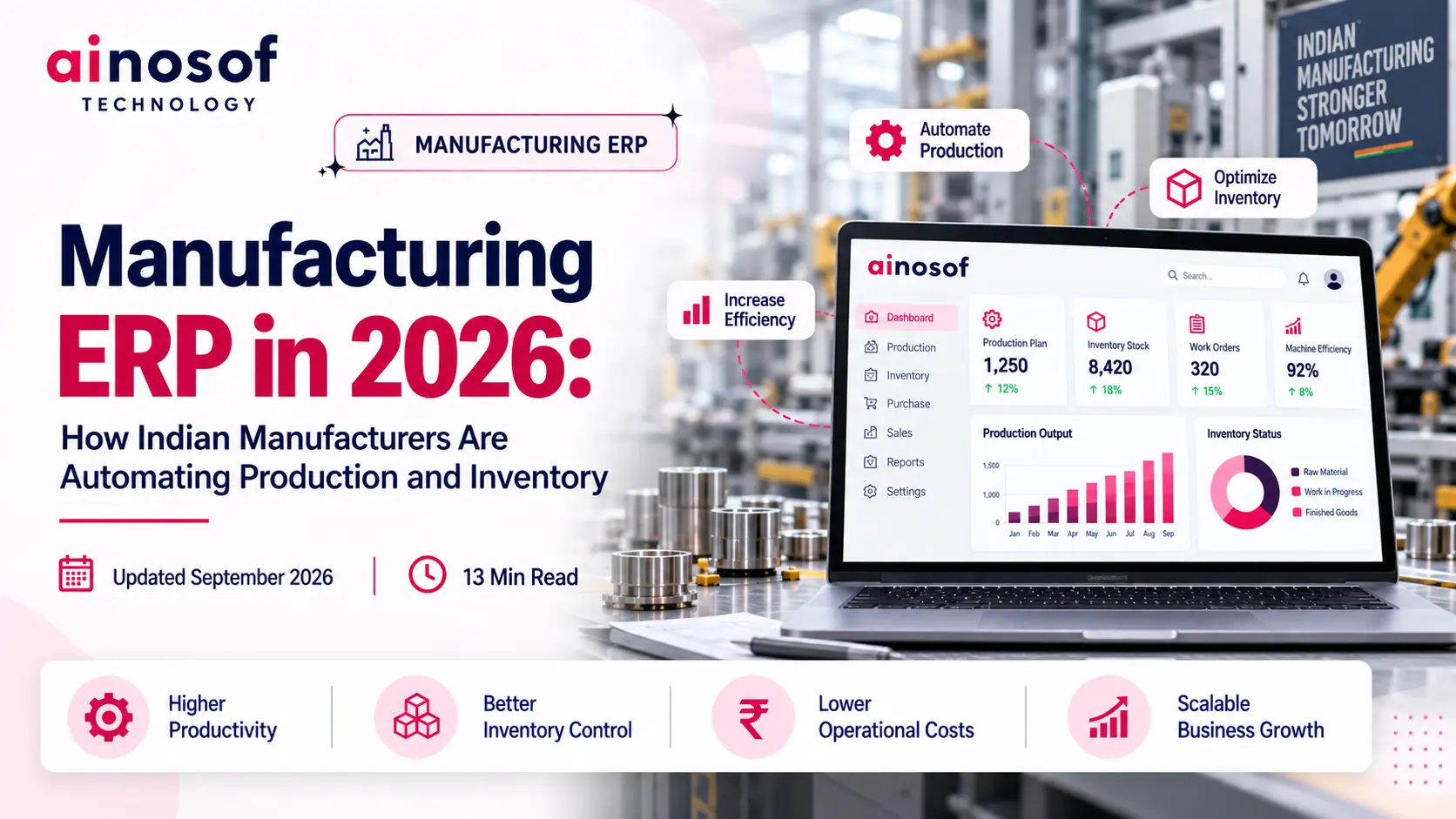
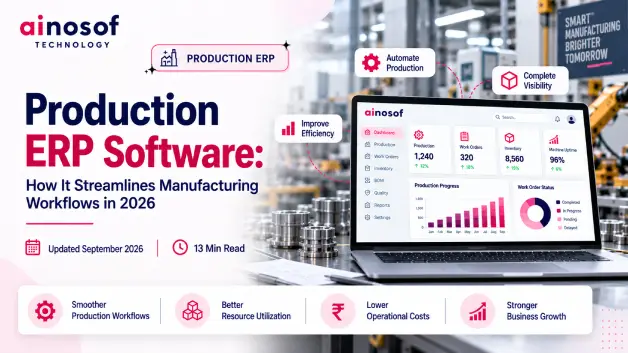
For Indian manufacturers, production and inventory decisions are becoming harder to manage as operations grow. A factory may have steady orders, multiple suppliers, large volumes of raw materials, work-in-progress moving across production stages, and finished goods ready for dispatch. Yet the information needed to manage all of this is often spread across spreadsheets, separate software, registers, and individual teams.
The real problem is not simply the amount of data. It is the gap between what is happening on the shop floor and what management can see in time to act. A delay in updating stock can affect purchasing. An inaccurate material position can disrupt production planning. When production and inventory teams work with different information, even a small mismatch can lead to excess stock, material shortages, production delays, or avoidable costs.
This is why more manufacturers are looking at automation not merely as a way to reduce manual work, but as a way to create better control over day-to-day operations. In 2026, the bigger question is no longer whether a manufacturer should use technology, but which parts of the operation should be connected and automated first—and whether the business is ready for that change.
This article looks at how Indian manufacturers are approaching Manufacturing ERP in 2026, where connected systems can improve production and inventory management, which processes are worth automating first, and what businesses should evaluate before investing in an ERP system.
As manufacturing operations grow, keeping production and inventory under control becomes increasingly difficult. What works when a factory has a limited number of products, suppliers, and daily transactions can become inefficient as production volumes, raw material requirements, purchase orders, warehouses, and customer commitments increase.
The problem becomes more serious when different teams maintain information separately. Production may know what needs to be manufactured, the warehouse may have a different view of available stock, and purchasing may be working from an older requirement. Each team may be doing its job correctly, yet the business still struggles because the information is not moving between them quickly enough.
For Indian manufacturers, this can lead to material shortages, excess inventory, production delays, repeated data entry, emergency purchases, and missed delivery commitments. The issue is therefore bigger than manual paperwork. It can directly affect the cost and efficiency of the entire manufacturing operation.
Disconnected processes create delays whenever one department needs information from another before it can make a decision.
Consider a manufacturer preparing to produce a large customer order. The production team checks the required raw materials, the warehouse checks available stock, and purchasing determines whether additional material needs to be ordered. If these records are maintained separately, employees may have to exchange spreadsheets, messages, calls, or manually updated reports before the actual requirement becomes clear.
This can create delays at several points:
For example, suppose a manufacturer has enough raw material according to its spreadsheet, but a portion of that material has already been issued to production. If the issue has not been recorded, purchasing may assume that no additional material is required. Production may then reach the next stage and discover that the actual stock is insufficient.
The result is not simply an inaccurate spreadsheet. It can become idle production time, urgent procurement, higher material costs, and pressure on delivery schedules.
When production, inventory, and purchasing depend on separate records, even a small information delay can move through the operation and become a much larger business problem.
The more a manufacturing operation grows, the more costly disconnected information can become.
Manufacturing decisions depend on knowing what is happening across the operation at the right time.
A production manager needs to know whether materials are available before scheduling work. A purchase manager needs to know how much stock is already available before placing an order. Management needs to understand whether inventory is moving as expected or whether materials and finished goods are accumulating unnecessarily.
Without real-time visibility, these decisions may be based on information that is already outdated.
Imagine a factory where raw materials are received, issued to production, transferred between storage locations, and consumed throughout the day. If all these movements are recorded only at the end of the day, the stock figure available to management may not reflect what is actually available on the shop floor.
A connected system can provide a more current view of:
This does not mean every manufacturing decision should be made automatically. Production managers still need to consider machine capacity, labour availability, quality requirements, urgent orders, supplier delays, and operational priorities.
The value of real-time visibility is that managers can make those decisions using information that is much closer to the actual situation.
For instance, if a material is being consumed faster than expected and a major production order is approaching, the business can identify the potential shortage earlier and take corrective action before production is affected.
Real-time visibility turns manufacturing information into something managers can act on before operational problems become expensive.
The real opportunity with ERP begins when production, purchasing, and inventory stop functioning as separate information systems.
Instead of recording the same information repeatedly, a connected ERP workflow allows one business activity to provide information for the next. A production requirement can influence material planning. Material requirements can influence purchasing. Goods received can update inventory. Materials issued to production can update stock. Completed production can add finished goods to inventory.
This creates a connected flow of operational information rather than a chain of manual updates between departments.
Production planning usually creates a material requirement. The business then needs to determine how much material is already available, how much is already on order, and whether additional purchasing is necessary.
ERP can bring these pieces of information together.
For example, if a manufacturer plans to produce 1,000 units of a product, the system can use the defined material requirements to identify the quantity needed for production. Existing inventory and relevant purchase orders can then be considered before determining the additional requirement.
The workflow can look like this:
Production requirement → Material requirement → Existing stock → Purchase requirement → Procurement → Goods receipt → Available inventory
This gives purchasing teams a clearer connection between what the factory needs and what needs to be purchased.
It can also reduce unnecessary manual calculations. Instead of comparing multiple spreadsheets every time production changes, the team can work from connected information within the ERP system.
Human approval and procurement judgment are still important. Supplier pricing, quality, lead times, payment terms, and vendor relationships may require management decisions. ERP provides the information needed to make those decisions more efficiently.
When purchasing is connected to production requirements, procurement can become more responsive to actual manufacturing demand.
Every manufacturing activity changes the company's inventory position.
Raw materials leave stores when they are issued to production. Materials move through production stages. Finished goods are created when manufacturing is completed. If every movement has to be recorded separately across different systems, inventory information can quickly fall behind actual activity.
ERP can connect these transactions within the manufacturing workflow.
For example, when materials are issued against a production order, the relevant inventory movement can be recorded. When production is completed, the finished quantity can be recorded against the same manufacturing process.
This can create clearer visibility across:
Raw materials → Work-in-progress → Finished goods
Consider a product that moves through cutting, assembly, testing, and packaging. Instead of treating the entire operation as one isolated transaction, the manufacturer can track production progress and associated material movement through the relevant stages.
This makes it easier to understand not only how much stock exists, but also where materials are being consumed and where production is currently positioned.
The level of automation will depend on how the ERP is configured. Physical verification, quality checks, approvals, and controlled stock adjustments may still be necessary.
The important change is that employees do not have to repeatedly recreate the same information in different places.
When production activity and inventory records are connected, the business gets a clearer picture of what has been consumed, what is being produced, and what is available.
Connected data gives managers a broader view of the operation without requiring them to collect information manually from different teams.
Suppose a manufacturer repeatedly faces production delays because a particular raw material is unavailable. In a disconnected setup, management may only discover the problem after production has already been affected.
With connected information, the business can compare production requirements, current inventory, material consumption, open purchase orders, and upcoming production plans more easily.
This can help managers answer practical questions such as:
For example, if a large production order is approaching while available inventory is falling faster than expected, the business can identify the potential shortage earlier instead of discovering it when production is ready to begin.
The value of connected data is therefore not simply having more information on a screen. It is having related information available together so that one operational event can inform the next business decision.
ERP becomes more valuable when it connects information in a way that helps managers make faster and better operational decisions.
Manufacturers do not need to automate every activity at once.
Trying to transform the entire operation in a single implementation can create unnecessary complexity, especially when employees are still adapting to new processes. A more practical approach is to identify the areas where manual work creates the greatest delay, error, duplication, or lack of visibility.
For many manufacturers, production planning, material requirements, inventory movement, and purchasing coordination are logical areas to examine first because these processes are closely connected.
Production planning becomes difficult when managers have to bring together customer orders, material availability, existing production commitments, capacity, and delivery requirements from different sources.
ERP can bring these inputs into a more structured planning workflow.
A production order can be connected with the required materials and relevant manufacturing activities. Work orders can then provide production teams with a clearer view of what needs to be produced and what resources are required.
For example, if a manufacturer receives an order for 2,000 units, the business can review the required materials against current inventory and existing commitments before finalizing the production plan.
This can reduce the risk of scheduling production without having the necessary materials available.
However, automation should support production managers rather than attempt to replace their experience. Factors such as machine availability, labour capacity, maintenance schedules, quality requirements, urgent orders, and production priorities still require human judgment.
ERP simply provides a more connected information base for making those decisions.
The goal of production automation is not to remove human judgment; it is to give production teams better information with which to use that judgment.
Manufacturing inventory is more complex than knowing the total quantity stored in a warehouse.
Materials move from suppliers to stores, from stores to production, through different manufacturing stages, and finally into finished goods. Without proper tracking, a business may know its total inventory value but still struggle to understand where materials are and what stage they have reached.
ERP can provide structured tracking across:
Raw materials → Work-in-progress → Finished goods
For example, a manufacturer producing an industrial component may move each unit through machining, assembly, inspection, and packing. Tracking these stages gives management better visibility into where production is progressing and where it may be slowing down.
It can also help distinguish between material sitting in stores and material that has already entered production.
This becomes increasingly important when manufacturers handle multiple product lines, large inventories, multiple warehouses, or complex production stages.
Better tracking does not automatically eliminate physical stock discrepancies. Businesses still need proper warehouse procedures, stock verification, and disciplined transaction recording.
But when those processes are combined with connected ERP records, managers have a stronger foundation for understanding inventory movement.
Effective inventory tracking should show not only how much stock the business has, but where that stock sits within the manufacturing cycle.
Manufacturing requirements can change quickly.
A customer may increase an order, production may be rescheduled, a material may fail a quality check, or a supplier may delay delivery. When purchasing works from static records, these changes may not reach the procurement team quickly enough.
ERP can connect production plans, material requirements, inventory balances, and open purchase orders so purchasing teams can work with more current information.
For example, if a production requirement increases and available inventory is not enough to cover the additional material requirement, the business can identify the potential procurement need earlier.
At the same time, if a purchase order is already in progress, that incoming quantity can be considered before another order is placed.
This helps manufacturers avoid two common situations:
The purchasing department therefore becomes more closely connected to what is happening inside the factory.
The right level of procurement automation helps manufacturers purchase according to actual production requirements rather than assumptions.
ERP selection should not begin with a long list of software features.
The first question should be whether the system can solve the manufacturer's actual operational problems. A business needs to understand how production currently works, where information gets delayed, which processes need better control, and what should improve after implementation.
This is especially important for Indian manufacturers because businesses can differ significantly in size, production complexity, number of locations, supplier networks, reporting requirements, and growth plans.
A system that works well for one manufacturer may create unnecessary complexity for another.
An MSME manufacturer may primarily need better control over production, inventory, purchasing, sales, and reporting without introducing a system that is unnecessarily complicated for its current operation.
A growing manufacturer may have more demanding requirements, such as multiple warehouses, multiple locations, larger user teams, deeper integrations, detailed production tracking, and more complex reporting.
This does not mean the larger system is automatically the better choice.
Manufacturers should instead consider:
For example, a manufacturer may currently operate from one location but expect to expand into additional warehouses. Choosing an ERP that cannot scale with that growth could create another technology replacement project later.
The right system should therefore provide a sensible balance between current requirements and realistic future needs.
An ERP should fit the manufacturer's current stage without becoming a limitation when the business grows.
Indian manufacturers should also check whether the ERP fits the business environment in which they operate.
Depending on the business, this can include workflows related to GST, taxation, invoicing, purchasing, supplier management, inventory, multiple warehouses, stock transfers, financial reporting, and statutory requirements.
For example, a manufacturer operating across multiple locations may need clear visibility into location-wise inventory and stock transfers. A business working with many suppliers may require defined purchase approvals and supplier workflows.
The ERP should also fit the company's manufacturing process instead of forcing employees to follow workflows designed for a completely different operating model.
This means manufacturers should evaluate both sides of the requirement:
Manufacturing workflow + Indian business workflow
A system may appear strong when viewed through a generic feature checklist but still be unsuitable if employees have to maintain large amounts of manual work outside the ERP.
The right ERP should fit the way the business actually operates, not just look impressive on a feature list.
Standard ERP workflows can be a good choice when a manufacturer's processes closely follow established business practices.
Customization becomes more relevant when the business has specialized production workflows, unique approval processes, industry-specific calculations, unusual inventory requirements, or integrations that cannot be handled effectively through standard configuration.
For example, a manufacturer may require several internal quality and approval checks before a production batch can move to its next stage. If the ERP cannot support that workflow through configuration, customization may be justified.
But customization should not be the automatic answer to every process difference.
Too much customization can increase:
Manufacturers should first ask whether a process is genuinely necessary or whether it can be simplified before being built into the ERP.
A practical approach is:
Business requirement → Standard ERP capability → Configuration → Customization where genuinely required
This helps prevent businesses from turning every existing manual habit into a permanent software requirement.
Customize where the business has a genuine operational need or competitive reason—not simply because an old process has always been followed.
Choosing an ERP is only one part of the decision. A manufacturer can select a capable system and still struggle if the business is not prepared to implement it.
ERP changes how information moves across production, inventory, purchasing, warehouses, finance, and management. If existing processes are unclear, business data is unreliable, or employees are not prepared for the change, implementation can become unnecessarily difficult.
Before investing, manufacturers should therefore ask a more practical question: Is the business ready to standardize and automate the processes it currently manages manually?
Automation works best when the business already understands how its processes work.
A manufacturer should know how a customer order moves into production, how material requirements are calculated, how raw materials are issued, how work-in-progress is tracked, how finished goods are received, and how inventory is updated.
If these steps exist only in employees' experience or informal instructions, implementing ERP without documenting them can create confusion.
For example, imagine a factory where the production manager knows exactly when a material should be ordered because of years of experience, but there is no documented process for how that decision is made. Simply putting the activity into ERP will not automatically create a reliable workflow.
Before implementation, manufacturers should map important processes such as:
This does not mean every process needs to be perfect before ERP implementation begins. It means the business should understand the process well enough to decide what should be automated, what should be changed, and what should remain under human control.
A clear process map also helps the ERP implementation team configure the system around actual business requirements rather than assumptions.
Before automating a manufacturing process, the business should first be clear about how that process is supposed to work.
ERP implementation depends on more than software. It also depends on the quality of business data and the people responsible for using the system.
Manufacturers should review existing product records, material codes, supplier information, customer records, stock balances, bills of materials, production information, and other relevant data before migration.
Poor-quality data can create problems from the first day.
For example, if the same raw material exists under three different names in old spreadsheets, migrating all three records into ERP without cleaning them first can create duplicate inventory information and reporting problems.
The business should also identify who will be responsible for key activities.
This may include:
Employees should also understand why the new system is being introduced and how their daily responsibilities will change.
If warehouse employees continue using old spreadsheets while production uses ERP, the business can quickly return to the same disconnected information problem it was trying to solve.
Preparation should therefore cover three areas:
Clean data + responsible people + clearly defined processes
When these three are prepared properly, implementation becomes easier to manage and adoption becomes more practical for employees.
ERP implementation is a business change, not simply a software installation.
For many manufacturers, implementing ERP in stages can be more practical than changing every process simultaneously.
A phased approach allows the business to start with the areas creating the greatest operational problems and gradually extend the system to other workflows.
For example, a manufacturer might initially focus on inventory, purchasing, and production management. Once employees become comfortable with these workflows and the underlying data becomes reliable, additional processes can be integrated.
A phased approach can help the business:
However, the right approach depends on the manufacturer's size, operational complexity, number of locations, and ERP requirements.
A business with a relatively simple operation may be able to implement several functions together. A manufacturer with complex production processes or multiple locations may benefit more from a carefully planned rollout.
The goal should not be to implement ERP as quickly as possible. The goal should be to create a reliable operational system that employees can actually use.
A successful ERP rollout is measured by business adoption and operational improvement, not simply by how quickly the software goes live.
Once a manufacturer understands its requirements and implementation readiness, the next challenge is choosing the right ERP vendor.
This is where many businesses make a common mistake: they compare systems based mainly on features, pricing, or software demonstrations.
A better approach is to evaluate whether the ERP can support the company's actual manufacturing workflow, adapt as the business grows, integrate with other systems, and receive reliable implementation and support after deployment.
The right vendor should be evaluated as a long-term technology and implementation partner, not simply as a software seller.
An ERP demonstration can look impressive while still failing to address the problems that matter most to the manufacturer.
The evaluation should therefore begin with actual business scenarios.
For example, instead of simply asking whether the ERP has an inventory module, a manufacturer should ask the vendor to demonstrate what happens when:
This gives the business a much clearer understanding of whether the system actually fits its operation.
Manufacturers should also test important scenarios such as stock shortages, production changes, rejected materials, urgent orders, multiple warehouses, and changing purchase requirements where relevant.
The evaluation should focus on questions such as:
The best ERP evaluation is based on real business workflows, not a generic feature checklist.
An ERP should solve today's problems without creating tomorrow's limitations.
Manufacturers should consider how the system will handle more users, products, transactions, warehouses, locations, and operational complexity as the business grows.
Integration is equally important. A manufacturing ERP may need to work with accounting systems, ecommerce platforms, CRM systems, payment systems, barcode tools, machines, or other business applications depending on the operation.
Manufacturers should therefore ask:
For example, a manufacturer currently operating from one warehouse may later add another location. If the ERP cannot provide appropriate multi-location inventory visibility, the business could face another technology problem as it grows.
Customization also needs careful evaluation. Useful customization can help an ERP fit a genuine business requirement. Unnecessary customization can increase cost and complexity.
The right balance is to use standard capabilities wherever they fit and customize only where there is a clear operational reason.
A good ERP should be flexible enough to support business growth without becoming unnecessarily complicated to maintain.
The software price is only one part of the ERP investment.
Manufacturers should also understand the costs and responsibilities associated with implementation, data migration, customization, integrations, employee training, support, maintenance, and future changes.
For example, an ERP may appear affordable at the software level, but if implementation requires extensive customization and employees need significant training, the actual investment can be much higher than the initial quote suggests.
Before making a decision, manufacturers should ask the vendor:
It is also important to understand how the vendor approaches implementation. A vendor that takes time to understand the manufacturer's processes may be more suitable than one that simply demonstrates software and moves directly toward deployment.
The business should evaluate total investment and expected operational value together.
A lower initial price does not necessarily mean lower overall cost, just as a more expensive system does not automatically deliver better results.
The right ERP decision balances software capability, implementation quality, long-term support, and total business value.
Continue Your Business Development Journey
Once you understand where ERP can improve your manufacturing operations, the next step is to identify your production, inventory, purchasing, and reporting requirements clearly.
Look at the processes creating the most delays or manual work, then evaluate an ERP solution based on how well it can solve those problems and support your future growth.
The right technology decision starts with understanding your business first.
Manufacturing ERP can help Indian manufacturers connect production, purchasing, and inventory while improving visibility, reducing manual work, and supporting faster operational decisions.
However, choosing an ERP should not be based only on the number of features or the initial software cost. Manufacturers should consider their current processes, implementation readiness, scalability, customization requirements, and long-term support.
A well-planned ERP implementation can give growing manufacturers better control over their operations and help them respond more effectively as production and business requirements increase.
In 2026, the right Manufacturing ERP is not simply a software investment—it is a step toward building a more connected, efficient, and manageable manufacturing business.
 Why Manual Attendance Tracking Is Costing Your Business Time and Money
09 Oct, 2026
Why Manual Attendance Tracking Is Costing Your Business Time and Money
09 Oct, 2026
 How to Build a Client Portal That Improves Customer Experience and Reduces Support Load
08 Oct, 2026
How to Build a Client Portal That Improves Customer Experience and Reduces Support Load
08 Oct, 2026
 What Is an MIS and Why Growing Businesses Can't Scale Without One
07 Oct, 2026
What Is an MIS and Why Growing Businesses Can't Scale Without One
07 Oct, 2026
 Billing Software: How It Helps Businesses Eliminate Invoice Errors and Delays
06 Oct, 2026
Billing Software: How It Helps Businesses Eliminate Invoice Errors and Delays
06 Oct, 2026
 How to Choose the Right HRMS Software for Your Growing Team
05 Oct, 2026
How to Choose the Right HRMS Software for Your Growing Team
05 Oct, 2026
 Custom Software vs Off-the-Shelf Software: Which Is Right for Your Business in 2026?
03 Oct, 2026
Custom Software vs Off-the-Shelf Software: Which Is Right for Your Business in 2026?
03 Oct, 2026
Comment with an expert and get our answer.
Comment with an expert and get our answer.
Explore more insights related to this topic and discover useful perspectives, ideas and strategies from our latest articles.