
Workflow Automation Software: How It Saves Time for Growing Businesses
 Iram
Iram


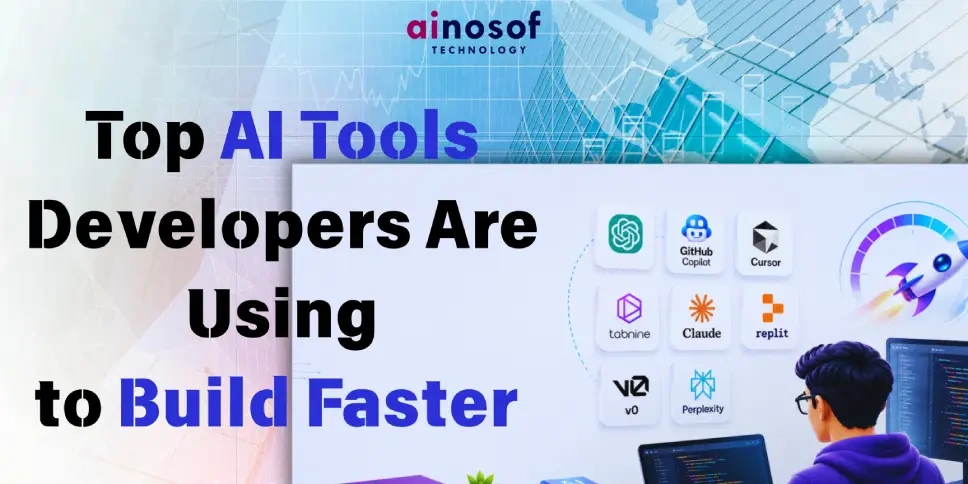
The software development landscape has been turned upside down. What once took a team of five developers two weeks to build can now be prototyped by a single developer in two days—sometimes two hours. The catalyst? A new generation of AI-powered development tools that don't just autocomplete code, but reason about it, debug it, document it, and sometimes write entire applications from scratch.
At Ainosof Technology, we build digital products and marketing technology for businesses across India and beyond. Our development teams have been stress-testing AI tools in real production workflows for over a year now. What we've found is clear: the developers who embrace AI tooling are shipping 2–4x faster and at significantly lower cost—and the ones who don't are falling behind.
Before diving into the tools, let's talk about why this matters so much right now.
The cost of building software has historically been driven by one thing: developer time. Senior developers in India's tech hubs like Gurgaon, Bangalore, and Hyderabad now command salaries of ₹20–50 LPA. In the US and Europe, that number is 5–10x higher. When a feature takes a week to build, it costs real money.
AI development tools attack this cost directly by:
The result is a compression of development timelines and costs that is genuinely unprecedented. Let's look at the tools making this happen.
Best for: Day-to-day coding across all languages Pricing: ~$10/month individual, $19/month business
GitHub Copilot, powered by OpenAI's Codex models, remains the most widely adopted AI coding assistant in the world—and for good reason. It integrates directly into VS Code, JetBrains IDEs, Neovim, and other popular editors, offering real-time code suggestions as you type.
What makes it exceptional in 2025:
Copilot has evolved far beyond simple autocomplete. With Copilot Chat, developers can ask questions about their codebase in plain English, request refactoring suggestions, get explanations of complex functions, and generate unit tests on demand. The newer Copilot Workspace feature lets developers describe a feature or bug fix in natural language, and Copilot generates an entire plan with file changes across the repository.
Real-world impact: Teams using Copilot consistently report completing coding tasks 55% faster in controlled studies. For a development team at Ainosof Technology working on a client's e-commerce platform, Copilot reduced the time to write API integrations by roughly half.
Best use cases:
Best for: Complex, multi-file codebases; full AI-native experience Pricing: Free tier available; Pro at $20/month
If GitHub Copilot is an AI assistant inside an editor, Cursor is an editor built around AI. It's a fork of VS Code that natively integrates with GPT-4, Claude, and other frontier models, allowing developers to interact with their entire codebase conversationally.
What sets Cursor apart:
Cursor has become the editor of choice for many startup developers and full-stack engineers building fast. The ability to reason about an entire codebase—not just the file you're currently editing—is a game-changer for complex projects.
Best use cases:
Best for: Enterprise teams; privacy-conscious development environments Pricing: Free tier; Pro at $12/month; Enterprise custom pricing
For development teams working with sensitive client data or proprietary codebases—a common scenario for agencies like Ainosof Technology working with financial, healthcare, or enterprise clients—Tabnine offers a compelling alternative to cloud-based AI tools.
Tabnine's key differentiator is its ability to run locally on your machine or on your private server, meaning your code never leaves your environment. This addresses a legitimate concern many enterprise clients have about sending proprietary code to third-party AI APIs.
Beyond privacy, Tabnine learns from your team's specific codebase over time, making its suggestions increasingly relevant to your project's patterns, conventions, and architecture. For long-running projects with established coding styles, this personalization becomes genuinely valuable.
In the interest of honest assessment, it's worth naming what AI development tools still don't do well:
The best development teams in 2025 use AI tools to handle what's mechanical and repetitive, freeing human developers to focus on what requires genuine expertise, creativity, and judgment.
At Ainosof Technology, we've integrated AI tooling across our entire development workflow—from initial prototyping to code review to deployment. The result is a development process that delivers higher quality work, faster, at costs that are genuinely competitive in today's market.
Whether we're building a marketing automation platform, a custom e-commerce solution, a mobile application, or an analytics dashboard, AI tools are part of how we operate. This isn't about replacing our developers—it's about empowering them to do their best work without getting bogged down in the tasks that machines now handle better.
If you're a business looking for a technology partner that builds with modern, efficient practices—or a developer curious about how to integrate AI tools into your own workflow—we'd love to talk.
The developers and development agencies that are thriving in 2025 are the ones who embraced AI tooling early, iterated quickly, and built new workflows around these capabilities. The ones still building the old way are losing projects to faster, leaner competitors.
The tools covered in this article—Copilot, Cursor, Claude, Bolt.new, v0, Tabnine, Devin, Phind—represent the current frontier. But this space is moving fast. New tools are launching monthly, existing tools are improving rapidly, and the gap between AI-augmented and traditional development is widening every quarter.
The question isn't whether AI will transform software development. It already has. The question is whether your team—or your technology partner—is on the right side of that transformation.
 The Rise of Industry-Specific ERP Systems: Why One-Size-Fits-All ERP is Losing Relevance
28 Sep, 2026
The Rise of Industry-Specific ERP Systems: Why One-Size-Fits-All ERP is Losing Relevance
28 Sep, 2026
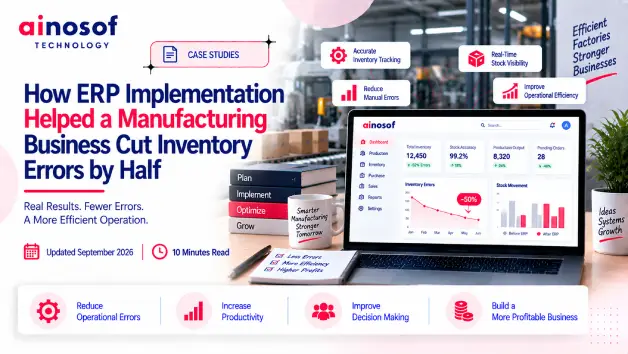 How ERP Implementation Helped a Manufacturing Business Cut Inventory Errors by Half
26 Sep, 2026
How ERP Implementation Helped a Manufacturing Business Cut Inventory Errors by Half
26 Sep, 2026
 Manufacturing ERP vs Trading ERP: Which One Does Your Business Need?
25 Sep, 2026
Manufacturing ERP vs Trading ERP: Which One Does Your Business Need?
25 Sep, 2026
 What is LLM SEO and Why Is It Becoming Important for Business Visibility in 2026?
03 Aug, 2026
What is LLM SEO and Why Is It Becoming Important for Business Visibility in 2026?
03 Aug, 2026
 ERP Software Cost in India 2026: What Businesses Should Budget For
24 Sep, 2026
ERP Software Cost in India 2026: What Businesses Should Budget For
24 Sep, 2026
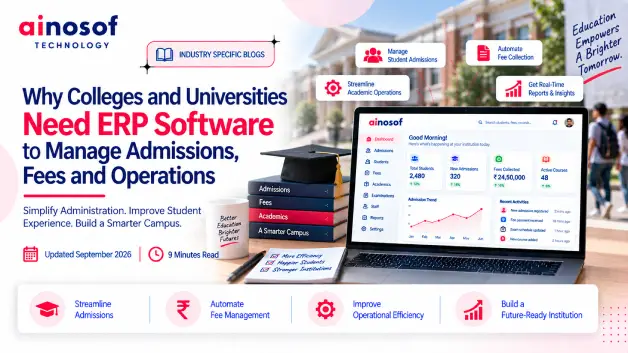 Why Colleges and Universities Need ERP Software to Manage Admissions, Fees and Operations
23 Sep, 2026
Why Colleges and Universities Need ERP Software to Manage Admissions, Fees and Operations
23 Sep, 2026
Comment with an expert and get our answer.
Comment with an expert and get our answer.
Explore more insights related to this topic and discover useful perspectives, ideas and strategies from our latest articles.