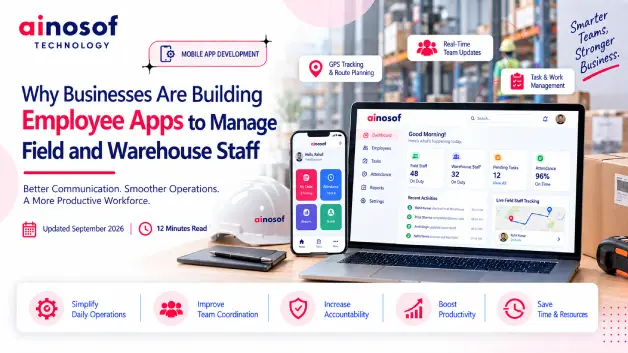
Why Businesses Are Building Employee Apps to Manage Field and Warehouse Staff
 Tarun Rajput


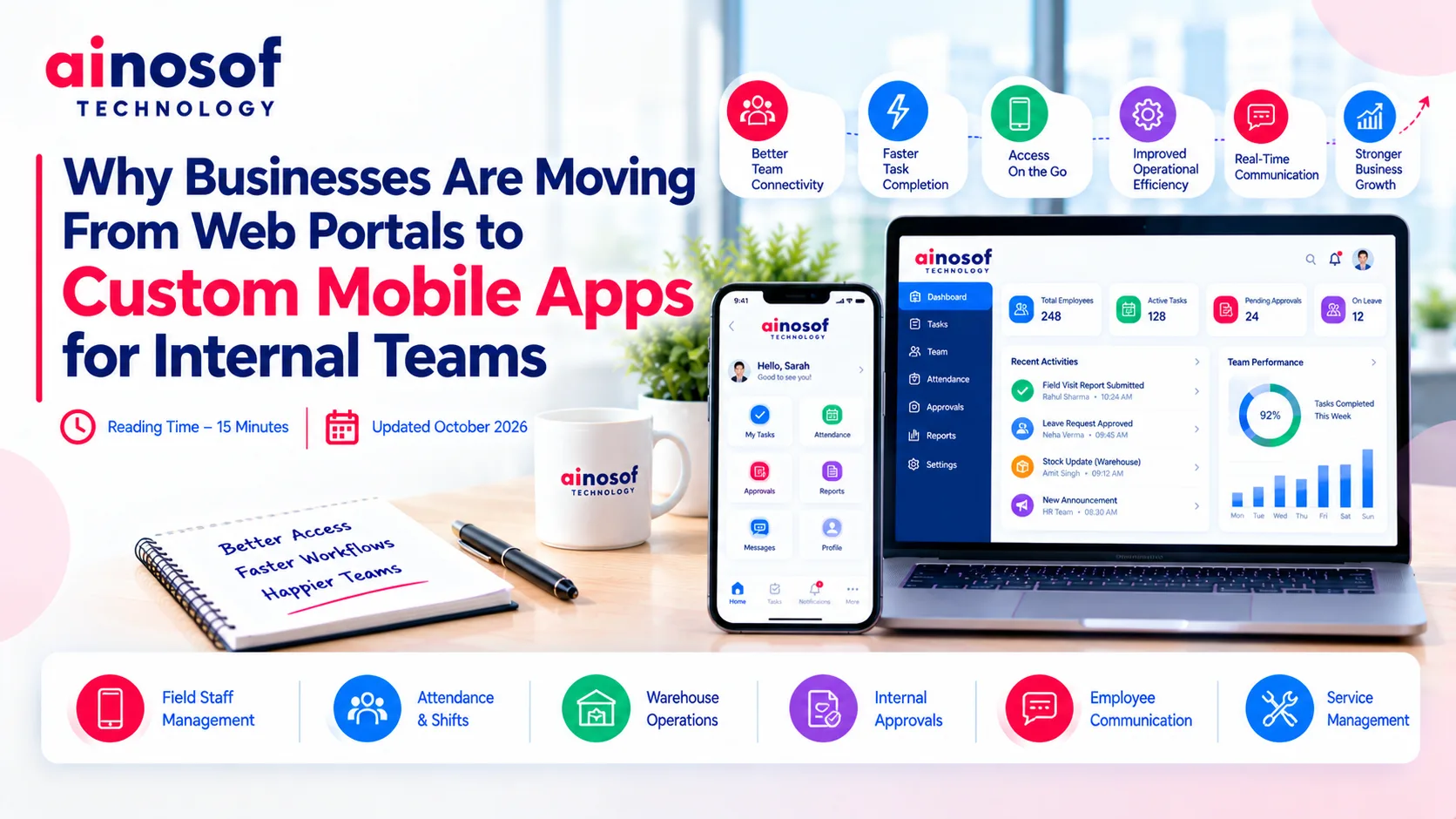
Businesses often invest in web portals to manage employee information, daily tasks, attendance, approvals, and internal communication. Initially, these portals may work well because most employees access business systems from their computers. But as teams become more distributed, field operations expand, and employees need information on the move, a desktop-oriented workflow can become a limitation.
For example, a field employee may need to update a task while visiting a client, a warehouse supervisor may need to report stock discrepancies immediately, or a manager may need to approve a request without returning to the office. If completing these activities requires opening a browser, navigating multiple screens, or contacting another department, small delays can accumulate across daily operations.
This is why businesses are considering custom mobile apps for internal teams. The objective is not simply to replace a website with an app. It is to make essential business workflows easier to access, faster to complete, and better connected with everyday work.
However, a mobile app is not automatically the right solution for every company. The decision depends on how employees work, what limitations the existing portal creates, and whether a dedicated mobile experience can solve those problems.
A web portal can provide a central place for business information and employee activities. However, its effectiveness depends on how easily employees can use it during their actual working day.
When employees spend most of their time at desks, a browser-based system may be sufficient. The situation changes when teams work across warehouses, manufacturing units, client locations, delivery routes, or multiple business branches.
The main challenge is often the difference between how a portal was designed to be used and how employees actually perform their work.
A field employee may need to upload a customer visit report immediately after a meeting. A warehouse worker may need to confirm a task while handling stock. A service technician may need to check job details before visiting a customer's location.
If the portal is difficult to navigate on a mobile screen, employees may postpone updates until they return to a computer. Some may send information through messaging apps, while others may maintain separate spreadsheets or handwritten records.
These workarounds create operational gaps. Managers might not receive updates on time, information can become inconsistent, and employees may need to enter the same data more than once.
A custom mobile app can make selected workflows more accessible through a mobile-friendly interface, quick forms, task lists, document access, and notifications. Depending on the requirements, it may also support camera uploads, location-based features, or offline data capture.
The problem becomes more serious when delayed updates affect other business activities.
For instance, if a field employee completes a visit but submits the report hours later, a manager may not have the information needed to assign the next task. If a warehouse team records an issue separately from the inventory system, another department may continue working with outdated information.
Businesses should examine three practical warning signs:
These signs do not automatically mean the company needs a new app. A responsive portal, improved forms, or better integration may solve some problems. However, when mobile access is central to daily operations, a dedicated app deserves serious consideration.
A custom mobile app can organize frequently used employee workflows around the needs of the business. Instead of asking employees to navigate a large portal, the app can bring their most important activities into one accessible interface.
The value comes from reducing friction in everyday work, not from adding as many features as possible.
The right workflows depend on the business, its employees, and the systems already in use.
|
Business workflow |
How a custom mobile app can help |
|
Field staff management |
Enable employees to view assignments, submit visit reports, and update task status. |
|
Attendance and shifts |
Support attendance marking, shift information, and leave requests where required. |
|
Warehouse operations |
Provide task instructions, stock-related forms, and issue reporting. |
|
Internal approvals |
Let authorized employees review and respond to requests from their phones. |
|
Employee communication |
Deliver relevant announcements, reminders, and operational updates. |
|
Service management |
Give technicians access to job details, checklists, and service records. |
A business does not need every function listed above. It should prioritize the workflows that cause the most frequent delays or require employees to move between multiple tools.
For example, a company managing field teams might prioritize task assignments, visit reporting, and attendance. A warehouse-focused business may need quick stock updates, issue reporting, and access to work instructions.
A well-planned app can also connect with existing ERP, CRM, HR, or inventory software. This allows employees to interact with business processes from a mobile device without necessarily replacing the underlying systems.
A custom app becomes more compelling when the business has specific mobile workflows that a general-purpose portal cannot support efficiently.
Consider improving the existing portal first when employees mainly need occasional access to information, the current system already handles business processes effectively, or a responsive design would resolve the usability problems.
A dedicated app may be more appropriate when employees need frequent access throughout the day, require device capabilities such as camera-based reporting, or need a streamlined interface for role-specific tasks. It may also be useful when mobile workflows require specialized integration with internal systems.
The decision should be based on the business problem rather than the technology trend.
Before development, identify the workflows employees use most frequently, the delays they experience, and the operational outcomes the company wants to improve. A mobile app should have a clear purpose and a measurable reason to exist.
Moving from a web portal to a mobile app requires investment in development, integration, testing, security, and ongoing maintenance. Businesses should evaluate the complete cost and operational impact before committing to the project.
The comparison should include more than the initial development budget.
|
Decision factor |
Questions to consider |
|
Development cost |
What features are essential for the first release, and which can wait? |
|
Integration |
Must the app connect with existing ERP, CRM, HR, or inventory systems? |
|
Security |
How will user permissions, authentication, and sensitive business data be protected? |
|
Scalability |
Will the solution support more employees, locations, and workflows later? |
|
Maintenance |
Who will handle bug fixes, operating system updates, and new requirements? |
|
Employee adoption |
Will the app simplify existing work enough for employees to use it consistently? |
A custom app can reduce repetitive work, but it also creates a responsibility to maintain another business application. Companies should account for ongoing support, security updates, compatibility, and future enhancements.
Integration is particularly important. If employees update information in the app but managers still need to transfer it manually into the main business system, the company may simply be moving the problem to another interface.
The goal should be to create a reliable workflow in which authorized users can access relevant information and updates reach the systems that depend on them.
A suitable mobile app development company should begin by understanding how the business operates rather than immediately proposing a list of features.
Look for a development partner that can map employee workflows, identify integration requirements, explain security considerations, and recommend a practical development approach. It should also be able to discuss testing, deployment, maintenance, and how the app will evolve as requirements change.
Before choosing a partner, use this checklist:
Businesses should also discuss the technology approach. Depending on the use case, a native Android app, a cross-platform solution, or an improved web application may be the most suitable choice.
Professional mobile application development services should align the solution with business requirements, while android app development services may be appropriate when employees primarily use Android devices and the business needs a dedicated Android experience.
Ainosof Technology can be considered when evaluating custom software and mobile app development options. The important step is to establish the operational requirements first so the proposed solution addresses real business needs rather than introducing unnecessary complexity.
Choosing the right digital solution starts with identifying where your current systems create friction in everyday operations. Businesses exploring internal mobile apps should also review their broader software requirements, including employee management, business process automation, ERP integration, and custom software development.
Explore the relevant services and resources available through Ainosof Technology to understand which approach may fit your organization's operational needs.
Moving from a web portal to a custom mobile app makes sense when employees need faster, more convenient access to business workflows that are difficult to manage through a browser-based system. For field teams, warehouse staff, and distributed employees, a focused mobile experience can improve task reporting, communication, and access to operational information.
However, building an app should not be the automatic next step. Businesses should first determine whether the current portal needs improvement, whether integrations can resolve existing gaps, or whether a dedicated mobile solution would deliver greater value.
The most effective approach is to start with the workflows that create the greatest operational friction, define measurable outcomes, and select a development partner capable of supporting the solution over time. With the right planning, a custom mobile app can become a practical extension of a company's business systems rather than another disconnected tool.
Businesses may move toward custom mobile apps when employees need frequent access to tasks, reports, attendance, approvals, or operational information while away from their desks. A well-designed app can make these activities easier to complete and reduce reliance on calls, messages, and manual updates. However, a web portal may remain sufficient for businesses whose workflows are primarily desk-based.
Neither option is universally better. A web portal can be effective for detailed administrative work and desktop-based activities. A custom mobile app can be more convenient for field staff, warehouse teams, and employees who need quick access to routine workflows. The right choice depends on employee work patterns, required features, integration needs, and budget.
A business should consider an app when existing tools repeatedly delay task updates, employees struggle to access essential information on mobile devices, or manual communication creates operational gaps. Before investing, the business should confirm that a mobile app can address these problems more effectively than improving the existing portal.
Yes. A custom mobile app can integrate with existing business systems when suitable APIs or other integration methods are available. This can allow employees to access relevant records, update information, submit requests, and receive status changes through the app. The integration design should account for permissions, data consistency, and security.
Yes, if the app solves a clear operational problem and its expected value justifies the cost. An SME does not need to build a large application immediately. Starting with a focused set of workflows and expanding based on employee feedback can help control investment and avoid unnecessary features.
The cost depends on the number and complexity of features, user roles, design requirements, integrations, security measures, supported platforms, and ongoing maintenance. Offline functionality, location-based capabilities, and connections with older business systems may add complexity. A detailed requirements assessment is necessary to estimate the project accurately.
Businesses may consider Android development when their employees already use Android phones or company-issued Android devices. A dedicated app can provide a focused interface for internal tasks and, where required, use device capabilities such as the camera or location services. Device compatibility, security, and the business's actual requirements should guide the decision.
Look for a company that understands business workflows, can explain its technical recommendations, has experience with relevant integrations, and provides clear plans for testing, security, deployment, and maintenance. The development partner should prioritize business outcomes and employee usability instead of recommending features without a clear purpose.
 Why Growing Ecommerce Brands Eventually Need Custom Software Beyond Shopify
19 Oct, 2026
Why Growing Ecommerce Brands Eventually Need Custom Software Beyond Shopify
19 Oct, 2026
 How Custom Learning Platforms Are Replacing Generic LMS Software for Institutes
17 Oct, 2026
How Custom Learning Platforms Are Replacing Generic LMS Software for Institutes
17 Oct, 2026
 Why Custom Software Companies Need Strong Branding to Win Enterprise Clients
16 Oct, 2026
Why Custom Software Companies Need Strong Branding to Win Enterprise Clients
16 Oct, 2026
 How a CRM System Complements Custom Business Software for Better Sales Visibility
15 Oct, 2026
How a CRM System Complements Custom Business Software for Better Sales Visibility
15 Oct, 2026
 ERP vs Custom Software: Which One Does Your Business Actually Need?
14 Oct, 2026
ERP vs Custom Software: Which One Does Your Business Actually Need?
14 Oct, 2026
 How to Build an SEO Strategy for a B2B SaaS or Software Company
13 Oct, 2026
How to Build an SEO Strategy for a B2B SaaS or Software Company
13 Oct, 2026
Comment with an expert and get our answer.
Comment with an expert and get our answer.
Explore more insights related to this topic and discover useful perspectives, ideas and strategies from our latest articles.