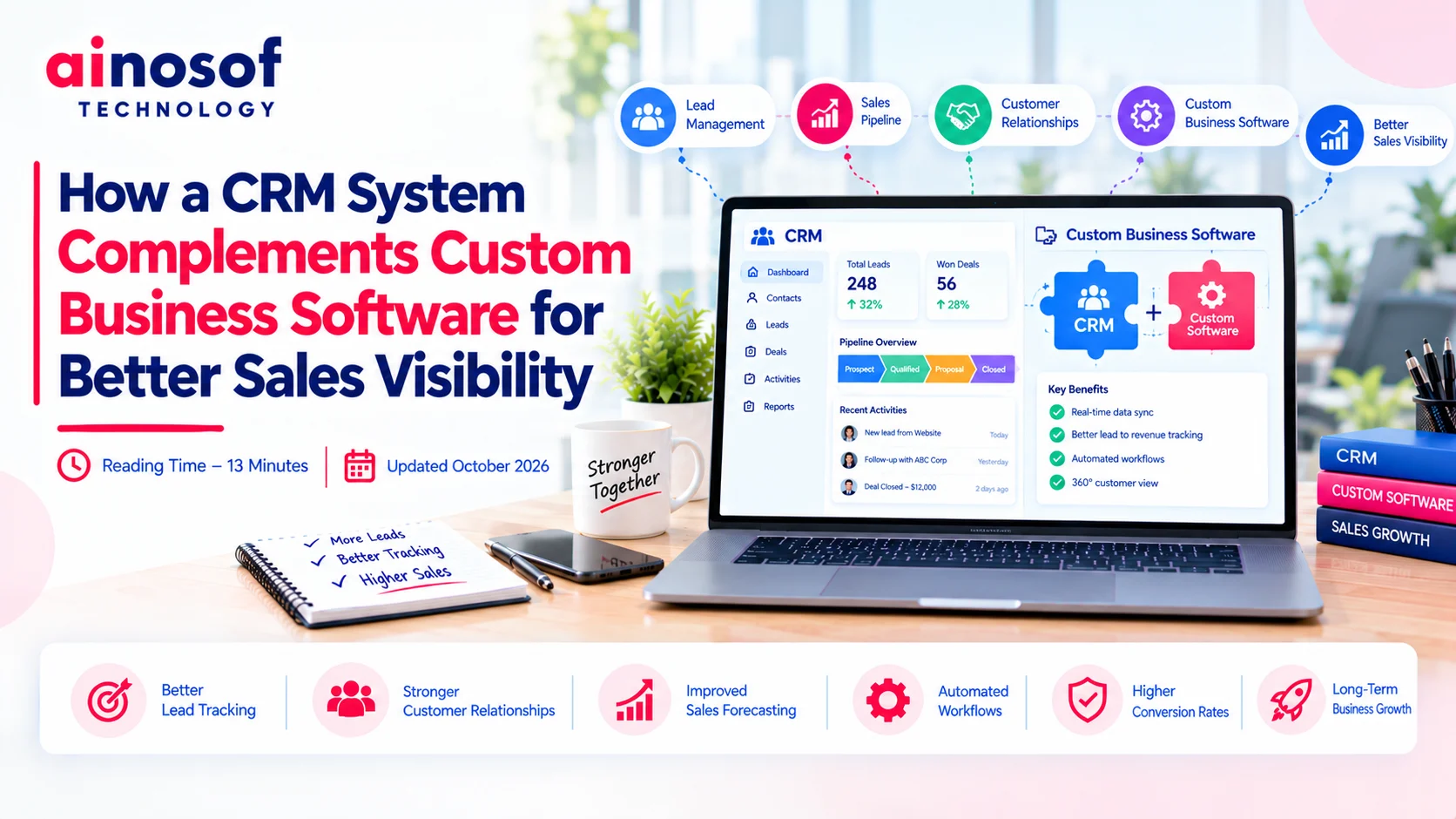
How a CRM System Complements Custom Business Software for Better Sales Visibility
 Iram
Iram


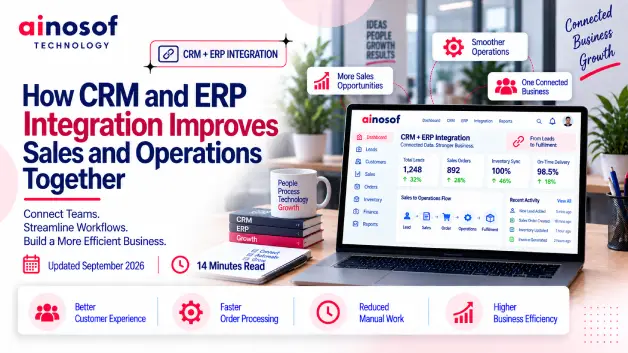
Sales and operations often look like two separate functions, but they depend on the same business information. A sales team may promise a delivery timeline, confirm an order, or discuss product availability with a customer, while the operations team is working with different or outdated information. When these teams are not working from the same data, even a well-managed business can lose time, create unnecessary follow-ups, and make avoidable mistakes.
The problem becomes more noticeable as a business grows. More customers, orders, products, salespeople, and operational processes mean more information has to move between teams. If employees have to copy customer details, order information, inventory status, or payment data from one system into another, the business becomes dependent on manual coordination instead of a connected process.
This is where CRM and ERP integration becomes a business decision rather than simply a technology upgrade. Connecting customer-facing sales information with operational data can help businesses reduce the gap between what is sold and what the business needs to deliver. The real question is not whether two systems can be connected, but whether connecting them can make the sales-to-operations journey faster, more accurate, and easier to manage.
In this article, we will look at how CRM and ERP integration connects the customer-to-delivery journey, how it can improve sales decisions and operational execution, when integrated CRM ERP software makes more sense than separate systems, what can go wrong with poor integration, and how a business can measure whether the investment is actually creating value.
When sales and operations use separate systems without a reliable connection, the problem is not limited to software. It affects how quickly the business can respond to customers and how accurately it can deliver what sales has promised. Sales may have customer and quotation details in the CRM, while operations may have inventory, order, production, or delivery information in the ERP. When these systems do not communicate properly, employees often have to bridge the gap themselves.
One of the clearest signs is that employees regularly have to ask another department for information that should already be available. A salesperson may need to call operations to confirm stock availability, check an order status, or find out whether a promised delivery date is realistic.
Other common signs include:
For example, imagine a manufacturing business where the sales team records a customer's requirements and quotations in the CRM. Once the customer confirms the order, an employee manually sends the details to the operations team, which then enters them into the ERP. Every additional handoff creates another opportunity for information to be delayed, missed, or entered incorrectly.
The bigger issue is that these small gaps accumulate. A few extra minutes spent checking information may not seem serious for one order, but across hundreds of orders, they can become a significant operational burden.
Delays usually appear at the points where information has to move from one system or department to another. A sales representative may enter customer information into the CRM, prepare a quotation, receive confirmation, and then manually share the order details with operations.
The same information may then be entered again into the ERP.
This creates duplicate work around:
For example, if a salesperson enters an order manually into the ERP after closing the deal, an incorrect quantity or product code can create an issue later in the process. Operations may have to stop and verify the order before processing it, while the sales team may need to contact the customer again.
This is why CRM and ERP integration is valuable from a process perspective. The objective is not simply to remove typing. It is to reduce unnecessary information transfers that slow down the movement from sale to fulfilment.
A connected workflow allows the business to spend less time moving information and more time acting on it.
Sales teams need more than customer history to make good decisions. They also need relevant operational information when a customer's purchase depends on stock availability, production capacity, order status, delivery schedules, or other internal factors.
Without that visibility, salespeople may make commitments based on incomplete information.
For instance, a customer asks whether an order can be delivered within five days. The salesperson sees the customer's previous purchases in the CRM but cannot see the latest inventory or operational status. They now have to contact another team before giving the customer a reliable answer.
This can slow down the conversation and make the customer wait.
With connected systems, sales can work with more relevant information while speaking to the customer. That does not mean every salesperson needs access to every ERP function. It means the right operational information should be available at the right point in the sales process.
The business insight is simple: sales performance depends partly on what happens outside the sales department. When operational information is difficult to access, the sales team can lose speed, confidence, and accuracy.
A customer's journey does not end when a salesperson closes a deal. The business still has to process the order, manage inventory or production, arrange fulfilment, generate the required billing information, and keep the customer informed. CRM and ERP integration helps connect these stages so that important information does not become trapped inside one department or system.
The goal is to create a more continuous flow of information from the first customer interaction through to delivery.
Not every piece of CRM data needs to be transferred into the ERP. The business should identify the information that operations actually need to process a customer transaction.
Depending on the business, this may include:
For example, once a customer accepts a quotation, the confirmed commercial information can move into the ERP so that the relevant operational teams can begin processing the order without asking the sales team to re-enter the same details.
This creates an important distinction: effective integration is not about transferring more data. It is about transferring the right data at the right stage of the process.
The data flow should follow the actual business journey rather than simply following the structure of the software.
A typical flow can look like this:
Lead → Customer → Quotation → Confirmed Order → Inventory/Operations → Fulfilment → Invoice → Customer Follow-up
The CRM can manage the early customer-facing stages, including leads, communication, opportunities, and quotations. Once a customer confirms an order, relevant information can move into the ERP for operational processing.
The ERP can then manage the activities required to fulfil that order, depending on the business—such as inventory, purchasing, production, accounts, or delivery.
Information from the operational side can also become useful to sales. Order status, availability, fulfilment progress, or other relevant information can help the sales team respond to customers without repeatedly checking with operations.
For example, an ecommerce business may receive an order through its sales process and automatically pass the relevant order information into its ERP. The ERP can then use that information for inventory and fulfilment processes, while the sales or customer-service team can access the latest status when responding to the customer.
The result is a connected customer-to-delivery journey instead of a series of isolated departmental activities.
Integration can reduce manual handoffs wherever one team currently has to copy, email, message, or re-enter information for another team.
Common handoffs that can potentially be reduced include:
The exact level of automation depends on the systems and processes involved. Some businesses may only need a few critical data connections, while others may require a broader integration.
For example, instead of a salesperson sending an approved order to operations through email, the integration can trigger the relevant ERP process once the required conditions are met.
The important point is that automation should follow the business process. Automating a poorly designed process can simply make a bad process move faster.
A well-planned integrated CRM ERP software environment reduces unnecessary handoffs while keeping people involved where human judgment is actually needed.
Sales teams are often judged on leads, conversions, revenue, and customer relationships, but their ability to perform depends on information from other parts of the business. When CRM and ERP systems are connected, sales can gain access to relevant operational information without depending on constant internal coordination.
This can make customer conversations faster and help salespeople make commitments with greater confidence.
A salesperson may need to know whether a product is available, whether an existing order is being processed, or whether a previous order has been fulfilled before responding to a customer.
When CRM and ERP data is connected, relevant information can be made available within the sales workflow.
For example, if a customer wants to reorder a product, the salesperson can view the customer's previous transaction information and relevant availability information before confirming the order. Instead of saying, “Let me check and get back to you,” they may be able to provide a more useful answer during the conversation.
This can be especially valuable for businesses where availability, production capacity, or delivery timelines directly affect the sales decision.
The benefits of CRM ERP integration therefore extend beyond internal efficiency. Better operational visibility can improve the quality and speed of customer conversations.
Follow-up becomes easier when sales teams can see what has happened before and what is happening now.
Customer information in the CRM can provide relationship and communication history, while ERP information can provide relevant transaction details such as orders, invoices, or fulfilment status.
When these information sources are connected, salespeople can have a more complete view of the customer.
For example, instead of contacting a customer without knowing whether their previous order has been delivered, the salesperson can check the relevant status and make the conversation more useful.
This can also help businesses identify opportunities for:
The value comes from connecting the customer's relationship history with the customer's actual business transactions.
The period immediately after a sale is an important point in the customer journey. If the sales team closes an order but operations receive the information hours or days later, the business has created an unnecessary delay between winning the customer and starting fulfilment.
With CRM and ERP integration, relevant order information can move into the operational workflow without requiring the same information to be manually entered again.
For example, once an approved quotation becomes a confirmed order, the required information can be transferred to the ERP according to the business rules. Operations can then begin the next step sooner.
This does not guarantee faster fulfilment on its own. Inventory, production capacity, approvals, logistics, and other factors still matter. However, removing avoidable administrative delays means those operational factors can be addressed sooner.
A faster transition from closed sale to operational processing can ultimately create a smoother customer experience.
Sales can generate revenue, but operations has to turn those commitments into something the customer actually receives. If operational teams receive incomplete, delayed, or incorrect information, the business can face order errors, unnecessary rework, and customer dissatisfaction.
Connecting CRM and ERP systems helps operations receive the information it needs earlier and with less manual intervention.
Without integration, operations may wait for an email, spreadsheet, message, or manual ERP entry after a sale is confirmed. Each step creates a dependency on someone remembering to pass the information forward.
An integrated workflow can move relevant information automatically when the appropriate business event occurs.
For example, when a confirmed order reaches the required stage in the CRM, relevant customer and order information can become available to the ERP. Operations can then work from that information instead of waiting for the sales representative to manually communicate every detail.
This can shorten the gap between customer confirmation and operational action.
It also gives sales and operations a clearer understanding of where an order currently stands.
Every time employees manually copy information, there is a possibility of entering the wrong quantity, product, customer detail, price, or delivery requirement.
Shared data can reduce this risk by allowing information captured earlier in the process to move into the next stage without being recreated unnecessarily.
For example, if a customer orders 500 units but the information is manually entered as 50 units in the ERP, operations may process the wrong quantity. The mistake can lead to rework, delays, additional communication, and potentially a poor customer experience.
Integration does not eliminate every possible error. Incorrect information can still enter the system at the source. But reducing unnecessary re-entry can remove one common source of avoidable mistakes.
This is one of the practical reasons businesses consider CRM and ERP integration: accuracy improves when people spend less time recreating information that already exists.
Management needs to understand not only how many sales are being generated, but also what happens to those sales after they enter the business.
When CRM and ERP information is connected, decision-makers can gain a more complete view of the journey from customer acquisition to order fulfilment.
For example, management may discover that sales are closing quickly, but orders are taking too long to enter production or fulfilment. Without connected information, that gap may be difficult to identify because sales and operational reports exist separately.
Connected data can help reveal patterns such as:
The real value is not simply having another dashboard. It is giving management enough connected information to understand where the business is losing time between winning the customer and delivering the result.
When sales and operations can work from connected information, the business becomes better positioned to act as one process rather than as separate departments.
Using separate CRM and ERP systems is not automatically a problem. For some businesses, the existing setup may work well enough. The question becomes more important when the business starts growing and the amount of information moving between sales, finance, inventory, operations, and customer service becomes harder to manage.
At that stage, integrated CRM ERP software can make sense when the business needs different teams to work from connected information rather than repeatedly exchanging data between separate systems.
Growth usually increases the number of customers, orders, employees, products, transactions, and internal processes. A workflow that worked when the business had a small sales team can become difficult when the same process has to handle much higher volumes.
For example, a business may initially have one salesperson who enters a customer order into the CRM and then informs the operations team manually. As the team grows to ten or twenty salespeople, hundreds of orders may need to be transferred every month. What was once a manageable task can become a regular source of delays and mistakes.
Some warning signs include:
The important point is that growth does not automatically mean a business needs integration. It means the business should examine whether its current processes can continue handling the growing volume without adding unnecessary manual work.
If employees are spending more time moving information between systems than acting on that information, the existing setup may be reaching its practical limit.
The right time to consider CRM and ERP integration is when disconnected systems begin restricting the way the business wants to operate.
Businesses do not always need to integrate everything at once. A better approach is to start with the processes where disconnected information is causing the most visible business problems.
A typical priority could be:
For example, if the biggest problem is that salespeople cannot confirm product availability, connecting relevant inventory information may provide more immediate value than attempting to integrate every ERP function.
Similarly, if operations are losing time because confirmed orders have to be manually recreated, connecting the quotation-to-order workflow may be the better starting point.
The integration should therefore follow the business problem, not simply the list of features available in the software.
The most valuable first integration is usually the one that removes a significant bottleneck from an important customer or operational journey.
Businesses can expand the integration later as they understand what is working and where additional connections are needed.
Replacing existing software can be expensive, disruptive, and time-consuming. If the current CRM and ERP systems are already performing their individual roles well, replacing both may not be necessary.
Integration can be a better option when:
For example, a company may already have a CRM that its sales team uses effectively and an ERP that manages inventory, accounting, and operations successfully. The problem is that confirmed orders have to be manually transferred between them. In this situation, connecting the systems may solve the main business problem without forcing the company to replace software that already works.
However, integration is not always the right answer. If one or both systems cannot support important business requirements, have serious limitations, or create more complexity than value, replacement may need to be considered.
The decision should be based on the gap between what the business needs and what its current systems can deliver—not on the assumption that newer software is always better.
A well-planned integration can extend the value of existing systems while creating a more connected business process.
CRM and ERP integration can improve business processes, but connecting systems does not automatically produce better results. If the data, workflows, permissions, or integration rules are poorly designed, the business can simply move its existing problems from one system into another—or create new ones.
A reliable integration therefore requires more than technical connectivity. The business processes behind the systems also need to be understood and aligned.
Businesses make decisions based on the information available to them. If the information moving between CRM and ERP is incorrect, incomplete, duplicated, or delayed, the resulting decisions can also be wrong.
For example, if inventory information is not synchronized correctly, a salesperson may believe that a product is available when it is actually out of stock. Similarly, if customer or order information is duplicated, management reports may show an inaccurate picture of sales performance.
Problems can occur when:
This is why businesses should decide which system is the primary source for each important type of data.
For example, the CRM may be responsible for customer relationship and sales activity, while the ERP may remain the primary source for inventory and financial information. The integration should then move the relevant information between these systems according to clearly defined rules.
Connected data is only valuable when it is trustworthy. A fast flow of incorrect information can be more harmful than a slower flow of accurate information.
The objective of integration should always be reliable business information, not simply faster data movement.
Software systems can be connected technically while the underlying business processes remain disconnected.
For example, the CRM may allow a salesperson to mark an opportunity as “won,” while the ERP requires additional information or approval before an order can actually be processed. If the integration treats every “won” opportunity as a confirmed operational order, the business may create incomplete or premature transactions.
Similar issues can appear around:
Before building the integration, the business should map what actually happens at each stage and identify which event should trigger the next action.
Technology should support the business process, not force two departments to follow conflicting workflows.
The strongest integrated CRM ERP software setup is built around clearly agreed business rules before technical connections are created.
Connecting two systems can increase the amount of business information that moves between departments and platforms. That makes security and access control an important part of the integration plan.
Not every employee needs access to every piece of CRM or ERP information. Sales may need customer, order, and availability information, while finance may need access to billing and payment information. Access should be based on what each role actually needs.
Businesses should consider:
For example, a salesperson may need to see whether an order has been processed but should not automatically receive access to sensitive financial records stored in the ERP.
Reliability also matters. If an integration fails silently, employees may continue working with outdated information without realizing there is a problem. Monitoring and clear error handling can help the business identify such issues before they affect customers or operations.
A successful integration must be secure, controlled, and observable—not merely functional.
When security, permissions, monitoring, and recovery are planned from the beginning, the integration becomes a dependable part of the business infrastructure.
The success of CRM and ERP integration should not be judged by whether the two systems are technically connected. The more important question is whether the business is actually working better because of that connection.
Before integration, the business should identify the problems it wants to improve and establish a few measurable starting points. After implementation, those same measures can show whether the change is delivering real value.
Sales-related measurements should focus on the time and effort required to move a customer from interest to confirmed business.
Useful measures can include:
For example, if salespeople previously waited several hours to confirm availability and can now access relevant information immediately, the business has a measurable improvement.
Similarly, if confirmed orders previously required manual entry into the ERP and now move through the integration automatically, the reduction in processing time can be tracked.
Sales integration should be measured through improvements in the sales workflow, not simply by counting how many systems have been connected.
The right metrics show whether salespeople are spending less time waiting for information and more time serving customers and closing business.
Operational measurements should focus on what happens after a sale enters the business.
Useful metrics can include:
For example, if operations previously had to re-enter every confirmed order manually and now receives the required information automatically, the business can measure the reduction in data-entry workload and processing time.
Likewise, if order corrections fall because employees are no longer recreating information, that provides evidence that the connected process is improving accuracy.
Operational improvement becomes easier to prove when businesses measure the specific bottlenecks that integration was designed to remove.
The best measurement framework connects every integration goal to a business outcome that can actually be observed.
Return on investment should go beyond calculating software costs against direct financial savings. Businesses should also consider the value created through faster processes, fewer errors, better customer service, and improved use of employee time.
A simple evaluation can compare:
Integration Investment → Time Saved + Errors Reduced + Faster Processing + Better Customer Response + Improved Business Visibility
For example, suppose employees previously spent significant time every month entering and reconciling order information between CRM and ERP. If integration reduces that workload, the business can estimate the employee time saved and compare it with the cost of implementing and maintaining the integration.
The business can also track improvements such as:
The measurement period should also be long enough to show whether the improvement is consistent rather than simply a short-term change after implementation.
The real return from CRM and ERP integration comes from improving the way the business operates, not from the integration itself.
When the business can clearly connect its investment to faster workflows, fewer errors, better decisions, and stronger customer experiences, it can determine whether integration is creating genuine business value.
For a growing business, the gap between sales and operations can become expensive when important information is scattered across disconnected systems. Sales may know what the customer wants, while operations knows what the business can deliver, but without connected information, employees often have to bridge that gap manually.
CRM and ERP integration can bring these two sides closer by connecting relevant customer, sales, order, inventory, fulfilment, and transaction information. This can reduce unnecessary handoffs, improve visibility, support faster processing, and help teams make decisions with better information.
But integration should not be treated as an automatic solution. Businesses need to identify where their current systems are creating problems, decide which processes should be connected first, protect data and access, and measure whether the change is producing meaningful results.
For some businesses, connecting existing systems may be the right decision. For others, integrated CRM ERP software or a more customized business solution may provide a better long-term approach.
The real value of integration is not simply having CRM and ERP systems that communicate. It is creating a business where the information generated during the sale can move smoothly into the processes responsible for delivering what was promised.
Businesses considering CRM and ERP integration often have practical questions before deciding whether integration is the right step. The answers depend on the company's existing systems, processes, data requirements, and growth plans.
CRM and ERP integration connects the customer and sales information managed through a CRM with the operational and transactional information managed through an ERP. This allows relevant information to move between the two systems instead of employees repeatedly transferring it manually.
For example, when a customer confirms an order in the sales process, the relevant order information can be passed to the ERP for operational processing.
The goal is to create a connected business workflow where sales and operations can work with reliable information.
Integration helps sales and operations work with the same relevant business information. Sales can access operational information needed for customer conversations, while operations can receive confirmed customer and order information faster.
For example, sales may be able to check relevant availability or order status without repeatedly contacting another department, while operations can begin processing a confirmed order without manually recreating all the information.
This can reduce unnecessary delays, duplicate work, and information gaps between the two teams.
The benefits of CRM ERP integration can include reduced duplicate data entry, faster information flow, better sales-to-operations coordination, fewer avoidable errors, improved customer response, and stronger business visibility.
The actual results depend on what the business integrates and which problems it is trying to solve.
For example, a business struggling with manual order transfers may see greater value from connecting its quotation and order workflows than from integrating every CRM and ERP function.
The most valuable benefit is therefore the improvement of the specific business process that was causing problems.
The data that needs to move between systems depends on the business process. Common information can include customer details, quotation information, confirmed orders, products, quantities, pricing, delivery requirements, payment terms, order status, and relevant transaction information.
For example, the CRM may manage the customer relationship and quotation, while the ERP manages inventory, fulfilment, accounting, or production.
The key is to transfer the right information at the right stage, rather than moving every available data field between systems.
It can be particularly useful for growing businesses when increasing sales volume and operational complexity make separate systems harder to manage.
For example, a small business may initially handle order transfers manually without major problems. As the number of salespeople and orders increases, repeated data entry and internal coordination can become a significant workload.
In such cases, integrated CRM ERP software can help the business handle growth through a more connected workflow.
However, integration should be based on actual process requirements rather than business size alone.
Yes, existing systems can often be integrated when they provide suitable integration capabilities, such as APIs or other supported connection methods.
For example, a business may already have a CRM that works well for sales and an ERP that works well for operations. Instead of replacing both, the company may connect the systems so relevant customer, quotation, order, inventory, or transaction information can move between them.
Whether this is practical depends on the systems, data structure, security requirements, and business processes involved.
Poorly planned integration can create incorrect data synchronization, duplicate records, conflicting processes, security issues, unreliable reporting, and silent system failures.
For example, if inventory data is not synchronized correctly, salespeople may make commitments based on outdated availability information.
This is why businesses should define data ownership, workflow rules, access permissions, error handling, and monitoring before implementing the integration.
A technically connected system is not necessarily a well-integrated business system.
Success should be measured against the business problems the integration was intended to solve.
Businesses can track measures such as order-processing time, duplicate data entry, order errors, customer response time, sales-to-order delays, reporting time, and operational bottlenecks.
For example, if the integration was introduced to reduce manual order entry, the business can compare the time and number of errors before and after implementation.
The strongest measurement approach connects the integration investment to measurable improvements in how the business sells, processes, and delivers its work.
Once a business understands where disconnected systems are creating friction, the next step is to look at the wider technology processes supporting sales, operations, and customer management.
Explore related Ainosof Technology resources around CRM software, ERP software, workflow automation, business process automation, and custom software development to evaluate where technology can support the next stage of business growth.
The aim should not be to add software simply because it is available. The better approach is to identify the business process that needs improvement and then choose the technology that can support it effectively.
 Why Businesses Are Moving From Web Portals to Custom Mobile Apps for Internal Teams
20 Oct, 2026
Why Businesses Are Moving From Web Portals to Custom Mobile Apps for Internal Teams
20 Oct, 2026
 Why Growing Ecommerce Brands Eventually Need Custom Software Beyond Shopify
19 Oct, 2026
Why Growing Ecommerce Brands Eventually Need Custom Software Beyond Shopify
19 Oct, 2026
 How Custom Learning Platforms Are Replacing Generic LMS Software for Institutes
17 Oct, 2026
How Custom Learning Platforms Are Replacing Generic LMS Software for Institutes
17 Oct, 2026
 Why Custom Software Companies Need Strong Branding to Win Enterprise Clients
16 Oct, 2026
Why Custom Software Companies Need Strong Branding to Win Enterprise Clients
16 Oct, 2026
 How a CRM System Complements Custom Business Software for Better Sales Visibility
15 Oct, 2026
How a CRM System Complements Custom Business Software for Better Sales Visibility
15 Oct, 2026
 ERP vs Custom Software: Which One Does Your Business Actually Need?
14 Oct, 2026
ERP vs Custom Software: Which One Does Your Business Actually Need?
14 Oct, 2026
Comment with an expert and get our answer.
Comment with an expert and get our answer.
Explore more insights related to this topic and discover useful perspectives, ideas and strategies from our latest articles.