How AI Agents Are Becoming Part of Custom Business Software in 2026
 Iram
Iram



As a business grows, the workload rarely increases in a neat and predictable way. More customers bring more orders, more employees create more approvals, and more departments create more handoffs. Tasks that were once easy to manage through emails, spreadsheets, phone calls, and manual follow-ups can gradually consume hours every week.
The problem is not always a lack of people. Often, employees are spending valuable time on work that does not require their full attention—entering the same information repeatedly, checking status updates, sending reminders, assigning routine tasks, or waiting for approvals. As these small delays multiply, they can slow down the entire business.
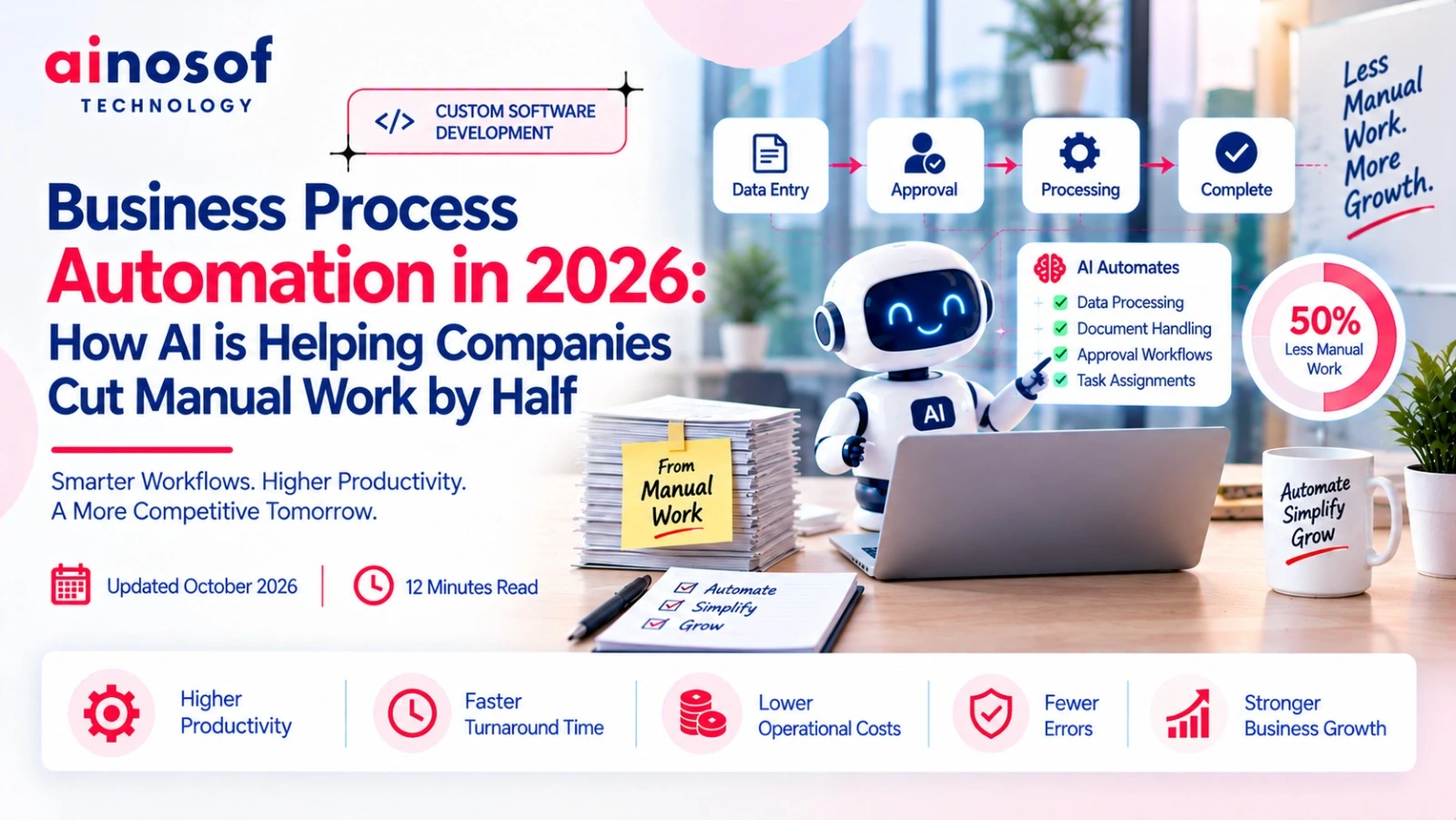
This is where workflow automation software for business can make a practical difference. Instead of asking employees to manually move every task from one stage to another, businesses can automate repetitive and predictable parts of their workflows while keeping important decisions under human control.
The real question, however, is not whether a business can automate a process. It is whether automating that process will actually save time, reduce errors, improve coordination, and help the business handle growth more efficiently.
In this article, you will learn where growing businesses lose time through manual work, which processes are suitable for automation, why an inefficient process should be improved before automating it, how automation can connect departments, how to measure actual time savings, and when business process automation software India or custom workflow automation becomes a sensible business investment.
As a company grows, manual work that once seemed manageable can quietly become a major operating cost. A few employees may be able to handle approvals, data entry, follow-ups, and status updates when the business is small. But as the number of customers, orders, employees, and departments increases, the same processes require much more time.
The important issue is that this time is often not spent on work that directly moves the business forward. Employees may be busy checking spreadsheets, copying information between systems, asking for approvals, sending reminders, or finding out what happened to a pending task. These small activities can create a significant loss of productive time over months and years.
Growing businesses often lose time in activities that are repeated throughout the day or week. Data entry, task assignment, follow-ups, approvals, document movement, status checking, and report preparation are common examples.
For instance, a sales employee may enter customer information into one system and then send the same information to another department. The accounts team may again enter part of that information into its own records. Operations may then ask for an update through email or messaging.
None of these individual tasks may take very long. The problem comes from their frequency.
Imagine a company where an employee spends only 10 minutes each time checking order status and updating another team. If this happens 15 times a day, the business loses around 2.5 hours of employee time every working day. Across a month, that becomes a substantial amount of time that could have been used for customer service, sales, planning, or process improvement.
The bigger a company becomes, the more these repetitive workflows multiply. What looks like a small administrative task can therefore become a recurring business cost.
Manual approvals can create waiting time. Manual follow-ups can create missed deadlines. Repeated data entry can increase the chances of mistakes. Together, these issues can affect both operating costs and the company's ability to grow smoothly.
Consider a purchase approval process. An employee submits a request, waits for a manager, sends a reminder, waits again, and finally forwards the approved request to accounts. If the manager misses the message, the entire process may stop for another day.
The cost is not limited to the employee's salary. Delays can affect purchasing, production, customer commitments, cash flow, and other connected activities.
|
Manual Activity |
Possible Business Impact |
|
Repeated data entry |
More employee time and higher error risk |
|
Manual approvals |
Delays in decision-making |
|
Follow-up calls and messages |
Lost productive time |
|
Spreadsheet-based tracking |
Poor visibility and outdated information |
|
Manual task assignment |
Work may remain unattended |
|
Repeated status checking |
Slower response between teams |
The business insight is simple: manual work becomes expensive when its frequency grows faster than the business's ability to manage it efficiently.
A growing company does not always need more people to handle more work. Sometimes it needs a better way to handle the work it already has.
Not every business process should be automated. The right starting point is usually work that is repetitive, predictable, rule-based, and time-consuming.
A business should first understand how a process works before deciding what technology should handle it. Automation should remove unnecessary effort, not simply move the same inefficient work into software.
Start by observing where employees repeatedly perform the same steps. Look for workflows involving frequent data entry, routine approvals, reminders, notifications, task assignments, document movement, or status updates.
A useful way to evaluate a process is to ask:
For example, suppose every new customer requires the sales team to enter information, notify accounts, create a task for operations, and send a confirmation. If the same sequence happens hundreds of times, it may be a strong candidate for workflow automation.
Businesses should normally start with processes where the combination of high frequency and low decision complexity creates the biggest opportunity for time savings.
The goal is not to automate everything. The goal is to automate the right work first.
Some tasks require human judgement, experience, negotiation, creativity, or responsibility. These should not be automated simply because technology makes automation possible.
For example, a system can automatically route a purchase request to the correct manager based on its value. But deciding whether an unusual purchase is strategically important may still require a person.
Similarly, software can remind a sales employee to contact a potential customer, but it should not necessarily decide how to handle a sensitive negotiation without human involvement.
A practical approach is to separate a workflow into two parts:
Automate:
Routine actions, notifications, calculations, data movement, task creation, status updates, and rule-based routing.
Keep human-controlled:
Strategic decisions, exceptions, negotiations, approvals requiring judgement, customer-sensitive communication, and complex problem-solving.
This balance is important because good business process automation software should support employees rather than remove human judgement from every part of the business.
The strongest automation strategies remove repetitive effort while allowing people to focus on decisions where their experience actually matters.
Automation cannot automatically fix a poorly designed process. If a workflow contains unnecessary approvals, duplicate data entry, confusing responsibilities, or outdated steps, putting that workflow into software may simply make the same problems happen faster.
Before investing in workflow automation software, businesses should understand whether the existing process itself makes sense.
The first step is to document what actually happens—not what the process is supposed to look like.
Talk to the employees who perform the work every day and map each step from beginning to end. Identify where information is entered, who approves it, where employees wait, which steps are repeated, and where people have to manually follow up.
Then ask simple questions:
For example, a company may discover that a manager approves the same type of low-value request three times during different stages of a workflow. If the approval adds little value, automating all three approvals would not solve the real problem.
Removing unnecessary steps first can make the final automated workflow faster, simpler, and easier to manage.
The best automation often begins with a process review, not with software.
When an inefficient process is automated without proper review, the business can end up with a faster version of the same inefficient process.
Suppose employees currently complete seven steps to process a routine request, even though only four are genuinely necessary. If software automates all seven steps, the business has not removed the waste—it has simply converted manual waste into automated waste.
This can create new problems. Employees may have difficulty understanding why certain steps still exist. Management may pay for unnecessary system functionality. Future process changes may become harder because the inefficient workflow is now built into software.
A better approach is:
Understand the process → remove unnecessary work → simplify responsibilities → identify automation opportunities → automate → measure the result.
This approach helps businesses avoid investing in technology before they understand the problem they are trying to solve.
Automation should make a good process more efficient, not make a bad process harder to change.
The biggest time savings often appear when automation connects activities between departments. A workflow rarely belongs to one team alone. A sales order may involve sales, accounts, operations, inventory, and management before it is completed.
When every department manages its part manually, information can become delayed or disconnected. Connected workflows reduce the need for employees to repeatedly ask for updates or move information from one team to another.
A well-designed automated workflow can perform routine actions as soon as a defined event occurs.
For example, when a sales employee confirms an order, the system could automatically update the relevant record, create the next task, notify the appropriate department, and trigger an approval if required.
Instead of employees manually moving the process forward, the workflow handles predictable steps according to predefined rules.
This can reduce:
The employee still remains responsible for decisions that require judgement, but the system handles the administrative movement around those decisions.
That difference matters because saving five or ten minutes on one task may appear small. Saving those minutes across hundreds or thousands of transactions can create meaningful time savings and operational efficiency.
Disconnected departments often create a chain of waiting. Sales waits for accounts, accounts waits for approval, operations waits for confirmation, and management asks for updates because the information is spread across emails, spreadsheets, or separate systems.
A connected workflow can automatically move information and tasks to the next responsible person.
For example:
Sales confirms order → Accounts receives required information → Approval is triggered → Operations receives the task → Management can view progress.
The purpose is not simply to make departments work faster individually. It is to reduce the handoff delays between departments.
When everyone works from the same workflow, employees spend less time asking, “Who has this?”, “Has it been approved?”, or “What is the current status?”
For a growing company, this can become increasingly valuable because the number of cross-department transactions grows along with the business.
The real value of workflow automation is not just completing individual tasks faster; it is keeping the entire business process moving with less manual coordination.
Automation should not be considered successful simply because a manual task has been moved into software. A business needs to know whether the new workflow is actually saving employee time, reducing errors, lowering delays, and improving operational efficiency.
Without measurement, it can be difficult to know whether automation is delivering a real business improvement or simply adding another system to manage.
Businesses should track metrics that show what changed after automation. The most useful workflow automation metrics usually focus on time, workload, quality, and cost.
Important metrics can include:
For example, if an accounts team previously spent 40 hours every month managing a particular approval workflow and automation reduces that effort to 15 hours, the business has a measurable improvement.
The important point is to measure business outcomes, not just software activity. A system completing thousands of automated actions does not necessarily mean the business is becoming more efficient.
Good automation should produce a visible improvement in the way work gets completed.
The easiest way to measure improvement is to establish a before-and-after comparison.
Before automation, record how much time employees spend on the process, how many steps are involved, how frequently errors occur, and where delays usually happen. After implementation, measure the same things again.
|
Measurement |
Before Automation |
After Automation |
|
Process completion time |
Record average time |
Compare new average |
|
Employee effort |
Track hours spent |
Measure hours saved |
|
Manual data entry |
Count repeated entries |
Identify entries removed |
|
Errors |
Record frequency |
Compare error rate |
|
Approvals |
Track approval duration |
Measure new duration |
|
Follow-ups |
Count manual reminders |
Measure reduction |
|
Pending work |
Track delayed tasks |
Compare outstanding tasks |
Suppose a company takes an average of two days to complete a routine internal request. Employees spend significant time sending reminders and checking approvals. After automation, the same process takes six hours with fewer manual interventions.
That gives management a much clearer picture of the time-saving impact of automation.
Businesses should also look beyond immediate time savings. If employees can use the saved time for customer service, sales, planning, quality control, or other productive activities, the business value becomes even greater.
The real measure of automation is not how advanced the software looks. It is whether the business can complete important work faster, more accurately, and with less unnecessary employee effort.
As businesses grow, they often discover that their workflows do not perfectly match standard software. Different approval rules, departments, databases, customer processes, reporting requirements, and internal systems can make automation more complicated.
This does not mean every company needs custom workflow automation software. In many cases, standard tools are enough. The decision should depend on how closely available tools match the actual business process.
Standard automation tools can work well when the business has simple, predictable, and commonly used workflows.
For example, a company may only need automatic email notifications, basic task assignments, simple approvals, calendar triggers, or straightforward data movement between commonly used applications.
In such situations, building custom software may create unnecessary cost and complexity.
A standard solution may be suitable when:
For a small or growing company, starting with a standard solution can sometimes be the more practical choice.
The important decision is not whether custom software sounds more powerful. It is whether the additional flexibility will create enough business value to justify the investment.
When an existing tool solves the actual problem effectively, there may be no reason to build something more complicated.
Custom automation becomes more relevant when a company's processes are closely connected to the way it operates and standard tools cannot handle those requirements properly.
For example, a manufacturing company may have a specific workflow connecting sales orders, production planning, inventory, quality checks, dispatch, accounts, and management approvals. If those processes depend on unique rules and existing systems, a generic automation tool may not provide enough control.
Custom workflow automation can make sense when:
Imagine a company using separate systems for CRM, inventory, accounting, and production. If employees manually transfer information between them every day, the problem may not be solved by adding another simple automation tool. A custom solution could connect those systems around the company's actual workflow.
The right approach is to first understand the process, then determine whether standard automation is sufficient. If the business has unique requirements that cannot be handled effectively, custom software development can provide a more suitable foundation.
Custom automation is valuable when it fits the business—not simply because it is custom.
Once a business understands where time is being lost, the next step is to look at the wider technology environment supporting daily operations. Custom software, ERP, CRM, business process automation, and workflow systems can work together when they are designed around genuine business requirements.
The goal should not be to add technology for its own sake. It should be to create connected business processes that help employees work more efficiently while giving management better visibility and control.
A growing company should therefore evaluate its technology based on one practical question: Does this system make the business easier to operate as it grows?
Growth should increase a company's opportunities—not the amount of unnecessary manual work its employees have to handle.
When repetitive data entry, approvals, reminders, task assignments, and departmental handoffs continue to be managed manually, the time cost can grow alongside the business. Workflow automation provides an opportunity to remove this unnecessary effort, but only when businesses automate the right processes.
The strongest approach is to first understand where time is being lost, simplify the process, separate routine work from tasks requiring human judgement, and then measure the results after automation.
For some businesses, standard automation tools may be enough. For others, complex processes and system requirements may justify custom workflow automation software designed around their operations.
Ultimately, automation is not about replacing people or making every process automatic. It is about helping people spend less time managing repetitive work and more time doing work that moves the business forward.
Workflow automation software helps businesses automate repetitive and rule-based activities within a business process. It can automatically move tasks, send notifications, assign work, update information, and trigger the next step based on predefined rules.
It reduces repetitive activities such as manual data entry, follow-ups, reminders, task assignments, approvals, and status checking. This allows employees to spend more time on work that requires judgement and business expertise.
Businesses can automate repetitive and predictable processes such as approval workflows, employee task assignments, notifications, document movement, order processing, customer follow-ups, data updates, and internal requests.
Yes. Small businesses can use automation when repetitive work starts taking too much employee time. The key is to begin with processes where automation can provide a clear and measurable improvement.
Major workflow automation benefits can include reduced manual work, faster processes, fewer errors, better coordination between departments, improved visibility, and more productive use of employee time.
There is no fixed amount. The actual saving depends on the number of transactions, process frequency, number of manual steps, employee involvement, and workflow complexity. Businesses should measure their existing process before estimating potential savings.
Businesses can compare process completion time, employee effort, error rates, approval times, pending tasks, follow-ups, and operating costs before and after automation.
Workflow automation generally focuses on automating the movement of tasks and information through a defined workflow. Business process automation can cover a broader process involving multiple workflows, departments, systems, and business activities.
A business should consider custom workflow automation software when standard tools cannot properly support its processes, integrations, approval rules, reporting requirements, or unique operational needs.
Businesses should first identify repetitive processes, document how the work currently happens, remove unnecessary steps, decide which activities require human control, and then select a suitable standard or custom workflow automation solution based on their actual requirements.
 Why Custom Software Companies Need Strong Branding to Win Enterprise Clients
16 Oct, 2026
Why Custom Software Companies Need Strong Branding to Win Enterprise Clients
16 Oct, 2026
 How a CRM System Complements Custom Business Software for Better Sales Visibility
15 Oct, 2026
How a CRM System Complements Custom Business Software for Better Sales Visibility
15 Oct, 2026
 ERP vs Custom Software: Which One Does Your Business Actually Need?
14 Oct, 2026
ERP vs Custom Software: Which One Does Your Business Actually Need?
14 Oct, 2026
 How to Build an SEO Strategy for a B2B SaaS or Software Company
13 Oct, 2026
How to Build an SEO Strategy for a B2B SaaS or Software Company
13 Oct, 2026
 Why Your Business Website Should Integrate With Your Internal Software Systems
12 Oct, 2026
Why Your Business Website Should Integrate With Your Internal Software Systems
12 Oct, 2026
 How AI Agents Are Becoming Part of Custom Business Software in 2026
10 Oct, 2026
How AI Agents Are Becoming Part of Custom Business Software in 2026
10 Oct, 2026
Comment with an expert and get our answer.
Comment with an expert and get our answer.
Explore more insights related to this topic and discover useful perspectives, ideas and strategies from our latest articles.