How AI Lead Scoring in CRM Helps Sales Teams Focus on Leads Most Likely to Convert
 Iram


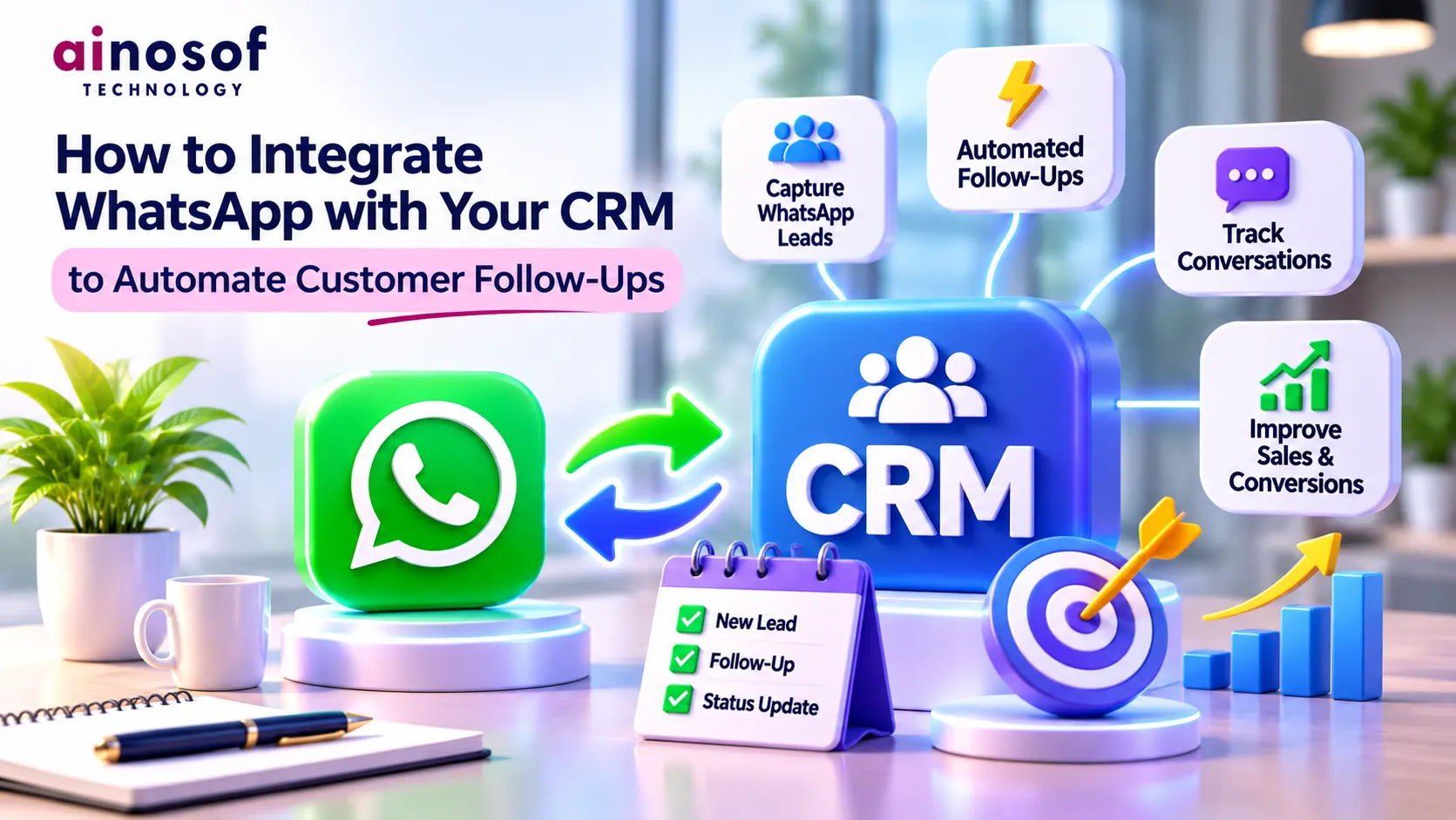
WhatsApp has become an important communication channel for businesses. Customers use it to enquire about products and services, request quotations, discuss requirements and receive updates. However, when these conversations are managed through individual employees' phones, businesses can struggle to maintain a consistent communication history and ensure timely follow-ups.
A customer may receive an initial response but never hear from the business again. Another prospect may contact the company after several days, but the sales representative may not have access to the previous conversation. These gaps can affect the customer experience and make sales management difficult.
WhatsApp CRM integration connects business messaging with customer relationship management software, helping businesses manage enquiries, organise conversations, automate follow-ups and track customer interactions from one system.
Instead of managing WhatsApp separately, businesses can make it part of their sales and customer management workflow. This guide explains how WhatsApp CRM integration works, how to implement it and what businesses should consider before choosing a solution.
WhatsApp CRM integration is the process of connecting WhatsApp messaging capabilities with a CRM system so that customer conversations can be managed alongside customer records and sales activities.
When a prospect sends a WhatsApp enquiry, the integration can help create a new lead or update an existing customer record. The sales team can then access relevant information, assign the enquiry, manage follow-ups and maintain a record of communication.
For example, a business may receive enquiries from customers through its website, advertisements and WhatsApp. Without an integrated system, different employees may handle these conversations separately, making it difficult to track the complete customer journey.
With WhatsApp CRM integration, businesses can:
The purpose is to connect customer communication with the wider business process rather than simply send automated messages.
WhatsApp CRM integration generally uses the WhatsApp Business Platform and its APIs to exchange information between WhatsApp and the CRM.
A typical workflow works as follows:
For example, when a customer asks for a quotation, the CRM can create a lead, assign it to the relevant representative and generate a follow-up task.
The exact workflow depends on the CRM platform, integration method and business requirements.
Businesses should understand the difference between the WhatsApp Business App and the WhatsApp Business Platform before selecting an integration method.
|
Feature |
WhatsApp Business App |
WhatsApp Business Platform |
|
Primary purpose |
Managing business conversations through an app |
Connecting business messaging with software and systems |
|
CRM integration |
Depends on supported integration options |
Supports API-based integration |
|
Automation |
Basic messaging features |
Programmatic messaging and workflow automation |
|
Team management |
Limited compared with a connected CRM |
Can support structured team communication |
|
Message templates |
Basic messaging tools |
Approved templates for eligible business-initiated messages |
|
Business workflows |
Primarily app-based |
Can connect with CRM and other business applications |
The WhatsApp Business App may be sufficient for small businesses managing a limited number of conversations. However, businesses with multiple sales representatives, higher enquiry volumes or specific automation requirements may benefit from the WhatsApp Business Platform.
The Platform provides API capabilities that allow messaging to be connected with CRM and other business systems. The appropriate setup depends on the features and workflows the business requires.
A successful integration should begin with understanding the business's communication process. Connecting an API without defining the required workflows may result in an integration that sends messages but does not solve the actual management problem.
Start by reviewing how your business currently uses WhatsApp.
Consider the following questions:
These requirements help determine which CRM features and integration capabilities are necessary.
Businesses can connect WhatsApp with a CRM through an existing connector, an authorised technology provider or a custom API-based integration.
An existing connector may be suitable when the CRM already supports the required features.
Custom integration may be more appropriate when the business needs specific lead assignment rules, department-wise access, custom reporting or connections with other internal applications.
For API-based integration, the business needs to configure its WhatsApp Business Account and the required platform access.
Depending on the setup, this may involve:
Meta's WhatsApp Business Platform documentation provides the relevant technical guidance.
Once the messaging setup is ready, the integration connects WhatsApp conversations with CRM customer records.
When a new message arrives, the CRM can check whether the contact already exists. If no matching record is found, it can create a new lead using the available information.
For an existing customer, the conversation can be associated with the existing record. This helps employees access relevant customer history without searching through multiple devices.
The CRM should define how incoming enquiries are handled.
Leads may be assigned according to:
The CRM can also generate follow-up tasks and notifications when an enquiry requires further action.
Before launching the integration, test incoming messages, lead creation, customer matching, employee assignments and outgoing communication.
Also check duplicate enquiries, failed message delivery, access permissions and follow-up notifications. Testing helps identify issues before the system is used by the entire sales team.
WhatsApp automation for sales allows businesses to connect selected messages and communication activities with CRM events.
Instead of manually sending every routine message, businesses can configure workflows for specific customer interactions.
When a customer submits an enquiry, the CRM can trigger an acknowledgement message.
For example:
"Thank you for contacting us. We have received your enquiry and our team will get in touch with you shortly."
The CRM can also create a lead record and assign the enquiry to the appropriate representative.
If a sales representative shares a quotation but does not receive a response, the CRM can create a follow-up reminder.
Where permitted, an eligible WhatsApp message template can also be used to send a follow-up message. The representative can review the previous conversation before contacting the customer.
Businesses can connect appointment records with WhatsApp notifications. The CRM can trigger reminders containing relevant meeting details, helping employees avoid sending every notification manually.
Businesses can also connect WhatsApp messaging with order or service management systems. When an order status changes, the integration can trigger an appropriate customer notification.
This is particularly useful when CRM and other business applications share relevant customer and transaction information.
WhatsApp automation must follow the WhatsApp Business Platform's messaging policies.
Customer opt-in: Businesses must obtain the required customer permission before sending business-initiated messages. A phone number collected for one purpose should not automatically be treated as permission for unrelated promotional communication.
24-hour customer service window: When a customer messages a business, a 24-hour customer service window opens or refreshes. During this period, businesses can respond using free-form messages. Outside the window, business-initiated messages generally require approved templates.
Approved message templates: Eligible business-initiated messages outside the customer service window must use approved templates that comply with WhatsApp's requirements.
Relevant communication: Businesses should avoid excessive or unwanted messages. Automated communication should be useful, relevant and consistent with customer preferences.
These requirements should be considered while designing follow-up reminders, notifications and promotional workflows. Refer to WhatsApp Business Platform features for platform information and current guidance.
When WhatsApp conversations become part of the CRM, businesses can manage customer communication more systematically.
The actual benefits depend on the integration quality, business processes and how consistently employees use the CRM.
A ready-made CRM with WhatsApp integration can be suitable when its existing features match the business's requirements.
However, businesses with specialised workflows may need greater control over how conversations connect with internal operations.
For example, a company may want WhatsApp enquiries to move through a specific approval process, connect conversations with quotations or generate reports based on its own sales activities.
In these situations, custom CRM development may provide more flexibility.
|
Requirement |
Suitable approach |
|
Standard lead capture and messaging |
Ready-made CRM with supported integration |
|
Basic follow-up automation |
Existing CRM workflows |
|
Custom lead assignment and approval rules |
Configurable or custom CRM workflows |
|
Integration with ERP, billing or internal software |
API-based or custom integration |
|
Specialised reporting and department-wise access |
CRM designed around business requirements |
The decision should be based on the complete business workflow rather than simply the availability of a WhatsApp messaging feature.
WhatsApp is an important customer communication channel, but managing conversations separately from sales and operational records can create gaps. Missed follow-ups, scattered customer information and limited visibility can make it difficult for teams to maintain consistent communication.
WhatsApp CRM integration brings these activities together by connecting customer messages with lead records, sales assignments, follow-up reminders and communication history. With suitable workflows, businesses can automate routine notifications while keeping sales representatives involved in conversations that require personal attention.
The right solution depends on how your business receives enquiries, manages customers and handles follow-ups. A ready-made connector may be sufficient for standard requirements, while businesses with specialised processes may benefit from custom CRM development.
Ainosof Technology develops custom CRM and business software solutions designed around business workflows, customer management requirements and system integration needs. If your business wants to connect WhatsApp communication with its sales process, start by identifying the gaps in your current workflow and planning an integration that supports the way your team works.
WhatsApp CRM integration connects WhatsApp messaging with customer relationship management software. It allows businesses to associate conversations with customer records, capture enquiries, manage follow-ups and coordinate communication through a central system.
Yes. With a suitable WhatsApp Business Platform integration, incoming messages can trigger lead creation or update existing customer records. The exact process depends on the CRM configuration and the information available.
Yes. A connected CRM can trigger follow-up reminders and eligible automated WhatsApp messages based on enquiry status, customer activity or configured events. Business-initiated messages must follow applicable opt-in and template requirements.
For API-based CRM integration and programmatic messaging, businesses generally use the WhatsApp Business Platform. Some CRM products provide supported integration options. The required setup depends on the CRM and the features needed.
Yes. A properly configured integration can support team-based conversation management, lead assignment and role-based access. This allows authorised employees to handle customer enquiries according to the business workflow.
Yes. Depending on the available APIs and system architecture, WhatsApp communication can be connected with CRM, ERP, billing and other business applications. This allows relevant customer notifications to be triggered using information from connected systems.
The cost depends on the CRM platform, API integration requirements, automation workflows, number of users and custom development involved. WhatsApp Business Platform messaging charges may also apply according to Meta's current pricing structure and applicable message categories.
 How AI Lead Scoring in CRM Helps Sales Teams Focus on Leads Most Likely to Convert
03 Nov, 2026
 What Is CRM Software Development and Why Do Growing Businesses Need a Custom CRM?
02 Nov, 2026
 Why Off-the-Shelf Software Is No Longer Enough for Scaling Businesses
31 Oct, 2026
 The Rise of AI-Native Business Software: What's Replacing Traditional SaaS Tools in 2026
30 Oct, 2026
 How Custom Software Helped a Business Automate Operations and Cut Costs: A Case Study
28 Oct, 2026
 Custom Software vs SaaS: Which Gives Better Long-Term ROI?
27 Oct, 2026
Comment with an expert and get our answer.
Comment with an expert and get our answer.
Continue exploring with related articles, practical guides and insights covering similar subjects. Discover more information, useful perspectives and ideas to help you learn about the topics that matter to your business.