The Rise of AI-Native Business Software: What's Replacing Traditional SaaS Tools in 2026
 Iram


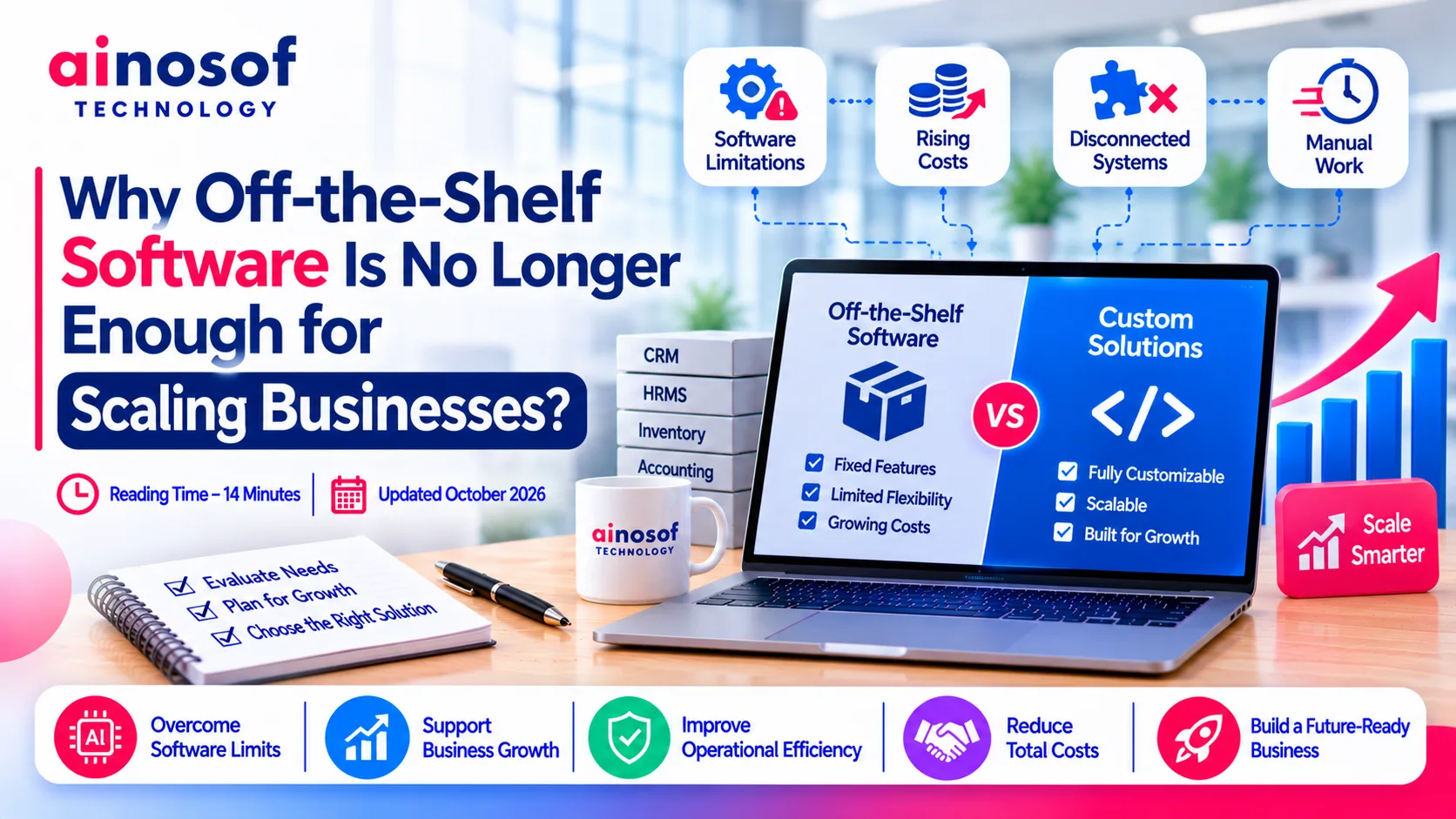
A software solution that works perfectly for a small team may become a limitation when the business starts growing. More customers, additional employees, higher transaction volumes, new departments, and increasingly complex workflows can expose problems that were not visible during the early stages.
Many businesses initially choose ready-made software because it is affordable, quick to implement, and easy to operate. However, as operations expand, they often find themselves using multiple applications, maintaining separate spreadsheets, repeating manual tasks, and adjusting their processes to fit software limitations.
The real challenge is not simply finding another tool. It is deciding whether the existing technology can support the next stage of business growth.
This is where enterprise software development solutions become relevant. Instead of forcing business operations into predefined software features, companies can invest in systems designed around their actual workflows, integration requirements, and future objectives.
But does every growing business need custom software? Not necessarily. The right decision depends on operational complexity, long-term costs, scalability, and the limitations of existing systems.
Let's understand when off-the-shelf software stops being sufficient and how businesses can make a more informed technology investment.
Ready-made software is developed to serve a broad customer base. This makes it convenient for businesses with standard requirements, but the same approach can become restrictive when individual companies develop specialised workflows.
For example, a business might initially manage sales, inventory, employee attendance, and customer information through separate applications. As the organisation expands, these applications may no longer communicate effectively with one another.
Employees start transferring information manually, managers struggle to get a unified view of operations, and business owners become dependent on multiple vendors.
The problem is not necessarily that the software is poorly developed. It may simply no longer match the complexity of the business.
Off-the-shelf software generally offers predefined features, workflows, and integration options. Businesses can configure certain settings, but they may not have complete control over how the system operates.
This creates several operational challenges as the organisation grows.
1. Business processes become restricted by software limitations
Every business develops its own way of handling orders, approvals, customer communication, inventory, reporting, and internal coordination.
Ready-made software may not support every step of these processes. Employees then create workarounds through spreadsheets, emails, messaging applications, or manual approvals.
Over time, these workarounds become part of everyday operations.
2. Multiple applications create disconnected information
A growing business might use one application for accounting, another for inventory, a separate CRM for sales, and another platform for employee management.
When these systems do not share information properly, employees have to enter the same data repeatedly.
This can result in:
3. Reporting becomes more complicated
Business owners need accurate information to make decisions. They want to understand sales performance, operational costs, employee productivity, pending orders, and customer activity.
However, when information is distributed across different applications, preparing reports becomes a time-consuming process.
Managers may spend more time collecting and verifying data than analysing it.
4. Subscription and integration costs continue increasing
Many ready-made platforms operate through subscription-based pricing. As the number of users, features, storage requirements, or transactions increases, monthly expenses may also rise.
Businesses may additionally pay for premium integrations, third-party applications, and specialised modules.
The initial software investment might look affordable, but the total cost of maintaining several systems can become substantial over time.
Software limitations usually become noticeable when the organisation starts growing faster than its existing technology infrastructure.
Consider a wholesale distribution company that initially manages orders and inventory through standard software.
At the beginning, a small team can handle most activities manually. However, after expanding its customer base, product catalogue, and distribution network, the same processes become difficult to manage.
The sales team records orders in one system, warehouse employees update stock separately, and the accounts department maintains its own records.
This creates a chain of operational problems.
|
Business situation |
Software limitation |
Operational impact |
|
Higher order volumes |
Limited workflow automation |
More manual processing |
|
Additional departments |
Disconnected applications |
Information gaps |
|
Larger customer base |
Limited CRM customisation |
Inconsistent customer management |
|
Multiple warehouses |
Inadequate inventory coordination |
Stock visibility problems |
|
Complex reporting |
Data stored across platforms |
Delayed decisions |
|
Expanding workforce |
Limited user permissions and workflows |
Administrative difficulties |
The important warning sign is not simply that a business has more employees or customers. It is when existing software starts creating additional work instead of reducing it.
If employees regularly depend on spreadsheets to complete software-related tasks, managers struggle to access accurate information, or new business requirements cannot be accommodated, it may be time to reassess the technology strategy.
Growing businesses do not always need more applications. In many cases, they need better-connected systems that can support their actual operational requirements.
Custom enterprise software takes a different approach from ready-made platforms. Instead of selecting a predefined product and adjusting business processes around it, the software is designed according to the organisation's workflows, users, integrations, and operational priorities.
This does not mean every feature needs to be developed from scratch. A practical solution can combine custom-built modules, existing software, APIs, and third-party services.
The objective is to create a technology environment that supports business operations without introducing unnecessary complexity.
Custom software can be developed around the way a business actually operates. This gives organisations greater flexibility when their requirements change.
Here are some ways this approach can support growing operations.
1. Workflows designed around business requirements
A manufacturing company, for example, may need a system that connects production planning, raw material management, purchase orders, quality checks, dispatch, and reporting.
A generic platform may support some of these functions but might not provide the exact workflow required by the company.
Custom software can connect these processes according to the organisation's operational structure.
2. Better integration between business applications
Businesses do not necessarily need to replace every existing application.
Custom enterprise software can be designed to exchange information with accounting platforms, CRM systems, payment gateways, ecommerce websites, inventory applications, and other business tools through supported APIs and integrations.
For example, when a customer places an order through an ecommerce website, the system could automatically update order information, notify the relevant team, and initiate the required inventory workflow.
The exact automation depends on the applications, integration capabilities, and business rules involved.
3. Flexible user roles and permissions
Different departments require different information.
Sales employees may need customer and order details, warehouse teams may require inventory information, and finance teams may need access to billing and payment records.
Custom software can provide role-based access according to responsibilities. This helps businesses organise information access while supporting internal accountability.
4. Scalable architecture for future requirements
A business may begin with a limited number of users and operational modules. Later, it might need additional departments, locations, reporting capabilities, or integrations.
A properly planned custom solution can be designed to accommodate these changes.
However, scalability does not happen automatically. It depends on software architecture, database design, infrastructure, security planning, and ongoing maintenance.
5. More relevant dashboards and business reporting
Instead of navigating multiple applications, business owners can access dashboards designed around their most important performance indicators.
Depending on the business, these dashboards may display:
The purpose is to make business information easier to access and act upon.
Businesses should consider custom development when their operational requirements are becoming too specific or complex for available software.
However, the decision should be based on measurable business needs rather than the assumption that custom software is always better.
Consider the following situations:
Scenario 1: Your business has specialised workflows
If your organisation follows unique approval processes, production methods, distribution operations, or customer management procedures, standard software may not offer sufficient flexibility.
Custom development can help translate these processes into a connected digital system.
Scenario 2: Your existing applications do not communicate effectively
When employees repeatedly transfer information between different platforms, integration becomes an important consideration.
A custom solution can connect existing systems and reduce unnecessary manual work, provided the applications support the required integration methods.
Scenario 3: Software costs are increasing with business expansion
If subscription charges, additional modules, user licences, and integration expenses continue increasing, it may be useful to compare the long-term cost of maintaining multiple platforms with the investment required for a custom solution.
The comparison should include development, hosting, security, maintenance, and future upgrades.
Scenario 4: Your business needs greater operational control
Some organisations need complete control over workflows, reporting structures, user permissions, and system functionality.
In such situations, custom software can provide more control over how the technology supports daily operations.
Scenario 5: Technology limitations are affecting customer experience
If order processing, customer communication, service delivery, or internal coordination is becoming slower because of disconnected systems, the business may need a more integrated software environment.
This is where custom enterprise software development services can help create a solution aligned with business priorities.
At Ainosof Technology, the approach to custom software development should begin with understanding the organisation's existing processes, identifying operational gaps, and defining what the software needs to accomplish before development starts.
Choosing between ready-made and custom software requires more than comparing monthly subscription charges with development costs.
Business owners need to evaluate how each option will perform over the next few years.
A ready-made solution may remain the better choice when requirements are standard, implementation speed is important, and existing features adequately support operations.
Custom software becomes worth evaluating when business processes require greater flexibility, multiple systems need to work together, or existing technology is creating measurable operational limitations.
The decision should be based on the total business value rather than the number of features available.
Before making a technology investment, decision-makers should evaluate both immediate and long-term requirements.
|
Evaluation factor |
Off-the-shelf software |
Custom enterprise software |
|
Initial investment |
Usually lower |
Generally higher |
|
Implementation time |
Often shorter |
Depends on project complexity |
|
Customisation |
Limited to available options |
Designed around defined requirements |
|
Integrations |
Depends on vendor support |
Can be developed for specific systems |
|
Scalability |
Depends on product and pricing plans |
Can be planned around future requirements |
|
Ongoing expenses |
Subscriptions, licences, add-ons |
Hosting, maintenance, support, upgrades |
|
Business control |
Governed by vendor terms |
Greater control over developed functionality |
|
Ownership |
Usually access under a licence |
Depends on contractual ownership and licensing terms |
Businesses should also calculate the total cost of ownership.
For ready-made software, consider:
For custom enterprise software, consider:
A lower initial investment does not always mean a lower long-term cost. Similarly, custom development is not automatically more economical.
The correct option is the one that provides the required functionality, reliability, flexibility, and operational value at a sustainable cost.
Selecting the right development partner is an important part of the investment decision.
A software development project can fail to deliver expected value if the development team does not understand the business processes or focuses only on technical implementation.
Before hiring an enterprise software development services company, decision-makers should evaluate the following areas.
1. Understanding of business requirements
The development partner should first understand how the organisation operates.
This includes existing software, department-level workflows, user responsibilities, reporting requirements, operational challenges, and future objectives.
A company that recommends a solution before understanding these areas may overlook important requirements.
2. Technical planning and architecture
Ask how the proposed solution will handle increasing users, data volumes, integrations, and future modules.
The architecture should support the business's expected growth without introducing unnecessary technical complexity.
3. Integration capabilities
Check whether the development team has experience connecting different applications, databases, APIs, payment systems, and business platforms.
Integration requirements should be identified during the planning stage rather than treated as an afterthought.
4. Data security and access control
Enterprise applications often manage sensitive business and customer information.
The development partner should explain its approach to authentication, role-based permissions, data protection, backups, testing, and security updates.
5. Testing and implementation planning
Software should be tested against real business workflows before deployment.
Ask how the team handles functional testing, integration testing, user acceptance testing, data migration, and employee training.
6. Maintenance and long-term support
Software development does not end when the application goes live.
Businesses should understand who will handle technical issues, security updates, performance monitoring, infrastructure requirements, and future improvements.
7. Ownership and documentation
Clarify contractual ownership of source code, documentation, databases, third-party licences, and other project assets.
This helps prevent confusion if the organisation changes development partners or expands the solution later.
A reliable development partner should be able to explain not only what it will build but also why the proposed solution is appropriate for the business.
For companies evaluating enterprise software development solutions, Ainosof Technology can be considered as a technology partner for discussing business requirements, custom application development, and connected operational systems.
Choosing the right software is only one part of building a technology-ready business. Understanding how different systems connect and support daily operations is equally important.
Explore these related resources to make better technology decisions:
If your existing software is creating operational limitations, reviewing your current technology setup can help identify where integration, automation, or custom development may be required.
Off-the-shelf software remains a practical choice for businesses with standard requirements. It offers convenience, faster implementation, and access to commonly used business functions.
However, as an organisation grows, its operational requirements also become more complex. More customers, employees, departments, transactions, and integrations can expose limitations that were not present during the early stages.
The objective should not be to replace ready-made software simply because custom development is available. It should be to identify whether existing technology is supporting business growth or creating additional operational challenges.
For some organisations, better configuration or integration may be enough. Others may benefit from gradually developing custom modules or investing in a more comprehensive enterprise application.
The right enterprise software development solutions should support actual business requirements, provide room for future expansion, and improve operational control without introducing unnecessary complexity.
Businesses considering this transition should evaluate their workflows, total technology costs, integration requirements, and long-term objectives before making a decision. With the right planning and a capable development partner such as Ainosof Technology, custom software can become a practical part of a business's long-term growth strategy.
Off-the-shelf software is designed to serve a broad range of users with predefined features and workflows. As businesses expand, they may develop specialised requirements that standard platforms cannot fully accommodate. This can lead to manual workarounds, disconnected systems, limited reporting, and increasing integration costs.
Off-the-shelf software is a ready-made product developed for general business requirements. Custom enterprise software is designed around the specific workflows, integrations, user roles, and operational needs of an organisation. Ready-made software is usually faster to implement, while custom development offers greater flexibility.
A business should evaluate custom software when existing applications cannot support important workflows, multiple systems create information gaps, manual work is increasing, or software limitations affect operational efficiency. The decision should follow a detailed comparison of costs, requirements, and expected business value.
Custom enterprise software generally requires a higher initial investment because it involves requirement analysis, design, development, testing, and implementation. However, the long-term cost depends on maintenance, hosting, integrations, subscriptions avoided, and future enhancements. Businesses should compare total cost of ownership rather than only initial pricing.
Yes. Custom enterprise software can integrate with existing applications such as CRM, ERP, accounting software, ecommerce platforms, payment gateways, and inventory systems. The integration approach depends on API availability, data formats, security requirements, and the technical capabilities of the existing applications.
Custom software can be designed to accommodate additional users, departments, workflows, locations, integrations, and reporting requirements. Its ability to scale depends on architecture, infrastructure, database design, security, and ongoing technical maintenance.
Evaluate the company's understanding of business requirements, technical expertise, integration experience, security practices, testing process, project communication, maintenance support, and contractual ownership terms. Ask how it plans to translate your operational requirements into a practical software solution.
Yes. Businesses can follow a phased approach instead of replacing every application at once. They may begin by developing a custom module for a major operational problem, integrating it with existing applications, and gradually expanding the system. This approach can reduce implementation risks and make the transition easier for employees.
 The Rise of AI-Native Business Software: What's Replacing Traditional SaaS Tools in 2026
30 Oct, 2026
 How Custom Software Helped a Business Automate Operations and Cut Costs: A Case Study
28 Oct, 2026
 Custom Software vs SaaS: Which Gives Better Long-Term ROI?
27 Oct, 2026
 Custom Software Development Cost in India 2026: What Businesses Should Expect to Pay
26 Oct, 2026
 How Custom Construction Management Software Helps Builders Track Projects in Real Time
24 Oct, 2026
 Why Consultants and Agencies Need Custom Software to Manage Projects and Clients
23 Oct, 2026
Comment with an expert and get our answer.
Comment with an expert and get our answer.
Continue exploring with related articles, practical guides and insights covering similar subjects. Discover more information, useful perspectives and ideas to help you learn about the topics that matter to your business.