Workflow Automation Software: How It Saves Time for Growing Businesses
 Iram
Iram


For many businesses, the problem is no longer whether they have enough software. The bigger problem is how much work still depends on people manually moving information, checking updates, sending follow-ups, preparing reports, taking approvals, and repeating the same steps every day.
That manual workload quietly affects productivity. Employees spend valuable hours on processes that do not necessarily require human attention, while managers spend more time coordinating work than improving it. As the business grows, these inefficiencies become harder to control—and adding more people can increase the cost without actually fixing the underlying process.
This is where AI is changing the way businesses approach automation in 2026. Instead of simply digitizing an existing process, companies can now use intelligent workflows to identify patterns, process information, trigger actions, and support decisions across different stages of an operation. But that does not mean every business process should be automated, or that AI is automatically the right solution.
The real business question is more practical: Which manual work is genuinely worth removing, and what should replace it?
In this guide, we will look at where AI can realistically reduce repetitive work, which processes businesses should automate or keep human-led, how to decide between workflow automation software, business automation software, and custom development, and what to measure before investing in automation. We will also examine whether cutting manual work by 50% is a realistic target and how businesses can build an automation roadmap without disrupting their existing operations.
Having software in place does not automatically mean a business is operating efficiently. Many companies still depend on employees to enter information, check updates, send reminders, prepare reports, move data between systems and follow up on tasks that could be handled through automated workflows.
The problem becomes more serious as the business grows. A process that takes 10 minutes may not seem important when it happens a few times a week. But when the same process is repeated hundreds of times across different employees, those small tasks turn into a significant operational cost.
This is why businesses need to look at where employee time is being spent, rather than simply asking whether they have enough people or enough software.
Employees often spend a surprising amount of time on small administrative activities.
These can include entering the same customer information into multiple systems, checking approval status, sending routine follow-ups, updating spreadsheets, preparing recurring reports, assigning leads, creating reminders and moving information from one department to another.
For example, a salesperson may receive a new enquiry and then manually create a customer record, update the CRM, send an acknowledgement, assign a follow-up date and later change the lead status.
Each action is simple. The problem is that the employee has to repeat the same sequence for every enquiry.
The same issue can appear in finance, HR, customer support, purchasing, inventory and management reporting.
When these tasks become part of an employee's daily routine, the business is effectively paying skilled people to perform work that may not require their skills.
The first automation opportunity is often hidden inside the routine work employees have stopped questioning.
Hiring additional employees can increase the amount of work a business can handle, but it does not necessarily improve the process itself.
If employees have to complete five manual steps for every customer enquiry, adding more employees simply means more people are performing those five steps.
For example, imagine a business where one employee collects customer information, another verifies it, a manager approves it and another employee updates the final record. As enquiry volume increases, the company may keep adding people to maintain the same workflow.
This can increase payroll costs while leaving the original inefficiency untouched.
More employees can also create more handoffs, more communication and more opportunities for information to be delayed or entered incorrectly.
A well-designed workflow automation software solution can approach the problem differently. Instead of adding another person to move information from one stage to another, the system can trigger the next step automatically.
It can assign tasks, update records, send notifications and move information between connected systems while employees focus on work that requires their involvement.
The better question is not always “Who should do this task?” but “Does a person need to do this task at all?”
Before investing in business automation software, a company needs to understand the amount of manual work already taking place.
A simple baseline can be created by recording how often a process happens, how long it takes, how many employees participate and how many systems are involved.
For example, if 10 employees spend 30 minutes every working day preparing and updating a recurring report, the business is spending roughly 110 employee-hours a month on that process.
That number gives management something concrete to evaluate.
The same calculation can be used for lead follow-ups, invoice processing, employee onboarding, approval workflows, customer support and data entry.
Businesses should also record error rates, approval delays, duplicate data entry and the number of manual handoffs.
Once these figures are available, the company can compare the original process with the automated process later.
You cannot prove that automation created value until you know what the manual process was costing you in the first place.
Not every repetitive task deserves automation. Some processes are too unpredictable, too sensitive or too dependent on human judgment to hand over completely to software.
The better approach is to identify processes where automation can produce a clear improvement in time, accuracy, consistency or capacity.
Businesses should therefore evaluate the process first and choose the technology second.
The strongest candidates usually have three characteristics: they happen frequently, follow predictable steps and consume meaningful employee time.
Lead assignment, routine follow-ups, invoice notifications, approval routing, recurring reports, employee onboarding and data synchronization are common examples.
Consider a new enquiry arriving through a website. Instead of asking an employee to manually create a record, assign the lead, send an acknowledgement and set a reminder, a workflow can perform these actions automatically.
The salesperson still handles the important conversation with the potential customer. The system simply removes the administrative steps surrounding that conversation.
Processes involving repeated data entry are also strong candidates because automation can reduce both employee effort and the possibility of inconsistent information.
A useful test is simple:
If the same trigger repeatedly leads to the same sequence of actions, that process deserves to be evaluated for automation.
Automation should not be treated as a reason to remove people from every business process.
Some activities depend on experience, context, negotiation, empathy or accountability. These may include handling sensitive complaints, negotiating important contracts, approving unusual financial situations or making strategic business decisions.
AI can still support these processes without taking complete control.
For example, an AI system could review customer conversations and identify signs of dissatisfaction. A manager can then review that information and decide how the customer should be handled.
This creates a more practical relationship between people and automation. Technology manages repetitive information work while employees remain responsible for decisions where judgment matters.
Businesses should therefore ask two separate questions:
Can this process be automated?
and
Should the decision within this process be automated?
The answer to the first question may be yes while the answer to the second is no.
Good automation removes unnecessary effort without removing necessary human judgment.
Businesses can make automation decisions easier by placing each process into one of four practical categories.
Automate applies when the process follows clear rules and can be completed reliably without human judgment.
AI-Assisted applies when the process involves large amounts of information, patterns or unstructured data where AI can support analysis or recommendations.
Keep Human applies when the process depends heavily on judgment, relationships, accountability or sensitive decisions.
Custom applies when the process is strategically important but does not fit well into standard software or requires deep integration with existing business systems.
|
Process Situation |
Recommended Approach |
|
Repetitive and rule-based |
Automate |
|
Information-heavy and pattern-based |
AI-Assisted |
|
Judgment-heavy or sensitive |
Keep Human |
|
Complex and business-specific |
Custom |
For example, an automatic invoice reminder may fall into Automate. Reviewing thousands of customer comments to identify recurring complaints may be AI-Assisted. Negotiating a major client contract should generally remain Keep Human. A specialized workflow connecting multiple internal systems may require a Custom solution.
This framework also helps businesses understand whether workflow automation software is enough or whether they need AI capabilities or custom development.
The right technology becomes much easier to choose once the business understands what kind of process it is trying to improve.
Traditional automation can already handle many repetitive business tasks. AI becomes important when the process involves information that cannot easily be managed through fixed rules.
This distinction matters because businesses do not need AI simply because they are implementing automation. The real opportunity is to use AI where it can understand information, identify patterns or support decisions that traditional workflows cannot handle efficiently.
A large number of business processes can be automated using straightforward rules.
If a process follows a predictable pattern such as “when this happens, do that,” traditional workflow automation may be enough.
For example, when a new customer enquiry is submitted, a workflow can automatically create a CRM record, assign the enquiry to a salesperson, send an acknowledgement and create a follow-up task.
The same approach can work for invoice reminders, approval notifications, scheduled reports, employee onboarding and routine data synchronization.
There is no need to introduce AI if the business rules are already clear.
In fact, adding AI to a simple process can make the solution more expensive and complicated without creating additional value.
If a simple workflow can solve the problem reliably, there may be no business reason to make it an AI problem.
AI becomes more useful when employees have to work with information that does not follow a fixed structure.
Emails, customer messages, documents, support conversations, feedback and long-form business information can contain details that traditional workflows cannot easily interpret.
AI can help extract information, summarize conversations, classify requests, identify patterns and provide recommendations.
For example, a customer support system can analyze an incoming message, identify whether it relates to billing or technical support and route it to the appropriate team.
An AI system can also summarize the customer's previous interactions so that the support employee does not have to manually review multiple conversations before responding.
The employee remains responsible for the interaction, but the amount of information they need to process manually is reduced.
This is where AI extends automation beyond simple triggers and rules.
AI is most useful when the business process involves information that requires interpretation before the next action can be decided.
AI is unnecessary when a process is predictable, rule-based and easy to automate.
If the business simply needs to send a notification after an approval, update a record after a form submission or assign a task based on a fixed condition, a standard workflow may be sufficient.
For example, there is little reason to use AI to determine whether an invoice reminder should be sent three days after an invoice becomes overdue. The rule is already clear.
Using AI for that task could add unnecessary costs, complexity and maintenance.
The better question is not “Where can we use AI?”
It is:
“Where does AI create additional business value?”
This helps companies invest in AI where language understanding, pattern recognition or decision support can actually improve the process.
AI should solve complexity—not create it.
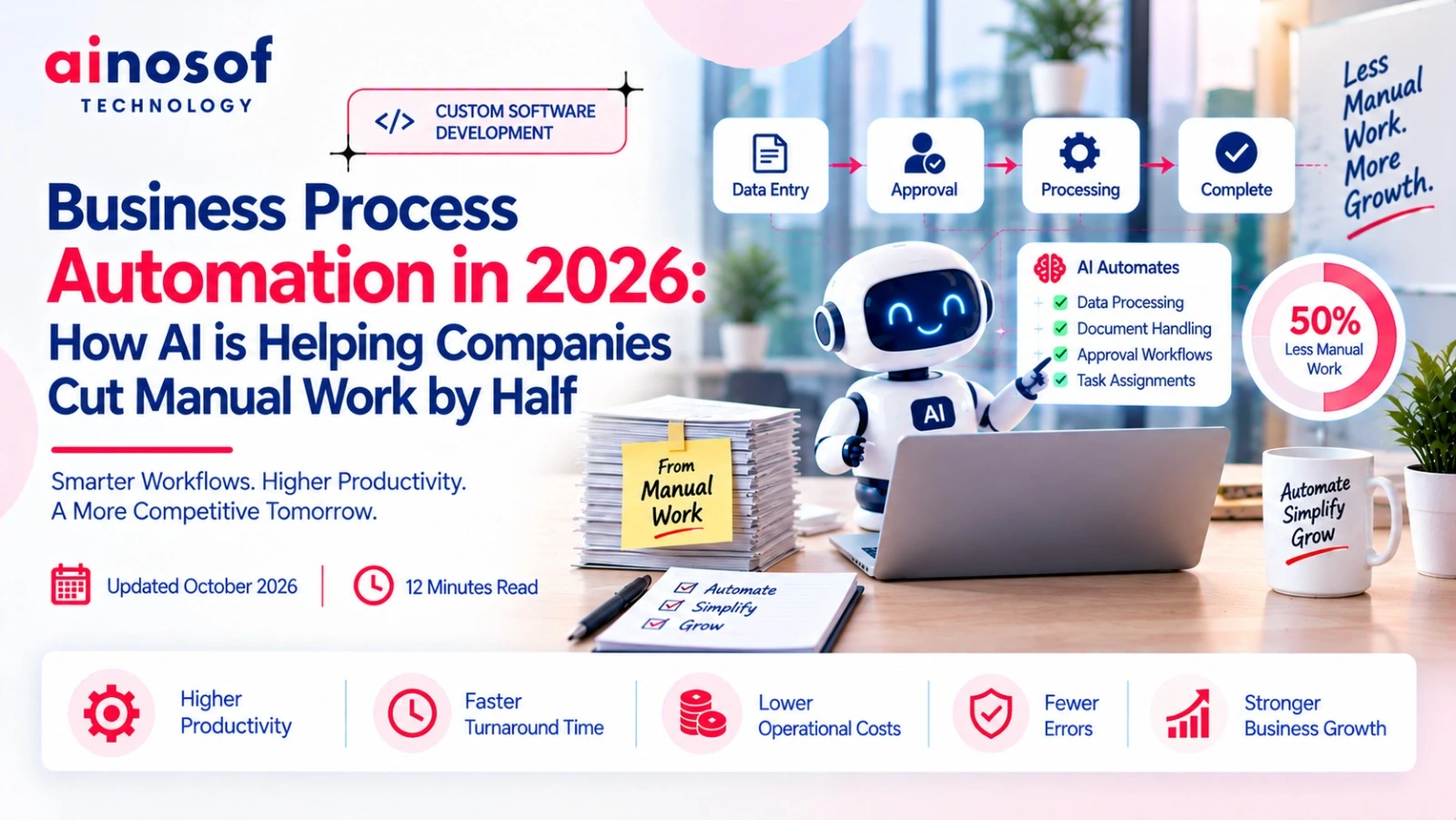
The promise of cutting manual work by half sounds attractive, but businesses should treat it as a measurable possibility rather than a guaranteed result.
The actual reduction depends on the process being automated, the amount of repetitive work involved, existing systems, data quality, integrations and the amount of human judgment still required.
This is why businesses should evaluate the 50% target against their own processes instead of assuming that every automation project will produce the same result.
The greatest reductions usually come from high-volume processes containing several repetitive manual steps.
For example, a lead management process may require employees to collect information, enter it into a CRM, assign the lead, send an acknowledgement, create a reminder and update the status.
If several of those actions can happen automatically, the amount of employee time required for every lead can fall significantly.
Similar opportunities can exist in invoice processing, approval workflows, employee onboarding, recurring reporting, customer follow-ups and data synchronization.
The important point is that automation becomes more valuable when it improves the entire sequence rather than only one small action.
A business that automates one button click may save seconds. A business that redesigns a 10-step process may save hours.
The largest automation gains usually come from removing unnecessary steps across an entire workflow.
There is no universal percentage of manual work that AI can remove.
The potential reduction depends on:
For example, a highly structured reporting process may have significant automation potential because data can be collected, processed and presented automatically.
A process involving negotiations, exceptions and sensitive decisions may have much less potential because employees still need to remain involved.
This is why a business should not select business automation software simply because a provider promises a particular percentage of savings.
The better approach is to establish the current workload, identify which steps can genuinely be removed and calculate the expected improvement.
A 50% reduction is valuable only when it represents a real improvement in the business—not just a marketing claim.
Automation should be measured against business outcomes, not simply whether a new system has been installed.
Before implementation, businesses should record metrics such as:
Suppose a sales team spends 20 hours every week preparing and updating reports. After automation, that falls to 6 hours. The business has a clear measurement of the time recovered.
Management can then look at what happened to that recovered capacity. Did employees spend more time with customers? Did response times improve? Did the team handle more work without adding headcount?
These questions connect automation to actual business performance.
The same measurement approach can be used for finance, HR, operations, customer support and other departments.
Automation should ultimately be judged by what the business gains from the time it no longer has to spend on manual work.
Choosing automation software should come after understanding the business process. A company may need a simple workflow for one department, broader business automation software for multiple operations, or a completely customized solution for processes that are unique to the business.
The wrong choice can create unnecessary costs and another layer of software for employees to manage. The right choice should make existing work simpler, faster and easier to control.
Workflow automation software is usually enough when the business has clear, repeatable processes that can follow predefined rules.
For example, a company may want to automatically assign new leads, send follow-up reminders, route approval requests or notify employees when a task is completed.
These processes do not necessarily require a completely new software system. A workflow platform can connect the required steps and reduce the amount of manual coordination.
It is particularly useful when the business already has standard processes and wants to automate them without making major changes to its existing operations.
Before choosing a platform, the business should map the current workflow and check whether the software can handle the required triggers, actions and integrations.
If the process is predictable and the software can support it without major customization, workflow automation is often the practical starting point.
Business automation software becomes more useful when automation needs to extend across several business functions rather than one isolated workflow.
For example, a growing company may want to connect lead management, sales follow-ups, invoicing, approvals, reporting and customer communication instead of automating each activity separately.
In such a situation, the business needs to look at how information moves across departments.
A sales enquiry may eventually become a customer record, an invoice, a payment and a service request. If each department manages these stages separately, employees may still spend time transferring information manually.
A broader automation solution can help connect these processes and give management better visibility.
This approach can be particularly useful for growing businesses where operational complexity is increasing faster than the existing systems can handle.
When automation needs to connect multiple business processes, the focus should shift from automating individual tasks to improving the complete business workflow.
Custom automation becomes relevant when standard software cannot properly support the way a business operates.
This can happen when a company has highly specialized approval rules, industry-specific processes, complex integrations or workflows that are central to its competitive advantage.
For example, a manufacturing company may have a production approval process that connects inventory, purchasing, quality checks, production planning and dispatch. A standard workflow tool may automate individual steps but fail to handle the complete process properly.
In that situation, forcing the business to change its operations around the software may create more problems than it solves.
A custom workflow automation solution can instead be designed around the existing process, required integrations and future business requirements.
Custom development does involve more planning and implementation effort, so it should not be the default choice for every process.
Custom automation makes sense when the business process itself is unique, strategically important or too complex for standard software.
Businesses often assume that automation requires replacing their existing ERP or CRM. In many cases, that is unnecessary.
If the existing system already manages important business data effectively, it may be better to extend it with integrations, automation or custom modules.
For example, a company may already use a CRM for customer records but still manually assign leads, schedule follow-ups and prepare sales reports. Replacing the CRM would be a major project when the actual problem may only be the missing automation layer.
The same applies to ERP systems. If the ERP already handles finance, inventory or purchasing correctly, additional automation can sometimes improve the surrounding workflows without disturbing the core system.
Before replacing an existing platform, businesses should ask:
Replace a system because it no longer supports the business—not simply because automation is needed.
The best workflow automation software is not necessarily the platform with the longest feature list. It is the one that fits the company's processes, existing technology and future requirements.
A business should evaluate the software from an operational point of view before looking only at pricing or AI capabilities.
The most important question is whether the platform can reduce real manual work without creating new complexity for employees.
Automation becomes much more useful when information can move between the systems employees already depend on.
A company may use a CRM for customer information, an ERP for finance and inventory, email for communication and separate tools for reporting. If these systems remain disconnected, employees may still need to transfer information manually.
Before selecting software, businesses should check whether it can connect with their existing applications through integrations, APIs or other supported methods.
For example, when a salesperson updates a customer record, the information may need to reach another system automatically instead of being entered again by a different employee.
This is one of the most important checks because automation that operates in isolation can leave the original problem partly unresolved.
The value of automation increases when it connects the systems employees already use instead of creating another disconnected workspace.
Business processes rarely remain exactly the same.
A company may add a new approval level, change how leads are assigned, introduce a new department or connect another business system as it grows.
If the automation platform cannot adapt, employees may eventually return to manual work or create workarounds outside the system.
Businesses should therefore check how easily workflows can be changed and whether new conditions, users, approvals and integrations can be added.
For example, a company may initially require one approval for a purchase request but later introduce different approval levels based on purchase value.
A flexible platform should allow the workflow to evolve without requiring the entire automation project to be rebuilt.
Automation should support business growth, not become another restriction the business has to work around.
AI capabilities can be valuable, but businesses should first identify the actual problem they want AI to solve.
If the process only requires fixed rules, traditional automation may be enough. AI becomes more relevant when the workflow involves unstructured information, pattern recognition, classification, summaries or decision support.
For example, automatically sending an invoice reminder does not require AI. Analyzing hundreds of customer messages to identify common complaints may benefit from AI.
Businesses should therefore ask software providers:
This prevents companies from paying for advanced features that have little practical impact on their operations.
Choose AI because it solves a business problem—not because the software happens to include it.
Automation often moves important business information between employees, departments and software systems.
That makes security and access control an important part of the buying decision.
Businesses should understand who can access customer information, financial records, employee data and operational reports. They should also check whether the platform supports appropriate user permissions, audit trails, authentication controls and data management practices.
For example, an employee responsible for sales may need access to customer information but should not automatically have access to sensitive financial records.
Automation should make information easier to move between the right people—not make sensitive information available to everyone.
Businesses should also understand where their data is stored, how integrations access that data and what controls are available when employees leave the organization.
A faster workflow is not a successful workflow if it creates unnecessary data or access risks.
Comparing software only by price or the number of features can lead to a poor decision.
Businesses should compare platforms against their actual processes.
A practical evaluation can include:
|
Evaluation Area |
What to Check |
|
Workflow flexibility |
Can the platform support actual business processes? |
|
Integrations |
Can it connect with existing ERP, CRM and other systems? |
|
AI capabilities |
Are AI features genuinely useful for the business? |
|
Customization |
Can workflows change as the company grows? |
|
Security |
Are permissions and data controls adequate? |
|
Reporting |
Can management measure automation results? |
|
Scalability |
Can the platform handle more users and processes? |
|
Total cost |
What will implementation, maintenance and customization cost? |
Businesses should also test important workflows before committing to a platform.
For example, instead of asking whether the software can technically automate lead management, the company should test its actual lead process from enquiry to assignment, follow-up and reporting.
That gives decision-makers a much clearer understanding of whether the platform fits the business.
The best workflow automation software is the one that solves the company's real workflow problems with the least unnecessary complexity.
Automation can improve operations, but a poorly planned implementation can temporarily create more confusion than the original manual process.
Employees may already have established ways of working, managers may depend on existing reports and different departments may use different systems.
That is why automation should be introduced in a controlled way, with clear priorities and measurable outcomes.
The first process should usually be one that is repetitive, measurable and causing a visible operational problem.
Businesses should avoid starting with the most complicated process simply because it appears to offer the biggest transformation.
A better starting point might be a high-volume process such as lead assignment, invoice reminders, approval routing or recurring reporting.
For example, if employees spend several hours every week preparing a report, automating that process can create a measurable early win.
The business can then use what it learns from that implementation before moving to more complex workflows.
Start with a process where the problem is clear, the result can be measured and the risk of disruption is manageable.
For most businesses, a focused rollout is easier to manage than trying to automate every department at once.
One successful workflow can help employees understand the new process, reveal integration issues and give management a clear measure of the results.
For example, a company might begin by automating sales lead assignment and follow-ups. Once that workflow is stable, it can move toward invoicing, approvals or customer support.
This does not mean departments should operate independently forever. The long-term goal can be connected automation across the business.
The first stage should simply reduce implementation risk.
Small, measurable automation projects can create the foundation for larger business-wide automation.
Employees should be involved before automation is implemented because they understand the practical problems that may not appear in a process document.
They know where information gets delayed, which steps require unnecessary duplication and where exceptions regularly occur.
Managers can provide another important perspective by identifying the business outcomes that automation should improve.
For example, an employee may explain that a customer record is entered twice because two systems are disconnected, while the manager may identify faster response time as the main business goal.
Bringing both perspectives together helps create a workflow that improves the actual process rather than simply digitizing the existing one.
Employees should also understand what automation is changing and what responsibilities remain with them.
The people who use a process every day should have a voice in how that process is automated.
A business does not need custom development simply because a standard platform has limitations.
Custom development becomes more appropriate when those limitations start affecting important business processes or preventing the company from achieving its operational goals.
For example, if a ready-made automation platform can handle 80% of a workflow but the remaining 20% contains the most important business rules, forcing employees to manage that final part manually may reduce the value of the entire solution.
Custom development may also be appropriate when the workflow needs deep integration with internal systems or when the process itself provides a competitive advantage.
The decision should therefore be based on business impact rather than the desire to build something from scratch.
Move to custom automation when the business needs greater control, integration or flexibility than standard software can reasonably provide.
Reducing manual work is only one part of improving business operations. Once a company identifies the processes that need automation, the next step is usually understanding which technology can support those processes as the business grows.
Depending on the requirement, that may involve custom software development, AI software development, ERP software development, CRM software development or a broader digital transformation strategy.
For a business that already has software in place, the right solution may be to improve integrations and workflows rather than replace the entire system. For a business with highly specialized processes, custom development may provide greater flexibility.
The important thing is to connect the technology decision with the operational problem.
Better business development starts when technology is selected around the way the business needs to work—not the other way around.
Businesses do not need to automate every task to become more efficient.
The better approach is to identify where employees are spending time on repetitive work, understand which parts of those processes can be automated and decide where human judgment should remain.
Workflow automation software can handle predictable processes. Business automation software can connect broader operations. AI can help when workflows involve unstructured information, pattern recognition or decision support. And when standard tools cannot support a strategically important process, custom workflow automation can provide the flexibility required.
The idea of cutting manual work by 50% can be realistic for the right processes, but the real measure of success is not the percentage itself. It is what the business does with the time and capacity it recovers.
Employees can spend more time with customers. Managers can focus on decisions instead of follow-ups. Teams can handle more work without simply adding more administrative effort.
That is the real purpose of business process automation in 2026: not replacing people, but removing unnecessary work so people can create more value.
AI can reduce manual work by handling information-heavy activities such as classifying enquiries, summarizing documents, analyzing customer messages, identifying patterns and supporting decisions. It works alongside traditional automation, which can handle predictable tasks such as notifications, assignments and data updates.
It can for some highly repetitive and high-volume processes, but 50% should not be treated as a guaranteed result. The outcome depends on the existing process, number of manual steps, integrations, data quality and amount of human judgment required.
Start with processes that happen frequently, follow predictable steps and consume measurable employee time. Lead assignment, routine follow-ups, reporting, invoice reminders, approvals and data synchronization can be good starting points.
Processes that depend heavily on empathy, negotiation, strategic judgment, sensitive decisions or accountability may need to remain human-led. AI can still assist employees by organizing information or providing recommendations.
Workflow automation generally follows predefined rules and triggers. AI automation can additionally interpret information, identify patterns and support decisions. Many businesses can use both together rather than choosing only one.
Look at how well the software fits your actual workflows, existing systems, integrations, customization requirements, security controls, scalability and total cost. Do not choose a platform only because it has more features or AI capabilities.
Many automation solutions can integrate with ERP, CRM and other business systems, but the exact capability depends on the software and the systems involved. Businesses should verify integrations and API support before making a decision.
Custom automation makes sense when standard software cannot support important business processes, required integrations or specialized rules without major compromises. It is particularly useful when the workflow is unique or strategically important.
Start by measuring the current time, employee effort, processing cost, error rate and turnaround time. After automation, compare these figures with the new process. The difference can show how much operational capacity and cost the business has recovered.
Yes. Smaller businesses can benefit when automation removes repetitive work that consumes a significant portion of their limited employee capacity. The key is to start with focused, high-value processes rather than attempting to automate everything at once.
 Why ERP is Becoming a Growth Necessity, Not Just a Back-Office Tool, for Indian SMEs
29 Sep, 2026
Why ERP is Becoming a Growth Necessity, Not Just a Back-Office Tool, for Indian SMEs
29 Sep, 2026
 The Rise of Industry-Specific ERP Systems: Why One-Size-Fits-All ERP is Losing Relevance
28 Sep, 2026
The Rise of Industry-Specific ERP Systems: Why One-Size-Fits-All ERP is Losing Relevance
28 Sep, 2026
 How ERP Implementation Helped a Manufacturing Business Cut Inventory Errors by Half
26 Sep, 2026
How ERP Implementation Helped a Manufacturing Business Cut Inventory Errors by Half
26 Sep, 2026
 Manufacturing ERP vs Trading ERP: Which One Does Your Business Need?
25 Sep, 2026
Manufacturing ERP vs Trading ERP: Which One Does Your Business Need?
25 Sep, 2026
 What is LLM SEO and Why Is It Becoming Important for Business Visibility in 2026?
03 Aug, 2026
What is LLM SEO and Why Is It Becoming Important for Business Visibility in 2026?
03 Aug, 2026
 ERP Software Cost in India 2026: What Businesses Should Budget For
24 Sep, 2026
ERP Software Cost in India 2026: What Businesses Should Budget For
24 Sep, 2026
Comment with an expert and get our answer.
Comment with an expert and get our answer.
Explore more insights related to this topic and discover useful perspectives, ideas and strategies from our latest articles.