How to Integrate WhatsApp with Your CRM to Automate Customer Follow-Ups
 Iram


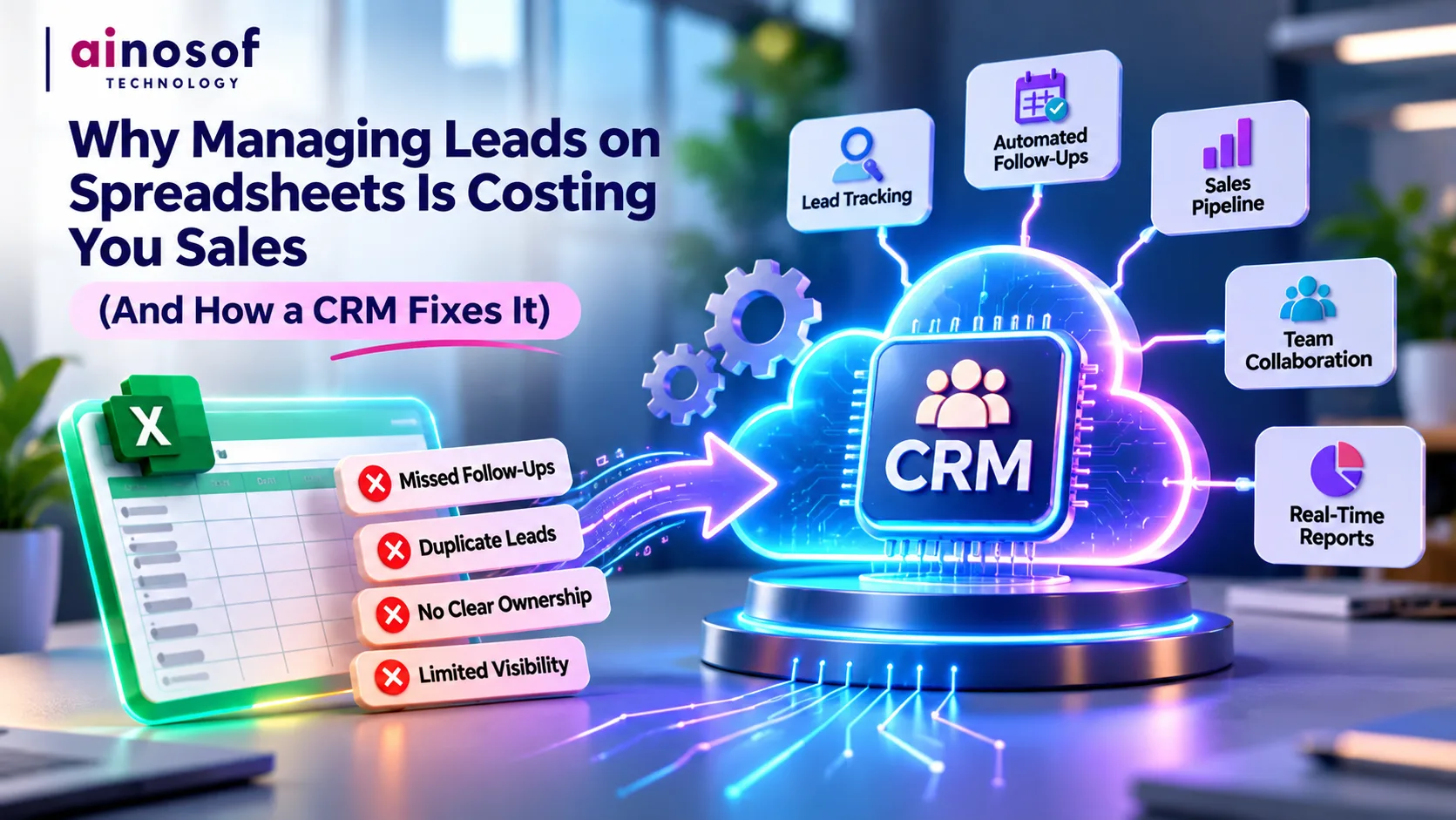
Most businesses do not start with a complicated sales management system. They begin with a simple Excel or Google Sheets file containing customer names, phone numbers, enquiry details, lead sources and follow-up dates.
For a small business handling a limited number of enquiries, this approach can work well. The information is easy to enter, the format is familiar, and there is no need to introduce another tool.
However, as enquiries increase and more people become involved in sales, managing leads through spreadsheets can become difficult. Follow-up dates may be overlooked, customer conversations can get scattered, multiple employees may update the same records, and business owners may struggle to understand the actual sales pipeline.
The problem is not that Excel is a bad tool. The problem is that a spreadsheet is primarily designed to organise information, whereas lead management requires businesses to track activities, assign responsibilities, manage customer interactions and take action at the right time.
This is where a Customer Relationship Management (CRM) system becomes useful.
Let's understand when spreadsheets are sufficient, where their limitations begin to affect sales operations, and how CRM software can help businesses manage leads more systematically.
Excel is often the first choice for lead tracking because it is accessible, familiar and flexible. A business can create a simple sheet within minutes and customise its columns according to its sales process.
A basic lead management spreadsheet may contain:
For example, a small service business receiving enquiries through its website, phone calls and referrals can maintain all these details in one spreadsheet.
The owner can review the file, check pending enquiries and contact potential customers.
At this stage, the spreadsheet may be sufficient because the number of leads is manageable and one person can oversee most sales activities.
But the situation changes when the business starts receiving more enquiries, hires additional salespeople or manages multiple customer conversations simultaneously.
Businesses do not necessarily need CRM software from the beginning. A spreadsheet can remain a practical option when the sales process is simple.
Excel or Google Sheets may be sufficient when:
For example, a consultant handling a few enquiries each week may comfortably manage contact details, proposals and follow-up dates in a spreadsheet.
Similarly, a newly established business with one salesperson may not need a dedicated CRM immediately.
The important consideration is not the number of rows in a spreadsheet. It is whether the business can consistently track every enquiry, understand its current status and complete the next action without relying entirely on memory.
When these activities become difficult, it is worth evaluating a more structured lead management system.
A spreadsheet can store a large amount of information, but maintaining an organised sales process requires more than storing customer records.
As business activities grow, several operational problems can appear.
One of the biggest challenges in spreadsheet-based lead management is remembering when to contact each prospect.
A salesperson may enter a follow-up date in a spreadsheet, but the file does not necessarily ensure that the person receives a timely reminder or completes the activity.
For example, a customer requests a quotation and expects a callback after two days. The salesperson records the date but becomes occupied with other enquiries. If nobody checks the spreadsheet, the follow-up may be delayed or forgotten.
A CRM can connect follow-up dates with tasks and reminders, helping salespeople identify which activities require attention.
When several employees handle enquiries, businesses need to know who is responsible for each lead.
In a shared spreadsheet, employees may update records inconsistently, leave ownership fields blank or work from separate copies of the same file.
This can create situations where:
CRM software can assign leads to specific employees and provide a shared view of their responsibilities. Businesses exploring this requirement can also review Ainosof's lead management CRM solutions.
A lead's spreadsheet entry may contain a name, phone number and status, but the actual customer interaction may happen through phone calls, emails or WhatsApp conversations.
If these interactions are not recorded consistently, employees may struggle to understand what was discussed previously.
Consider a customer who contacted the business three times, requested pricing and later asked for a revised proposal.
If the salesperson handling the next conversation cannot access the earlier discussion, the customer may need to explain the requirement again.
A CRM provides a structured place to maintain customer records, notes, activities and communication history, depending on the system's integrations and configuration.
As enquiries arrive from different sources, the same customer may be entered into a spreadsheet more than once.
One employee might save a customer's full name, while another enters only a phone number. Some records may contain updated contact details, while older entries remain unchanged.
Over time, this can make the spreadsheet difficult to maintain and reduce confidence in the information.
A CRM can help identify or prevent duplicate records through suitable matching rules and data validation, although the effectiveness depends on its configuration and the quality of the information entered.
Business owners often need answers to questions such as:
These details can be calculated in Excel using formulas, filters, pivot tables and charts. However, maintaining accurate reports requires consistent data entry and regular updates.
A CRM can present lead stages, pending activities and sales reports through a centralised dashboard, reducing the need to prepare every report manually.
A spreadsheet that works for one salesperson may become difficult to manage when several departments, branches or sales teams are involved.
Employees may need different access permissions, managers may need team-level reports, and leads may need to move between departments.
CRM systems are designed to support structured user roles, lead ownership and shared sales workflows. The exact capabilities depend on the software selected.
Both tools can help organise customer information, but they serve different operational needs.
|
Business Requirement |
Excel / Google Sheets |
CRM Software |
|
Contact management |
Records maintained in rows and columns |
Structured customer and lead records |
|
Lead status |
Updated manually |
Managed through configurable pipeline stages |
|
Follow-up management |
Manual dates, filters or separate reminders |
Tasks and automated reminders, depending on setup |
|
Lead assignment |
Managed through shared columns or manual coordination |
Lead ownership and assignment workflows |
|
Communication history |
Usually maintained through manual notes or separate tools |
Activities and connected communication history |
|
Duplicate management |
Requires manual checks or spreadsheet rules |
Duplicate detection or matching features, depending on configuration |
|
Sales pipeline |
Created using filters, formulas or charts |
Dedicated pipeline views |
|
Reporting |
Requires formulas, pivot tables or manual preparation |
Centralised dashboards and reports |
|
Team coordination |
Shared files and editing permissions |
Role-based access and team workflows |
|
Automation |
Possible through formulas, scripts and integrations |
Built-in or configurable workflow automation |
The distinction is not that Excel cannot perform advanced functions. It can support collaboration, formulas, automation through scripts and reporting.
The difference is that CRM software brings lead records, sales activities, responsibilities and customer interactions together within a system designed around relationship and pipeline management.
For businesses that also manage customised internal applications, CRM can work alongside other business systems. Read how a CRM system complements custom business software for better sales visibility
A CRM system helps businesses move from maintaining a list of enquiries to managing the complete lead lifecycle.
Instead of treating every enquiry as a spreadsheet entry, the system connects customer information with the activities required to move the opportunity forward.
Every enquiry can have a dedicated record containing contact information, source, requirement, assigned employee, current status and relevant notes.
This gives authorised team members a common place to access customer information.
A CRM can organise enquiries into stages that reflect the actual sales process.
For example:
These stages help employees and managers understand where each opportunity stands.
The stages should reflect the business's actual sales process rather than introducing unnecessary complexity.
Salespeople can receive reminders for activities such as calling a prospect, sharing a quotation, arranging a meeting or checking a pending decision.
This creates better visibility into upcoming and overdue activities.
CRM software can assign enquiries to employees based on business rules or manual allocation.
Managers can review assigned leads, check pending activities and understand how enquiries are being handled across the team.
Businesses often receive enquiries from websites, Google Business Profile, social media, paid campaigns, referrals and other channels.
A CRM can maintain the source of each lead and connect it with the opportunity's progress.
This helps management understand not just where enquiries originate, but which sources contribute to meaningful business opportunities.
CRM dashboards can help business owners review enquiry volume, lead stages, pending follow-ups, conversions and employee activity.
The information available depends on the fields, workflows and reporting structure configured in the system.
The following situations indicate that it may be time to consider CRM software:
One isolated issue does not automatically mean that a business needs a CRM. However, when several of these problems become regular, the existing process may no longer be reliable.
Moving from a spreadsheet to CRM software does not have to mean rebuilding the entire sales process.
A planned transition helps businesses preserve useful information while introducing a more organised way to manage enquiries.
Start by identifying the information currently maintained in Excel.
Review contact details, lead sources, enquiry dates, sales stages, assigned employees, follow-up dates and remarks.
Identify which columns are genuinely useful and which contain outdated or repetitive information.
Before importing records, check for:
Cleaning the data helps prevent old spreadsheet problems from being transferred into the new system.
Decide how enquiries should move through the sales process.
Identify the lead stages, employee responsibilities, follow-up rules and information required at each stage.
For example, a quotation-based business may need different stages from a company selling subscription-based services.
Set up the CRM according to the information and activities the business needs to manage.
This may include customer records, enquiry sources, lead assignment, follow-up dates, quotation details, communication notes and sales stages.
Avoid adding fields simply because they are available. Each field should serve a clear business purpose.
Map the spreadsheet columns to the corresponding CRM fields and import the cleaned information.
After importing, verify sample records to ensure contact details, statuses, ownership and other important information have transferred correctly.
Employees should understand how to add enquiries, update lead stages, record interactions and complete follow-up tasks.
A CRM becomes useful when the team follows a consistent process and keeps the information updated.
After implementation, review how the team is using the system.
Check whether leads are being assigned correctly, follow-ups are completed, customer records remain accurate and reports provide useful information.
Make adjustments as the business's requirements evolve.
When CRM is connected with ERP, sales information can flow more effectively into operational processes. Explore how CRM and ERP integration improves sales and operations together
Once a business decides to move beyond spreadsheets, the next question is which type of CRM will suit its requirements.
A ready-made CRM can be a practical option when its existing features, workflows and integrations match the sales process.
However, businesses with specialised requirements may need more flexibility.
For example, an organisation may want its CRM to connect with existing billing software, ERP, inventory management, customer portals or internal business applications. It may also require specific approval processes, lead assignment rules or reporting structures.
In such situations, custom CRM and business software development can help build a system around the organisation's actual workflows.
The decision should be based on business requirements, integration needs, scalability, budget and long-term usability rather than simply comparing the number of available features.
Excel remains a useful tool for businesses that manage a small number of enquiries through a simple and consistent process.
But as customer interactions, sales activities and team responsibilities increase, maintaining a spreadsheet can require more manual coordination and make it harder to maintain visibility across the sales pipeline.
CRM software helps bring lead records, follow-up activities, customer history, employee responsibilities and reporting into a more structured environment.
The right time to move from Excel to CRM is when the existing process starts making it difficult to track enquiries and take the next action consistently.
At Ainosof Technology, we develop CRM and business software solutions around practical business requirements. Our CRM and ERP software portfolio provides an example of the type of connected business systems that can be developed around operational requirements.
Whether a business needs structured lead management, sales pipeline visibility, customer communication tracking or integration with existing systems, the starting point should always be understanding how its sales process works.
Looking to move beyond spreadsheet-based lead tracking? Discuss your CRM requirements with Ainosof and explore a CRM solution aligned with your business workflow.
Excel can be sufficient when a business has a limited number of enquiries, one person manages most follow-ups and the sales process is simple. As lead volume, team size and customer interactions increase, a CRM may provide better visibility and coordination.
Excel stores and organises lead information in spreadsheets. CRM software connects lead records with sales stages, follow-up activities, customer history, employee responsibilities and reporting. Both can manage data, but CRM is designed specifically for managing customer relationships and sales processes.
A business should consider switching when follow-ups are regularly missed, multiple employees handle the same enquiries, customer information is scattered, duplicate records increase or sales reporting becomes difficult to maintain.
Yes. Most CRM systems support importing lead records through spreadsheet or CSV files. The existing data should be cleaned and mapped to the correct CRM fields before importing.
Not necessarily. CRM software can support follow-up reminders and automated workflows, but these need to be configured according to the business's sales process. Some follow-ups may still require personal calls or messages from employees.
Yes. Small businesses can use CRM software to organise enquiries, assign responsibilities, track customer interactions and manage follow-ups. The system should be appropriate for the business's actual requirements and should not introduce unnecessary complexity.
Ready-made CRM software is suitable when its features and workflows match the business's requirements. Custom CRM development may be more appropriate when the business needs specialised workflows, integrations, reporting or features that existing products cannot adequately support.
 How to Integrate WhatsApp with Your CRM to Automate Customer Follow-Ups
04 Nov, 2026
 How AI Lead Scoring in CRM Helps Sales Teams Focus on Leads Most Likely to Convert
03 Nov, 2026
 What Is CRM Software Development and Why Do Growing Businesses Need a Custom CRM?
02 Nov, 2026
 Why Off-the-Shelf Software Is No Longer Enough for Scaling Businesses
31 Oct, 2026
 The Rise of AI-Native Business Software: What's Replacing Traditional SaaS Tools in 2026
30 Oct, 2026
 How Custom Software Helped a Business Automate Operations and Cut Costs: A Case Study
28 Oct, 2026
Comment with an expert and get our answer.
Comment with an expert and get our answer.
Continue exploring with related articles, practical guides and insights covering similar subjects. Discover more information, useful perspectives and ideas to help you learn about the topics that matter to your business.