How to Build a Client Portal That Improves Customer Experience and Reduces Support Load
 Iram
Iram


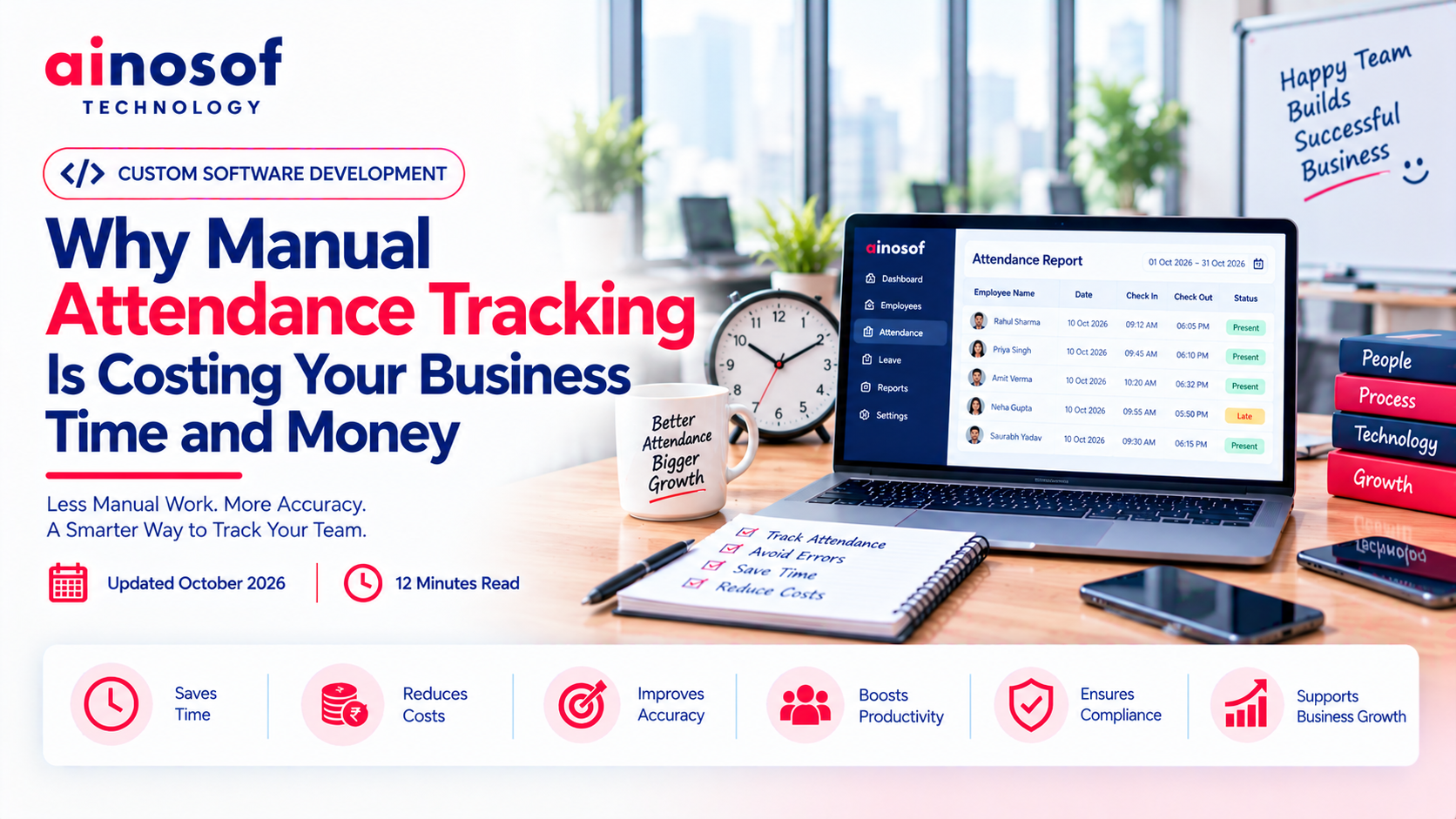
As a business grows, managing employee attendance becomes more complicated than recording arrival and departure times. HR teams must verify missing entries, check late arrivals, calculate overtime, coordinate shifts and resolve differences before payroll can be processed. When these tasks depend on registers, spreadsheets or disconnected systems, small mistakes can turn into recurring operational costs.
For a small team, manual attendance tracking may appear manageable. But as employee numbers increase, the time spent checking records and correcting errors can affect HR productivity, payroll accuracy and employee trust. Business owners may also struggle to understand attendance patterns or identify where workforce management needs improvement.
The real question is not simply whether your business should digitize attendance. It is whether your current process is costing more time and money than it should.
This article explains the hidden costs of manual attendance tracking, how human resource management software can improve attendance management, and when a business should consider standard or customized HR software.
Manual attendance processes often work reasonably well when a business has a small team, predictable working hours and limited reporting requirements. Problems emerge when employee numbers increase, departments follow different schedules or managers need attendance information quickly.
The process that once required a few minutes can become a daily administrative responsibility involving several people.
Businesses commonly record attendance in paper registers, Excel spreadsheets, biometric devices or separate departmental files. Each method may serve a purpose, but maintaining multiple records creates opportunities for inconsistencies.
For example, an employee's attendance may be recorded in a register while the HR team later transfers the information into a spreadsheet. A supervisor may maintain a separate overtime sheet, and the payroll team may use another file to calculate payable days.
Every additional step creates another opportunity for incorrect entries, duplicate records or missing information.
Common problems include:
When these issues occur regularly, HR teams spend time reconciling information instead of focusing on employee coordination and workforce planning.
Manual records require people to check information, identify missing entries and confirm exceptions. Even a small discrepancy may require communication between an employee, supervisor and HR executive.
Imagine a factory where several employees work different shifts. If a shift change is not recorded correctly, HR may need to check the attendance register, contact the supervisor and verify the approved schedule before updating the record.
One correction may take only a few minutes. However, when similar issues occur across departments every day, the total workload can become significant.
Repeated verification also creates dependency on individual employees who understand how records are maintained. If the responsible person is absent or leaves the organization, finding and interpreting older records may become difficult.
Attendance information often influences salary calculations, overtime payments, leave balances and deductions. Incorrect attendance data can therefore create payroll discrepancies.
An employee may be marked absent despite arriving on time, or approved overtime may not be reflected correctly. Even when the mistake is unintentional, the employee must spend time raising the issue and waiting for clarification.
Repeated discrepancies can reduce confidence in the payroll process. HR teams may also face pressure to resolve complaints before salary processing deadlines.
Reliable attendance records do not eliminate every payroll issue, but they help businesses establish a clearer record of working hours, approved exceptions and attendance corrections.
The cost of manual attendance is not limited to stationery, registers or spreadsheet maintenance. Much of the expense comes from employee time, repeated administrative work, delayed reporting and decisions made using incomplete information.
These costs may remain invisible because they are spread across HR, payroll, supervisors and department managers.
Consider a business where HR employees spend time collecting attendance records, verifying entries, correcting errors and preparing monthly summaries.
Suppose the combined team spends 45 minutes per working day on these tasks. Across 22 working days, that equals 16.5 hours each month.
If a business could reduce that workload, employees would have more time for recruitment coordination, employee support, compliance documentation and other responsibilities.
The following example illustrates how to calculate the administrative time involved.
|
Attendance activity |
Estimated time per working day |
|
Collecting and consolidating records |
15 minutes |
|
Verifying missing or incorrect entries |
15 minutes |
|
Preparing attendance summaries |
15 minutes |
|
Total |
45 minutes |
These figures are illustrative, not an industry benchmark. Your actual workload will depend on workforce size, shift complexity and existing processes.
To estimate the monthly cost, multiply the hours spent on attendance administration by the fully loaded hourly cost of the employees performing the work. This helps convert an apparently minor daily task into a measurable business expense.
Attendance errors can influence more than salary processing. They may also affect overtime calculations, shift coverage, leave planning and departmental reporting.
For example, if a manager does not have reliable attendance information, arranging replacement staff for an understaffed shift may take longer. If overtime records are incomplete, the business may struggle to understand actual workforce costs.
Inaccurate data can also make it harder to compare attendance patterns across departments or identify recurring scheduling problems.
The financial impact depends on the type and frequency of errors. Businesses should therefore track actual discrepancies instead of assuming that every manual record leads to a financial loss.
Paper registers and disconnected spreadsheets often provide a historical record rather than an easily accessible operational view.
Managers may need to contact HR to confirm who is present, identify employees approaching overtime limits or review attendance trends for a particular department.
When information is delayed, managers may make decisions using incomplete records. This becomes especially challenging for businesses operating across multiple locations, production units or shifts.
A centralized attendance system can make relevant information easier to retrieve and review, subject to appropriate access permissions. Better visibility supports faster coordination without requiring every manager to maintain a separate attendance file.
Digital attendance management can reduce repetitive administration by bringing employee attendance records, schedules and approved exceptions into a more organized process.
However, simply purchasing software does not guarantee better results. The system must match the company's attendance policies, employee working arrangements and payroll requirements.
Human resource management software can help businesses record, organize and retrieve attendance information through a centralized system. Depending on the solution, attendance may be captured through biometric devices, mobile applications, web-based check-ins or integrated attendance hardware.
Instead of repeatedly transferring information between registers and spreadsheets, HR teams can review records within one system.
Potential improvements include:
Automation should not mean removing human oversight. Businesses still need rules for missed punches, approved leave, overtime, remote work and exceptional situations.
A good system makes these rules easier to apply consistently while allowing authorized staff to review unusual cases.
Attendance data becomes more useful when it connects with the processes that depend on it.
For example, an integrated system may transfer approved working hours, overtime and leave information to payroll for review. A shift-management workflow may help supervisors compare planned schedules with recorded attendance.
This reduces the need to maintain separate files and manually reconcile information across departments.
Before implementation, businesses should confirm which calculations the software performs automatically, which require approval and which data must be transferred to another system.
Payroll rules differ across organizations, so integration should be tested using realistic employee records, shift schedules and exception scenarios before the system is relied on for salary processing.
Attendance information is employee data and should be handled responsibly.
A digital system can support controlled access by allowing HR teams, supervisors and employees to view only the information relevant to their roles. It may also maintain records of changes and approvals, depending on its capabilities.
Businesses should evaluate access permissions, data retention, security controls, backup procedures and the handling of employee corrections before implementation.
Mobile or location-based attendance features require particular care. If location tracking or biometric information is involved, the business should assess necessity, transparency, applicable legal requirements and appropriate safeguards.
The objective is to improve attendance management without collecting unnecessary information or creating avoidable concerns among employees.
Not every organization needs a complex HR platform immediately. A small team with stable working hours may continue using a simple process if it remains accurate, manageable and appropriate for its needs.
The decision should depend on operational problems, administrative costs and future requirements rather than employee count alone.
A business should review its existing process when attendance administration becomes repetitive, difficult to verify or increasingly dependent on manual intervention.
Use this checklist to assess whether your current approach needs improvement.
Is manual attendance costing your business too much?
If several of these problems occur regularly, the business should measure the time and cost involved and compare the results with the effort required to improve or digitize the process.
Standard attendance or HR software may be suitable when the business follows common attendance rules, uses relatively straightforward shifts and does not require extensive integrations.
A ready-made system may provide employee records, leave management, attendance reports, shift scheduling and payroll integration, depending on the selected plan.
Before choosing one, confirm that it supports your working hours, overtime rules, approval process, workforce locations and reporting requirements.
A standard solution can be a practical choice when its existing capabilities meet most requirements without costly workarounds. Businesses should also consider subscription fees, implementation, employee training, support and future pricing changes.
Customized software may be worth evaluating when the business has specific workflows that standard systems cannot handle effectively.
For example, a manufacturing company may need different attendance rules for production shifts, contract workers, supervisors and office employees. A business with field teams may require mobile attendance workflows linked to assigned locations or job schedules.
Customization may also be useful when attendance must connect with an existing ERP, payroll platform or internal approval system in a particular way.
A human resource management software development company can assess these requirements and determine whether customization is justified. Businesses looking for the best HR software design company should evaluate its understanding of HR workflows, integration capabilities, data security, implementation approach and ongoing support—not just its ability to build an application.
Customized software is not automatically the better option. It generally involves additional planning, development, testing and maintenance. The decision should be based on a clear operational need and a realistic long-term budget.
Choosing software based only on a demonstration or a list of features can lead to expensive mismatches. Businesses should evaluate how the system will work in their actual environment, who will use it and how its results will be measured.
Start by documenting the attendance process currently followed across the organization.
Identify employee categories, shift timings, weekly offs, overtime rules, leave policies, remote-working arrangements and approval requirements. Include exceptions that regularly create confusion for HR.
Then check whether the proposed software supports these requirements without complicated workarounds.
For manufacturing businesses, shift changes and production schedules may be particularly important. For field teams, mobile access and reliable attendance submission may matter more. Office-based organizations may prioritize leave integration, reporting and payroll coordination.
Review how attendance data will move through the business after implementation.
Determine whether the system can connect with existing payroll, employee records, leave management and ERP applications. Ask whether the integration is already available or requires additional development.
Businesses should also confirm how the system handles rejected attendance entries, corrections, overtime approvals and changes to employee records.
Before deployment, test common scenarios using sample data. A successful integration should reduce repeated data entry without introducing new reconciliation problems.
Define measurable outcomes before implementing the software. Without a baseline, it may be difficult to establish whether the investment has improved operations.
Track the following indicators before and after implementation:
|
Measure |
What to monitor |
|
HR attendance workload |
Time spent collecting, verifying and correcting records |
|
Attendance accuracy |
Number of missing entries and corrections |
|
Payroll discrepancies |
Attendance-related payroll corrections and disputes |
|
Reporting time |
Time required to prepare monthly attendance reports |
|
Record retrieval |
Time needed to find and verify historical records |
|
Employee queries |
Frequency of attendance-related complaints |
|
Total cost |
Software, implementation, training, integration and maintenance |
Compare results over a representative period and account for changes in workforce size or working arrangements. Improvements will vary by business, and software should not be assumed to eliminate every error.
Before making a final decision, confirm that the solution:
A technology partner should help you evaluate the process before recommending a solution. Ainosof Technology can be considered when a business needs to explore customized software development or connect attendance workflows with broader business systems. The right approach should follow the business requirement—not the assumption that every company needs custom development.
Improving attendance management can be one step toward reducing repetitive administrative work and making business operations easier to control. Depending on your requirements, explore these related topics:
Choose the next improvement based on the operational problem you need to solve, rather than implementing technology without a clear business objective.
Manual attendance tracking may seem inexpensive because it relies on familiar tools such as registers and spreadsheets. But the real cost can appear in the time employees spend correcting records, the effort required to prepare payroll and the difficulty managers face when attendance information is incomplete.
The first step is to understand where these problems occur and measure how much time and money they consume. If the current process remains manageable, improving documentation and standardizing procedures may be enough. If attendance administration has become repetitive and difficult to control, standard HR software may offer a practical improvement.
Where workforce policies or integrations require capabilities that existing products cannot provide, customized human resource management software may be worth considering.
For businesses evaluating their options, Ainosof Technology can be part of the discussion around custom software development and connected business workflows. The priority should always be the same: select a solution that addresses a real operational problem, fits the way your business works and delivers measurable value over time.
Manual attendance tracking can require repeated data entry, record verification, error correction and report preparation. These activities consume employee time and can contribute to payroll discrepancies, delayed reporting and additional administrative work. The actual cost depends on workforce size and process complexity.
Human resource management software can centralize attendance records, organize employee schedules, simplify reporting and support approval workflows. Depending on the system, it can also connect attendance information with leave management and payroll processes, reducing the need for repeated manual entry.
Yes, attendance software can help reduce errors caused by missing records, duplicate entries and manual calculations. However, results depend on correct configuration, reliable attendance data, appropriate approval procedures and successful payroll integration. Businesses should test calculations before relying on them for salary processing.
A business should consider changing its process when attendance corrections become frequent, payroll reconciliation takes too long, records are difficult to retrieve or managers cannot access reliable information when needed. Measuring the time and cost of these problems can help determine whether digital attendance management is worthwhile.
Yes. Small businesses can use standard HR software to manage attendance, leave and employee records without building a complex system. The best option depends on workforce size, budget, attendance policies and integration requirements. A simple, affordable solution may be sufficient for a business with straightforward needs.
Many attendance systems support shift scheduling, mobile attendance and employee check-ins outside the office, although capabilities vary by product. Businesses should verify support for their actual work arrangements, connectivity requirements, location-related policies and approval processes before selecting a system.
Standard HR software is generally suitable when existing features meet the business's requirements. Customized software may make sense when the organization has specialized attendance rules, complex integrations or workflows that standard products cannot handle effectively. Compare the total cost, flexibility, implementation time and maintenance requirements before deciding.
Evaluate the company's understanding of HR workflows, experience with software integrations, data security practices, testing process, implementation support and maintenance services. Ask how it will document requirements, manage changes and measure project success. A reliable development partner should explain when customization is necessary and when an existing solution is more practical.
 How to Build a Client Portal That Improves Customer Experience and Reduces Support Load
08 Oct, 2026
How to Build a Client Portal That Improves Customer Experience and Reduces Support Load
08 Oct, 2026
 What Is an MIS and Why Growing Businesses Can't Scale Without One
07 Oct, 2026
What Is an MIS and Why Growing Businesses Can't Scale Without One
07 Oct, 2026
 Billing Software: How It Helps Businesses Eliminate Invoice Errors and Delays
06 Oct, 2026
Billing Software: How It Helps Businesses Eliminate Invoice Errors and Delays
06 Oct, 2026
 How to Choose the Right HRMS Software for Your Growing Team
05 Oct, 2026
How to Choose the Right HRMS Software for Your Growing Team
05 Oct, 2026
 Custom Software vs Off-the-Shelf Software: Which Is Right for Your Business in 2026?
03 Oct, 2026
Custom Software vs Off-the-Shelf Software: Which Is Right for Your Business in 2026?
03 Oct, 2026
 Business Process Automation in 2026: How AI is Helping Companies Cut Manual Work by Half
01 Oct, 2026
Business Process Automation in 2026: How AI is Helping Companies Cut Manual Work by Half
01 Oct, 2026
Comment with an expert and get our answer.
Comment with an expert and get our answer.
Explore more insights related to this topic and discover useful perspectives, ideas and strategies from our latest articles.