Why Colleges and Universities Need ERP Software to Manage Admissions, Fees and Operations
 Iram
Iram


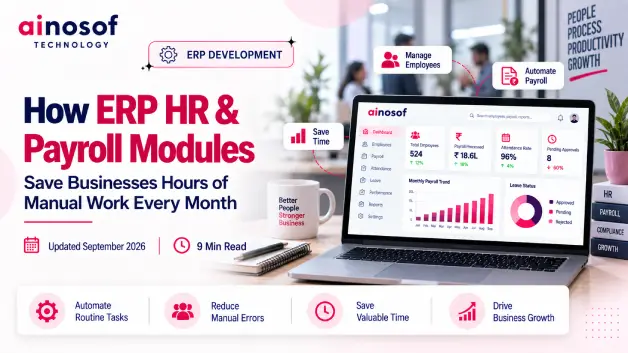
As a business grows, HR work grows with it. More employees mean more employee records, attendance entries, leave requests, salary inputs, payroll checks, and recurring reports. What may take a few minutes for a small team can turn into hours of repetitive administrative work every month.
The bigger problem is that HR teams often have to enter or verify the same information multiple times. Attendance may be maintained separately from leave records, payroll may depend on manually prepared inputs, and management reports may require information from different files. As employee numbers increase, these small tasks create a larger administrative burden and more opportunities for data-entry errors and payroll discrepancies.
Businesses therefore need to look beyond simply adding more people to handle administrative work. The better question is whether existing HR and payroll processes can be connected so the same information does not have to be repeatedly entered, checked, and transferred.
This is where ERP HR & Payroll modules can make a practical difference. When employee information, attendance, leave, payroll, and reporting work through a connected workflow, businesses can reduce repetitive tasks and give HR teams more time for work that requires human attention.
In this article, we will look at where businesses lose hours in manual HR and payroll work, which processes ERP can automate, how connected data reduces repeated effort, and what businesses should evaluate before implementing an HR & Payroll ERP solution.
HR teams rarely lose time through one large task. The bigger issue is the small repetitive activities that happen every day and become expensive when repeated across a growing workforce.
Employee records, attendance, leave, payroll inputs, verification, and reports may each seem manageable individually. Together, they can consume significant administrative time every month.
Many HR teams spend time on updating employee records, entering attendance, checking leave, preparing payroll inputs, maintaining documents, and creating recurring reports.
The same information may also need to be checked across different spreadsheets or systems.
For example, an employee's attendance may be recorded in one file, leave in another, and payroll inputs in a separate sheet. HR then has to compare these records before payroll can be processed.
This repeated checking does not add much business value, but it consumes working hours.
An HR ERP system can bring these activities into a more connected workflow, reducing unnecessary data entry and verification.
The time saved can then be used for more valuable HR responsibilities such as employee support, workforce planning, recruitment, and management coordination.
Manual HR processes become more difficult as the number of employees increases because every new employee adds more records, attendance data, leave transactions, payroll inputs, and documents to maintain.
A process that works for 20 employees may become difficult to manage for 200 employees when the same spreadsheets and manual checks are still being used.
Employee growth also creates more changes for HR to process, including salary revisions, department changes, new leave records, joining information, exit information, and payroll adjustments.
Without an integrated system, HR teams often respond to this growth by doing more administrative work.
The better approach is to use a scalable ERP HR solution that can handle increasing employee data without increasing manual effort at the same rate.
The main advantage of ERP HR & Payroll modules is that they connect related HR activities instead of making employees manage every process separately.
When employee information becomes part of one connected system, the same data can support attendance, leave, payroll, and reporting without being repeatedly entered.
An ERP can maintain a central employee record containing information such as personal details, department, designation, joining date, salary information, and other required HR data.
Once this information is entered and maintained properly, relevant HR processes can use the same record.
For example, when an employee's department or salary information changes, HR does not need to update multiple independent files.
This reduces duplicate data entry and makes employee information easier to manage.
The business benefit is straightforward: information is entered once and can support multiple connected processes.
Attendance and leave are closely connected to payroll, but businesses often manage them through separate records.
An ERP can bring attendance, working days, leave balances, holidays, and approved leave into one workflow.
Instead of manually collecting attendance and then checking leave records before payroll, HR can work with connected information.
For example, approved leave can be reflected in the employee's HR record and used as an input for payroll processing according to the company's rules.
This reduces repeated verification and gives HR better visibility into employee attendance and leave.
A central employee record can become the foundation for several HR activities.
The same employee information can support attendance, leave management, payroll, employee documents, reporting, and other HR processes.
The workflow can be as simple as:
Employee Data → Attendance → Leave → Payroll → Reports
The business does not need to recreate the same information at every stage.
This is one of the strongest reasons ERP can reduce administrative time: connected data eliminates repeated work between related processes.
Payroll requires accuracy because small mistakes can affect employee payments and create additional work for HR.
When payroll depends on manually collecting attendance, leave, salary details, deductions, and other inputs, HR teams spend significant time preparing and checking information.
ERP payroll automation can connect these inputs and reduce unnecessary manual processing.
Payroll often depends on information such as working days, attendance, approved leave, salary structure, deductions, and other payroll inputs.
When these records are maintained separately, HR may need to collect and reconcile them before calculating salaries.
An ERP can connect attendance and leave information with the payroll workflow based on configured business rules.
For example, HR does not have to manually transfer every employee's attendance or approved leave information into a separate payroll sheet.
This creates a smoother flow from employee activity to payroll processing and reduces repetitive monthly work.
Manual payroll processing often requires repeated checking because HR needs to confirm whether the information used for salary calculation is correct.
ERP can reduce this workload by using consistent employee data and predefined payroll rules.
HR can focus on exceptions, changes, or unusual records instead of manually reviewing every employee record from the beginning.
For example, if an employee has an unusual attendance record or a recent salary change, HR can review that specific case rather than manually checking every record in the same way.
ERP does not remove the need for human verification. It makes the verification process more focused and manageable.
Payroll and HR teams regularly need reports for management review, employee records, payroll analysis, attendance, leave, and internal requirements.
When these reports are prepared manually, employees may need to collect information from several files and format it repeatedly every month.
An ERP can generate reports from the information already maintained in the system.
This means HR can spend less time preparing recurring reports and more time reviewing the information for actual business decisions.
Automated HR and payroll reporting therefore saves recurring administrative effort while improving access to business information.
Not every business needs the same level of HR automation. The decision should depend on workload, employee growth, process complexity, current manual effort, and the cost of continuing with disconnected systems.
The important question is not simply whether ERP has useful features. It is whether automation can remove enough repetitive work to create meaningful business value.
Businesses should first identify where their HR teams are actually spending time.
If employees regularly spend hours on attendance reconciliation, leave verification, payroll preparation, data entry, corrections, and recurring reports, there may be a strong case for automation.
Businesses can review questions such as:
If these activities create significant recurring workload, HR & Payroll ERP can become a productivity investment rather than simply another software expense.
Standard ERP may be enough when the company's HR and payroll processes follow common workflows and the available system can handle its requirements without major changes.
Customization becomes more relevant when a business has specific salary structures, approval workflows, attendance rules, integrations, or reporting requirements that standard functionality cannot handle effectively.
For example, a company with a unique payroll calculation or approval process may need a customized workflow.
Businesses should avoid customization simply to make the software different. The better reason is to solve a genuine operational requirement.
For companies evaluating customized ERP options, Ainosof Technology can be considered when standard ERP workflows need to be adapted around specific business processes, integrations, or automation requirements.
The objective should always be to achieve the required business outcome without creating unnecessary software complexity.
ERP implementation is a business process, not just a software installation.
Before implementation begins, businesses should review their employee data, attendance process, leave rules, payroll workflow, salary structures, reporting requirements, user responsibilities, integrations, and customization needs.
Existing data should also be cleaned before migration.
For example, if employee names, departments, salary information, or joining dates are inconsistent across different files, those issues should be corrected before moving the information into ERP.
Businesses should also prepare employees for the new workflow through practical training.
A structured implementation approach, such as the one followed during ERP Software Development and implementation, can help businesses move from disconnected processes to a more consistent HR workflow.
The goal is to make ERP part of everyday HR operations so the business actually achieves the expected reduction in manual work, repeated data entry, and administrative effort.
Once a business understands where HR and payroll teams are losing time, the next step is to look at the wider business automation workflow.
HR does not work in isolation. Employee information can connect with attendance, leave, payroll, reporting, accounts, and other business processes.
Businesses can therefore explore related areas such as ERP Software Development, Business Process Automation, Workflow Automation, Custom Software Development, and Reports & Dashboards.
Businesses should identify which manual processes create the most recurring workload and decide where automation can deliver the greatest value.
For some companies, the starting point may be employee management and attendance. For others, payroll processing or reporting may create the biggest workload.
The goal should be to build a connected workflow rather than automate isolated tasks.
Businesses with specific requirements can also evaluate an ERP development partner such as Ainosof Technology to determine whether standard ERP functionality, integration, or customized development is the most practical approach.
The technology should follow the business process so that automation creates measurable operational value.
HR and payroll teams can spend significant time on repetitive activities such as employee data entry, attendance checking, leave verification, payroll preparation, corrections, and report generation.
As the workforce grows, these tasks become harder to manage manually and can take valuable time away from more important HR responsibilities.
ERP HR & Payroll modules can reduce this workload by connecting employee information, attendance, leave, payroll, and reporting within one workflow.
The biggest advantage is not simply automation. It is the ability to enter information once, use it across connected processes, and reduce repeated checking and data transfer.
Businesses should therefore evaluate ERP based on their actual HR workload, employee growth, process complexity, customization requirements, and expected business value.
For businesses with specific requirements, Ainosof Technology can help evaluate ERP development and customization options around practical HR and payroll workflows.
The right solution should help HR teams spend less time managing repetitive administration and more time supporting the people, planning, and decisions that move the business forward.
Businesses often have practical questions before investing in HR & Payroll ERP. These answers can help clarify whether automation is suitable for their current HR workload and business requirements.
ERP HR & Payroll modules are connected ERP components that help businesses manage employee information, attendance, leave, payroll, and HR reporting within a centralized system.
Instead of maintaining separate records for each process, businesses can manage related HR activities through one connected workflow.
Yes. ERP can automate parts of payroll processing by using employee information, attendance, leave, salary structures, and configured payroll rules.
This can reduce repetitive calculations and manual data transfer while allowing HR teams to review important exceptions.
Yes. A connected ERP can link attendance, leave, working days, and payroll inputs.
This reduces the need to manually collect information from different files before payroll is processed and can make monthly payroll preparation more consistent.
Yes. A centralized employee record allows relevant HR processes to use the same information.
Instead of entering employee details separately for attendance, leave, payroll, and reports, the information can flow between connected processes.
Yes. Small businesses can benefit when manual HR and payroll work is already taking significant time or becoming difficult to manage as the workforce grows.
The important point is to choose a solution that matches the company's employee size, workflow, budget, and future requirements.
Yes. ERP can be customized when a business has specific payroll rules, approval processes, attendance requirements, reports, or integrations that standard functionality cannot handle effectively.
However, customization should be used to solve genuine business requirements rather than add unnecessary complexity.
There is no fixed cost. The overall ERP investment depends on factors such as users, required modules, customization, integrations, data migration, implementation, training, and support.
Businesses should consider the total investment alongside the amount of manual work the system can reduce.
Implementation time depends on the number of employees, workflow complexity, customization, integrations, data migration, and business readiness.
A straightforward implementation may take less time, while a customized HR and payroll setup can require a longer rollout.
 How to Build an SEO Strategy for a B2B SaaS or Software Company
13 Oct, 2026
How to Build an SEO Strategy for a B2B SaaS or Software Company
13 Oct, 2026
 Why Your Business Website Should Integrate With Your Internal Software Systems
12 Oct, 2026
Why Your Business Website Should Integrate With Your Internal Software Systems
12 Oct, 2026
 How AI Agents Are Becoming Part of Custom Business Software in 2026
10 Oct, 2026
How AI Agents Are Becoming Part of Custom Business Software in 2026
10 Oct, 2026
 Why Manual Attendance Tracking Is Costing Your Business Time and Money
09 Oct, 2026
Why Manual Attendance Tracking Is Costing Your Business Time and Money
09 Oct, 2026
 How to Build a Client Portal That Improves Customer Experience and Reduces Support Load
08 Oct, 2026
How to Build a Client Portal That Improves Customer Experience and Reduces Support Load
08 Oct, 2026
 What Is an MIS and Why Growing Businesses Can't Scale Without One
07 Oct, 2026
What Is an MIS and Why Growing Businesses Can't Scale Without One
07 Oct, 2026
Comment with an expert and get our answer.
Comment with an expert and get our answer.
Explore more insights related to this topic and discover useful perspectives, ideas and strategies from our latest articles.